Windows 10X is arriving next year: What we know so far

In 2019, Microsoft announced Windows 10X, a new version of Windows for dual-screen foldable devices. Microsoft promised that Windows 10X would be simple, sleek and faster than the current generation of Windows.

Windows 10 was originally supposed to work with dual-screen devices, such as the Surface Neo, Lenovo ThinkPad X1 Fold, and Intel prototypes. The plans, however, changed after the pandemic, and Microsoft’s new priority is to get Windows 10X work on the single-screen devices.

According to reliable sources, Windows 10X is now expected to launch on single-screen devices in the Spring of 2021.

The operating system has now been updated to meet the growing needs of flexibility on low-end hardware and it’s likely to debut on mid-range devices.

Windows 10X latest news

According to a new report, Microsoft has already finalized the RTM candidate for Windows 10X. This will now allow OEM and Microsoft vendors to start the work on devices with Windows 10X.

The OS is still on track to launch in Spring 2021 to enable unique experiences on PCs from various hardware manufacturers.

Reports have also suggested that Windows 10X won’t ship with Win32 apps (desktop application) due to compatibility issues.

According to sources, Windows 10X compatibility levels with Win32 apps were not great and Microsoft decided to focus on Windows 10X without native support for Win32.

This means consumers can only download and install the apps available via the Microsoft Store or Microsoft Edge (Progressive Web Apps). However, Microsoft is believed to be working on a premium service called ‘Cloud PC’ that will allow business users to stream their desktop apps to Windows 10X.

It’s also worth noting that Windows 10X won’t be released for beta testing and it is not something that you can install on your current hardware. Like ChromeOS, Windows 10X will ship with new devices only.

Windows 10X features

As we reported last year, Windows 10X comes with a new Start Menu experience and attractive set of colored icons “to fuel a new era of productivity.” In addition, Windows 10X will ditch the flat and aesthetic live tiles to offer simple experience with fewer customization options.

“Flat, monochrome icons look great in the context of colorful tiles, but as more icon styles enter the ecosystem, this approach needs to evolve,” Microsoft said.

Action Center

Windows 10X comes with a new Action Center that puts more emphasises on quick actions. The new Action Center also comes with new volume controls, power options, and also battery percentage.

Windows Updates to get faster

Last year, Microsoft claimed that Windows 10X would be technically separated from the OS components such as the drivers and apps, which allows Windows 10X to handle updates better than the traditional version of Windows 10.

According to Microsoft, Windows 10X has been designed to download and apply updates in less than 90 seconds by saving the update package in a different partition. Once done, update data is moved to another partition and it is used for system update during the reboot.

Razer Book 13 Core i7 Laptop Review: Like an XPS 13, But Faster

At first glance, one might assume that the Razer Book 13 is simply a Mercury White Blade Stealth rebranded for professionals and productivity. In reality, it’s actually a brand new chassis and 16:10 form factor found nowhere else in the Blade series. Razer is rightfully dedicating a distinct new family of laptops for professionals separate from the Blade name so that the Blade series can continue focusing on gamers.

Of course, the Book 13 naturally inherits more than a few features from the Blade Stealth which we will go over in detail for this review. SKUs start with the Core i5-1135G7 CPU, 1200p matte display, 8 GB of LPDDR4x RAM, and 256 GB PCIe storage for $1200 USD up to the Core i7-1165G7, 2400p glossy touchscreen, 16 GB RAM, and 512 GB SSD for $2000. Our unit is the middle option in the table below.

Competitors to the Book 13 include other 13-inch “prosumer” subnotebooks or office-centric laptops like the Dell XPS 13, HP Spectre 13, Huawei MateBook X Pro, Asus ZenBook S, Microsoft Surface Laptop 3 13, or the Lenovo ThinkBook series.

Case

From a quality, texture, and rigidity perspective, the Book 13 is essentially identical to the Blade Stealth since they use the same metal materials. If you love the feel and design of the Blade, then the Book 13 isn’t going to disappoint.

The biggest chassis difference between the Book 13 and Blade Stealth lies in the new hinges. Razer had to redesign them for the new display aspect ratio without increasing the thickness of the bottom bezel. The end result is similar to the ZenBook S where the hinges are tucked underneath the base and the base itself will lift slightly when opened. Hinge rigidity doesn’t feel any better or worse than on the Blade Stealth, though we noticed slight creaking when adjusting the angles on our unit. The 140-degree maximum angle is a bit shallow as well for our tastes.

The Blade Stealth is already one of the smallest 13-inch laptops in the market and the Book 13 continues the trend by being even smaller without needing to reduce screen size. Dimensions are very close to the XPS 13 to be just a tad thicker (15.2 mm vs 14.8 mm) and heavier (1.3 kg vs. 1.4 kg).

Connectivity

Port options are better than most subnotebooks as the Book 13 integrates USB-C, Thunderbolt, full-size HDMI, 3.5 mm audio, MicroSD reader, and USB-A with no strings attached. Many competing subnotebooks lack one or more to push owners into using dongles or adapters. Even the Blade Stealth doesn’t have HDMI or a MicroSD reader as Razer knows Book 13 owners are more likely to be transferring photos and videos from cameras.

Communication

The Intel AX201 comes standard for Wi-Fi 6 which is one of the requirements for being an Intel Evo laptop. We experienced no connectivity issues when paired to our Netgear RAX200 test router.

Maintenance

The bottom panel requires a T5 Torx wrench to remove. However, there isn’t much to upgrade or service other than the battery and M.2 SSD.

Accessories and Warranty

The retail box includes a small velvet wipe and a Razer logo sticker in addition to the usual AC adapter and paperwork. The manufacturer promises full compatibility with the Razer Core eGPU docking station as well.

A one-year warranty comes standard compared to three years on more traditional business laptops.

Input Devices

Keyboard

The Book 13 keyboard is identical to the Blade Stealth in terms of overall size and key feedback. Even the per-key RGB Chroma backlight is present to make this the only productivity subnotebook we know of with such a feature. On one hand, this is excellent for existing Blade Stealth owners as typing on the Book 13 will feel natural and familiar. On the other hand, we’re not fans of the shallow travel and weak key feedback. The HP Spectre, EliteBook, ThinkPad, and MateBook X Pro all have firmer keys that we prefer for long typing sessions.

Touchpad

The clickpad is the same as on the Blade Stealth meaning it inherits all the same pros and cons. In short, we like the spacious surface (~11.1 x 7 cm) for such a small form factor while the weak and spongy click feedback could use some work. More traditional business laptops like the ThinkPad T490 or HP EliteBook 735 G6 still integrate dedicated mouse buttons which we find to be easier and more accurate to use if an external mouse is not available.

Display

As we predicted, the Book 13 uses the same or very similar Sharp LQ134N1 IPS panel as found on the Dell XPS 13 9300/9310. In fact, both laptops share almost the same maximum brightness levels and even the same pulse-width modulation frequency when at low brightness settings. This isn’t a bad thing, however, as this display is a highlight of the XPS 13 and now also the Book 13. Colors pop, text is crisp, and contrast is high for great first impressions.

The display is also a big reason why the Book 13 doesn’t work so well as a gaming laptop. Black-white and gray-gray response times are slower than the display on the Blade Stealth despite the excellent attributes mentioned above. Thus, ghosting is more noticeable when gaming even if the Book 13 is more powerful on paper than some older Ice Lake or GeForce MX-powered Blade Stealth SKUs.

Color space covers almost all of sRGB and approximately 66 percent of AdobeRGB not unlike the Blade Stealth or most flagship Ultrabooks. Nonetheless, the MacBook Pro 13 is able to offer deeper colors covering 77 percent of AdobeRGB while certain larger 4K panels as found on the HP Spectre 15 or XPS 15 can cover all of AdobeRGB. It’s worth noting that the 4K option on the Book 13 does not offer wider color coverage than the FHD option.

X-Rite colorimeter measurements show that the display is already well-calibrated out of the box as promised in the advertisements with average grayscale and color DeltaE values of just 1.3 and 1.39, respectively, and a perfect gamma of 2.2. Attempting to calibrate the panel ourselves would result in essentially no changes.

Outdoor visibility is a bit better than the Blade Stealth due to the brighter display on the Book 13. Nonetheless, this is negated somewhat by the glossy overlay of the touchscreen. The less expensive matte SKU may fare better in this regard.

Performance

The Book 13 comes with the Intel 11th gen Tiger Lake Core i7-1165G7 CPU or, for the first time ever on a Razer laptop, a lesser Core i5 option as well. The i7-1185G7 or Iris Xe Max, which would have made the laptop even faster, are not available.

RAM is soldered at up to 16 GB of LPDDR4X running at 4267 MHz. Both CPU-Z and HWiNFO report quad-channel memory while Razer’s own specifications claim dual-channel only. We’ll update this once we’ve double-checked with Razer.

We set our system to Performance mode via Razer Synapse prior to running any performance benchmarks below. We recommend becoming familiar with Synapse since key system settings can be found here.

Processor

Multi-thread performance is higher than the average Core i7-1165G7 in our database by about 20 percent to edge out even the Core i7-1185G7 in the MSI Prestige 14 Evo. The wide delta can be attributed to the decent Turbo Boost sustainability of the Book 13 as shown by our CineBench R15 xT loop graph below. Interestingly, the recent Blade Stealth with the same Core i7-1165G7 CPU returns lower scores than our Book 13 by about 10 to 15 percent.

Opting for the less expensive Core i5-1135G7 SKU will entail a 15 to 25 percent performance deficit by our estimates. It’s too bad that there are no AMD options as the Ryzen 5 4500U, Ryzen 7 4700U, or Ryzen 7 4800U could have been excellent alternatives without needing to sacrifice multi-thread performance.

See our dedicated page on the Core i7-1165G7 for more technical information and benchmark comparisons.

System Performance

PCMark results are slightly higher than the average laptop with the same CPU to edge out the XPS 13 9310 by just a few percentage points. We didn’t experience any issues on our test unit save for a Razer Synapse bug where the application would always freeze if disconnected from the Internet after a system boot.

Storage Devices

Most Razer laptops ship with Samsung SSDs while a select few SKUs ship with slower Lite-On SSDs instead. Our unit comes with the Samsung PM981a for much faster performance than the mid-range Intel 660p of similar capacity.

GPU Performance

3DMark results are higher than the average Iris Xe in our database at the moment by about 10 percent. Scores are even higher than the GeForce MX250 or MX350, but actual performance in most games will vary greatly as detailed here.

See our dedicated page on Iris Xe for more technical information and benchmark comparisons.

Emissions

System Noise

The system remains silent when browsing or video streaming with no noticeable pulsing behavior. At worse, fan noise would top out at just 29 dB(A) against a background of 27 dB(A) to be essentially inaudible in a typical office or conference room. We’re able to record 33 dB(A) when running higher loads like Witcher 3.

If the fan is manually set to maximum via the Synapse software, then fan noise can jump as high as 45 dB(A) to be louder than most other subnotebooks with integrated GPUs. However, we never reached this maximum even whilst benchmarking unless if the fan was manually set this way meaning the internal fans will rarely reach their maximum RPMs when on the default automatic mode.

Temperature

Surface temperatures are slightly warmer than what we recorded on the Ice Lake Blade Stealth. When running high loads for extended periods, hot spots on the top and bottom can be as warm as 34 C to 38 C and 40 C to 43 C, respectively. Temperature gradient is otherwise symmetrical much like on the Blade Stealth. The warmth is noticeable but not distracting since the hot spots are toward the rear away from the palm rests and most of the keyboard keys.

Stress Test

When stressed with Prime95, the CPU would boost to 3.8 GHz for the first few seconds until hitting a core temperature of 79 C. Thereafter, clock rates would drop and stabilize at the 2.5 to 2.7 GHz range in order to maintain a cooler core temperature of 60 C. In comparison, running this same test on the Core i7 XPS 13 9310 would cause clock rates to fall and cycle to as low as 1.9 GHz with even warmer core temperatures reaching 78 C. In other words, the Book 13 is able to run both faster than cooler than on the XPS 13 when the processor is stressed which backs up our CineBench R15 xT loop test results from above.

Core temperature appears to plateau at 60 C when running high loads similar to what we recorded on the recent Asus ZenBook UX425 equipped with the same CPU.

CPU performance drops slightly if running on battery power. A 3DMark 11 test on batteries would return Physics and Graphics scores of 10608 and 6973 points, respectively, compared to 12384 and 6812 points when on mains. Note that the Synapse “Performance” power profile becomes grayed out when not on mains.

Energy Management

Power Consumption

Idling on desktop consumes just 3 W on the minimum brightness level up to 7 W if brightness is set to maximum. The high performance-per-watt of Tiger Lake becomes obvious when comparing power consumption to the GeForce MX150-powered Blade Stealth. Gaming, for example, consumes about 37 W on the Book 13 compared to 64 W on the GeForce MX Blade Stealth even though the Book 13 offers both faster CPU and GPU performance.

We’re able to measure a maximum consumption of 53.7 W from the small (~10.8 x 3.5 x 2.7 cm) 65 W AC adapter. This rate lasts for only 20 seconds when Turbo Boost clock rates are highest before they both eventually fall due to thermal soak. This can also be observed during our Prime95 stress test as noted above.

Battery Life

Though battery capacity is almost the same as on the Blade Stealth (55 Wh vs. 53 Wh), runtimes are much longer on the Book 13. We were able to squeeze almost 15 hours of WLAN use from a full charge to be a few hours more than what we recorded on both of the XPS 13 or Blade Stealth when under similar WLAN conditions.

Charging from empty to full capacity takes about 1.5 hours with the included AC adapter. We appreciate the fact that there are USB-C ports along both edges of the laptop meaning you can recharge from either side as opposed to most other Ultrabooks.

Verdict

Slap the 16:10 display from the Dell XPS 13 onto a Razer Blade Stealth and you’ll essentially have the Book 13. The new Razer laptop incorporates the best of both worlds and with a stronger emphasis on performance and visual style than the Dell alternative. The fact that it uses the same Core i7-1165G7 processor as the XPS 13 and is able to run it 20 to 30 percent faster shows how well Razer has optimized the chassis for Intel’s new 11th gen platform. It’s slightly heavier and thicker than the Dell, but the extra horsepower, additional ports, and stronger design might be worth it to many users.

On the flip side, the Book 13 skips over a handful of common security features including support for a fingerprint reader and a Kensington lock. You’re also not going to find any advanced vPro or handsfree sign-in options that are available on the Latitude 7400 or HP EliteBook x360 1030 G7. The RGB-lit keys, while visually appealing, have weaker feedback than the keys on most other business-class subnotebooks. Call us old school, but dedicated mouse buttons and wider hinge angles like on most Lenovo ThinkPads ultimately feel more ergonomic when on the road. If your priorities are to have the best-looking and fastest 13-inch laptop in the office over such auxiliary features, however, then the Book 13 proudly fulfills that niche.
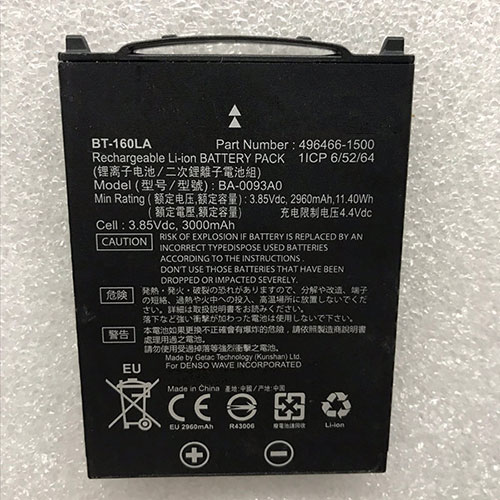
Battery BT-160LA Replacement For DENSO Scanner DENSO BA-0093A0 CipherLab RS30

Find the right battery for DENSO BA-0093A0 CipherLab RS30 to solve your power issues. Our DENSO BT-160LA batteries are manufactured to precisely fit just as your original battery.

We use the highest quality Li-ion cells and components that are lighter weight, charge faster and last longer.

US DENSO battery shop – Tech-Battery.com ! Shopping with us is safe and secure! 100% Guarantee Quality and Fully Test!

DENSO BT-160LA Battery For DENSO – Battery For DENSO Scanner Li-ion 2960mAh/11.40Wh 3.85V/4.4V. Browse our various categories and find out why we have been the go-to source for our customers.

BT-160LA
  • Chemistry: Li-ion
  • Voltage: 2960mAh/11.40Wh
  • Capacity: 3.85V/4.4V

Free shipping in most countries. click here to view detailed shipping costs.

We ship to the worldwide,please enquiry shipping & handling if you are out of united states.

What’s the total delivery time? (please use this formula to determine when your order will arrive) total delivery time = packaging time + shipping time.

Replaces the following products:

Fits the following devices:

DENSO BA-0093A0 CipherLab RS30

DENSO BT-160LA DENSO battery is replacement for DENSO BA-0093A0 CipherLab RS30. The BT-160LA batteries equivalent is guaranteed to meet or exceed DENSO original specifications. All DENSO BT-160LA Battery are brand new, 1 year Warranty, 100% Guarantee Quality and Fully Test!

We deliver quality DENSO Scanner extended batteries online. Purchase your DENSO Scanner battery here.

DENSO BT-160LA DENSO Batteries

  • 100% OEM Compatible with your DENSO Scanner.
  • Lithium Ion battery technology
  • Convenient and secure online purchasing
  • Dependable high quality DENSO batteries
  • Satisfaction guaranteed or your money back
  • 1 Year Warranty on all DENSO Scanner Replacement Batteries

6 tips to increase BT-160LA DENSO Battery lifetime

The performance of your DENSO depends largely on the performance of your battery. And his time of life depends on its users, and that you are. These are the principles that have guided the DENSO , at the head, so you can optimize the performance of DENSO Scanner battery.
New battery still fully charged BT-160LA sold. You must be on the first wheel to be conditioned for optimum performance. Loading and unloading of the battery 4 or 5 times is enough to determine.
The memory effect completely to avoid a full charge and discharge the battery, DENSO BT-160LA twice a month.
The dirt on the DENSO BT-160LA contacts of the battery can power the DENSO Scanner batteries. Clean with alcohol and cotton can look like and function like new.
This method is recommended for those using the AC adapter for long periods. We recommend that you use the DENSO BT-160LA battery at least once in two weeks. Batteries lose its charge when stored for a long time and you need the battery if it does break.
If he does not use a length of time, the DENSO BT-160LA battery will be stored protected from a clean, dry and cool, heat and other metals. A loss of business to charge the battery in time and need a break before reuse.
Power Management Features Battery BT-160LA enable the conservation of energy in the battery of DENSO Scanner. You can control the speed of the processor off, or you can adjust the brightness of the LCD screen to a minimum to ensure low power consumption. 

Why we have been the go-to source for our customers ?

We stock a wide range of rechargeable batteries for DENSO Scanner. Your DENSO Tablet PC is part of your everyday life. Successful communications on a DENSO begin with your battery. When purchasing a replacement battery for your DENSO DENSO, dependability and price are what we have to offer. We’ve been supplying reliable, high quality DENSO batteries for over 10 years. Our goal is to provide high quality aftermarket replacement batteries at a very reasonable price. All of our rechargeable Li-Ion DENSO batteries are backed by a one year warranty.

What is the run time of DENSO battery?

DENSO batteries have two main ratings on them: Volts and Amperes. Because size and weight of batteries is limited when compared to larger batteries such as car batteries, most companies show their ratings with Volts and Milliamperes. One thousand Milliamperes equals 1 Ampere. When buying a battery, select batteries with the most Milliamperes (or mAh). Batteries are also rated by Watt-Hours, perhaps the simplest rating of all. This is found by multiplying the Volts and the Amperes together. For example:

  • 14.4 Volts, 4000mAh (Note: 4000mAh is equal to 4.0 Amperes).
  • 14.4 x 4.0 = 57.60 Watt-Hours

Watt-Hours signifies the energy needed to power one watt for one hour.

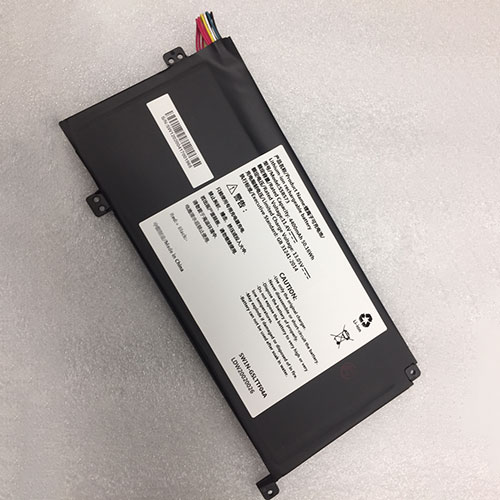
Battery SSBS73 Replacement For Hasse laptop Hasee MECHREVO S1 Pro-01,S2 Pro-02 S2 MX350 Series

Find the right battery for Hasee MECHREVO S1 Pro-01,S2 Pro-02 S2 MX350 Series to solve your power issues. Our Hasse SSBS73 batteries are manufactured to precisely fit just as your original battery.

We use the highest quality Li-ion cells and components that are lighter weight, charge faster and last longer.

US Hasse battery shop – Tech-Battery.com ! Shopping with us is safe and secure! 100% Guarantee Quality and Fully Test!

Hasse SSBS73 Battery For Hasse – Battery For Hasse laptop Li-ion 4400mAh/50.16Wh 11.4V. Browse our various categories and find out why we have been the go-to source for our customers.

SSBS73
  • Chemistry: Li-ion
  • Voltage: 4400mAh/50.16Wh
  • Capacity: 11.4V

Free shipping in most countries. click here to view detailed shipping costs.

We ship to the worldwide,please enquiry shipping & handling if you are out of united states.

What’s the total delivery time? (please use this formula to determine when your order will arrive) total delivery time = packaging time + shipping time.

Replaces the following products:

Fits the following devices:

Hasee ECHREVO S1 Pro-01,S2 Pro-02 Series
Hasee MECHREVO S2 MX350 Series

Note : this is S1 PRO,S2 Series ,not Compatible S1

Hasse SSBS73 Hasse battery is replacement for Hasee MECHREVO S1 Pro-01,S2 Pro-02 S2 MX350 Series. The SSBS73 batteries equivalent is guaranteed to meet or exceed Hasse original specifications. All Hasse SSBS73 Battery are brand new, 1 year Warranty, 100% Guarantee Quality and Fully Test!

We deliver quality Hasse laptop extended batteries online. Purchase your Hasse laptop battery here.

Hasse SSBS73 Hasse Batteries

  • 100% OEM Compatible with your Hasse laptop.
  • Lithium Ion battery technology
  • Convenient and secure online purchasing
  • Dependable high quality Hasse batteries
  • Satisfaction guaranteed or your money back
  • 1 Year Warranty on all Hasse laptop Replacement Batteries

6 tips to increase SSBS73 Hasse Battery lifetime

The performance of your Hasse depends largely on the performance of your battery. And his time of life depends on its users, and that you are. These are the principles that have guided the Hasse , at the head, so you can optimize the performance of Hasse laptop battery.
New battery still fully charged SSBS73 sold. You must be on the first wheel to be conditioned for optimum performance. Loading and unloading of the battery 4 or 5 times is enough to determine.
The memory effect completely to avoid a full charge and discharge the battery, Hasse SSBS73 twice a month.
The dirt on the Hasse SSBS73 contacts of the battery can power the Hasse laptop batteries. Clean with alcohol and cotton can look like and function like new.
This method is recommended for those using the AC adapter for long periods. We recommend that you use the Hasse SSBS73 battery at least once in two weeks. Batteries lose its charge when stored for a long time and you need the battery if it does break.
If he does not use a length of time, the Hasse SSBS73 battery will be stored protected from a clean, dry and cool, heat and other metals. A loss of business to charge the battery in time and need a break before reuse.
Power Management Features Battery SSBS73 enable the conservation of energy in the battery of Hasse laptop. You can control the speed of the processor off, or you can adjust the brightness of the LCD screen to a minimum to ensure low power consumption. 

Why we have been the go-to source for our customers ?

We stock a wide range of rechargeable batteries for Hasse laptop. Your Hasse Tablet PC is part of your everyday life. Successful communications on a Hasse begin with your battery. When purchasing a replacement battery for your Hasse Hasse, dependability and price are what we have to offer. We’ve been supplying reliable, high quality Hasse batteries for over 10 years. Our goal is to provide high quality aftermarket replacement batteries at a very reasonable price. All of our rechargeable Li-Ion Hasse batteries are backed by a one year warranty.

What is the run time of Hasse battery?

Hasse batteries have two main ratings on them: Volts and Amperes. Because size and weight of batteries is limited when compared to larger batteries such as car batteries, most companies show their ratings with Volts and Milliamperes. One thousand Milliamperes equals 1 Ampere. When buying a battery, select batteries with the most Milliamperes (or mAh). Batteries are also rated by Watt-Hours, perhaps the simplest rating of all. This is found by multiplying the Volts and the Amperes together. For example:

  • 14.4 Volts, 4000mAh (Note: 4000mAh is equal to 4.0 Amperes).
  • 14.4 x 4.0 = 57.60 Watt-Hours

Watt-Hours signifies the energy needed to power one watt for one hour.

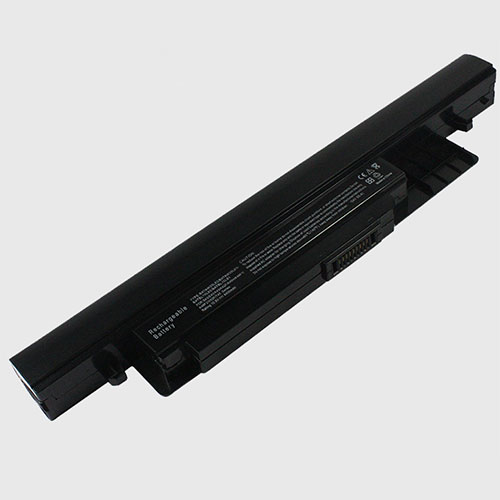
Battery BATBL10L62 Replacement For benq laptop BENQ S43 E43 K43 K42F K45H K48F1

Find the right battery for BENQ S43 E43 K43 K42F K45H K48F1 to solve your power issues. Our benq BATBL10L62 batteries are manufactured to precisely fit just as your original battery.

We use the highest quality Li-ion cells and components that are lighter weight, charge faster and last longer.

US benq battery shop – Tech-Battery.com ! Shopping with us is safe and secure! 100% Guarantee Quality and Fully Test!

benq BATBL10L62 Battery For benq – Battery For benq laptop Li-ion 5200mAh 10.8V. Browse our various categories and find out why we have been the go-to source for our customers.

BATBL10L62
  • Chemistry: Li-ion
  • Voltage: 5200mAh
  • Capacity: 10.8V

Free shipping in most countries. click here to view detailed shipping costs.

We ship to the worldwide,please enquiry shipping & handling if you are out of united states.

What’s the total delivery time? (please use this formula to determine when your order will arrive) total delivery time = packaging time + shipping time.

Replaces the following products:

Fits the following devices:

BENQ S43 E43 K43 K42F K45H K48F1 V42F T45

benq BATBL10L62 benq battery is replacement for BENQ S43 E43 K43 K42F K45H K48F1. The BATBL10L62 batteries equivalent is guaranteed to meet or exceed benq original specifications. All benq BATBL10L62 Battery are brand new, 1 year Warranty, 100% Guarantee Quality and Fully Test!

We deliver quality benq laptop extended batteries online. Purchase your benq laptop battery here.

benq BATBL10L62 benq Batteries

  • 100% OEM Compatible with your benq laptop.
  • Lithium Ion battery technology
  • Convenient and secure online purchasing
  • Dependable high quality benq batteries
  • Satisfaction guaranteed or your money back
  • 1 Year Warranty on all benq laptop Replacement Batteries

6 tips to increase BATBL10L62 benq Battery lifetime

The performance of your benq depends largely on the performance of your battery. And his time of life depends on its users, and that you are. These are the principles that have guided the benq , at the head, so you can optimize the performance of benq laptop battery.
New battery still fully charged BATBL10L62 sold. You must be on the first wheel to be conditioned for optimum performance. Loading and unloading of the battery 4 or 5 times is enough to determine.
The memory effect completely to avoid a full charge and discharge the battery, benq BATBL10L62 twice a month.
The dirt on the benq BATBL10L62 contacts of the battery can power the benq laptop batteries. Clean with alcohol and cotton can look like and function like new.
This method is recommended for those using the AC adapter for long periods. We recommend that you use the benq BATBL10L62 battery at least once in two weeks. Batteries lose its charge when stored for a long time and you need the battery if it does break.
If he does not use a length of time, the benq BATBL10L62 battery will be stored protected from a clean, dry and cool, heat and other metals. A loss of business to charge the battery in time and need a break before reuse.
Power Management Features Battery BATBL10L62 enable the conservation of energy in the battery of benq laptop. You can control the speed of the processor off, or you can adjust the brightness of the LCD screen to a minimum to ensure low power consumption. 

Why we have been the go-to source for our customers ?

We stock a wide range of rechargeable batteries for benq laptop. Your benq Tablet PC is part of your everyday life. Successful communications on a benq begin with your battery. When purchasing a replacement battery for your benq benq, dependability and price are what we have to offer. We’ve been supplying reliable, high quality benq batteries for over 10 years. Our goal is to provide high quality aftermarket replacement batteries at a very reasonable price. All of our rechargeable Li-Ion benq batteries are backed by a one year warranty.

What is the run time of benq battery?

benq batteries have two main ratings on them: Volts and Amperes. Because size and weight of batteries is limited when compared to larger batteries such as car batteries, most companies show their ratings with Volts and Milliamperes. One thousand Milliamperes equals 1 Ampere. When buying a battery, select batteries with the most Milliamperes (or mAh). Batteries are also rated by Watt-Hours, perhaps the simplest rating of all. This is found by multiplying the Volts and the Amperes together. For example:

  • 14.4 Volts, 4000mAh (Note: 4000mAh is equal to 4.0 Amperes).
  • 14.4 x 4.0 = 57.60 Watt-Hours

Watt-Hours signifies the energy needed to power one watt for one hour.

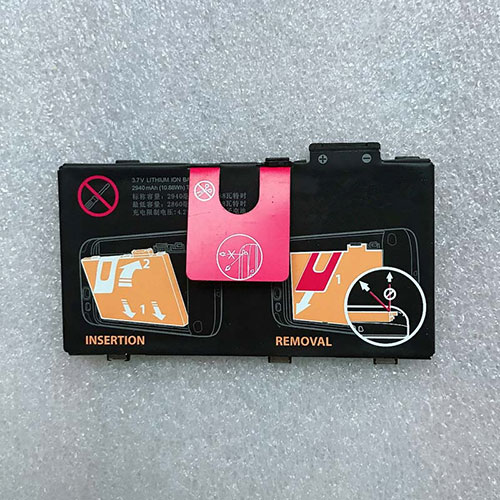
Battery 82-164807-02 Replacement For Motorola Scanner Symbol MOTOROLA 82-164807-02

Find the right battery for Symbol MOTOROLA 82-164807-02 to solve your power issues. Our Motorola 82-164807-02 batteries are manufactured to precisely fit just as your original battery.

We use the highest quality Li-ion cells and components that are lighter weight, charge faster and last longer.

US Motorola battery shop – Tech-Battery.com ! Shopping with us is safe and secure! 100% Guarantee Quality and Fully Test!

Motorola 82-164807-02 Battery For Motorola – Battery For Motorola Scanner Li-ion 2940mAh 3.7V/4.2V. Browse our various categories and find out why we have been the go-to source for our customers.

82-164807-02
  • Chemistry: Li-ion
  • Voltage: 2940mAh
  • Capacity: 3.7V/4.2V

Free shipping in most countries. click here to view detailed shipping costs.

We ship to the worldwide,please enquiry shipping & handling if you are out of united states.

What’s the total delivery time? (please use this formula to determine when your order will arrive) total delivery time = packaging time + shipping time.

Replaces the following products:

Fits the following devices:

Symbol MOTOROLA 82-164807-02

Motorola 82-164807-02 Motorola battery is replacement for Symbol MOTOROLA 82-164807-02. The 82-164807-02 batteries equivalent is guaranteed to meet or exceed Motorola original specifications. All Motorola 82-164807-02 Battery are brand new, 1 year Warranty, 100% Guarantee Quality and Fully Test!

We deliver quality Motorola Scanner extended batteries online. Purchase your Motorola Scanner battery here.

Motorola 82-164807-02 Motorola Batteries

  • 100% OEM Compatible with your Motorola Scanner.
  • Lithium Ion battery technology
  • Convenient and secure online purchasing
  • Dependable high quality Motorola batteries
  • Satisfaction guaranteed or your money back
  • 1 Year Warranty on all Motorola Scanner Replacement Batteries

6 tips to increase 82-164807-02 Motorola Battery lifetime

The performance of your Motorola depends largely on the performance of your battery. And his time of life depends on its users, and that you are. These are the principles that have guided the Motorola , at the head, so you can optimize the performance of Motorola Scanner battery.
New battery still fully charged 82-164807-02 sold. You must be on the first wheel to be conditioned for optimum performance. Loading and unloading of the battery 4 or 5 times is enough to determine.
The memory effect completely to avoid a full charge and discharge the battery, Motorola 82-164807-02 twice a month.
The dirt on the Motorola 82-164807-02 contacts of the battery can power the Motorola Scanner batteries. Clean with alcohol and cotton can look like and function like new.
This method is recommended for those using the AC adapter for long periods. We recommend that you use the Motorola 82-164807-02 battery at least once in two weeks. Batteries lose its charge when stored for a long time and you need the battery if it does break.
If he does not use a length of time, the Motorola 82-164807-02 battery will be stored protected from a clean, dry and cool, heat and other metals. A loss of business to charge the battery in time and need a break before reuse.
Power Management Features Battery 82-164807-02 enable the conservation of energy in the battery of Motorola Scanner. You can control the speed of the processor off, or you can adjust the brightness of the LCD screen to a minimum to ensure low power consumption. 

Why we have been the go-to source for our customers ?

We stock a wide range of rechargeable batteries for Motorola Scanner. Your Motorola Tablet PC is part of your everyday life. Successful communications on a Motorola begin with your battery. When purchasing a replacement battery for your Motorola Motorola, dependability and price are what we have to offer. We’ve been supplying reliable, high quality Motorola batteries for over 10 years. Our goal is to provide high quality aftermarket replacement batteries at a very reasonable price. All of our rechargeable Li-Ion Motorola batteries are backed by a one year warranty.

What is the run time of Motorola battery?

Motorola batteries have two main ratings on them: Volts and Amperes. Because size and weight of batteries is limited when compared to larger batteries such as car batteries, most companies show their ratings with Volts and Milliamperes. One thousand Milliamperes equals 1 Ampere. When buying a battery, select batteries with the most Milliamperes (or mAh). Batteries are also rated by Watt-Hours, perhaps the simplest rating of all. This is found by multiplying the Volts and the Amperes together. For example:

  • 14.4 Volts, 4000mAh (Note: 4000mAh is equal to 4.0 Amperes).
  • 14.4 x 4.0 = 57.60 Watt-Hours

Watt-Hours signifies the energy needed to power one watt for one hour.

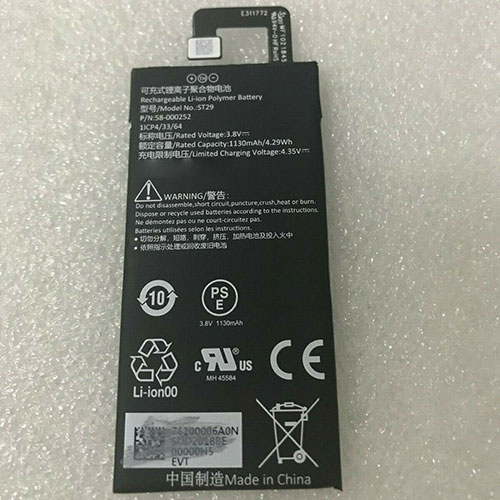
Battery 58-000252 Replacement For AMAZON Tablet Amazon Kindle Fire

Find the right battery for Amazon Kindle Fire to solve your power issues. Our AMAZON 58-000252 batteries are manufactured to precisely fit just as your original battery.

We use the highest quality Li-ion cells and components that are lighter weight, charge faster and last longer.

US AMAZON battery shop – Tech-Battery.com ! Shopping with us is safe and secure! 100% Guarantee Quality and Fully Test!

AMAZON 58-000252 Battery For AMAZON – Battery For AMAZON Tablet Li-ion 1130mAh 3.8V/4.3V. Browse our various categories and find out why we have been the go-to source for our customers.

58-000252
  • Chemistry: Li-ion
  • Voltage: 1130mAh
  • Capacity: 3.8V/4.3V

Free shipping in most countries. click here to view detailed shipping costs.

We ship to the worldwide,please enquiry shipping & handling if you are out of united states.

What’s the total delivery time? (please use this formula to determine when your order will arrive) total delivery time = packaging time + shipping time.

Replaces the following products:

Fits the following devices:

Amazon Kindle Fire

AMAZON 58-000252 AMAZON battery is replacement for Amazon Kindle Fire. The 58-000252 batteries equivalent is guaranteed to meet or exceed AMAZON original specifications. All AMAZON 58-000252 Battery are brand new, 1 year Warranty, 100% Guarantee Quality and Fully Test!

We deliver quality AMAZON Tablet extended batteries online. Purchase your AMAZON Tablet battery here.

AMAZON 58-000252 AMAZON Batteries

  • 100% OEM Compatible with your AMAZON Tablet.
  • Lithium Ion battery technology
  • Convenient and secure online purchasing
  • Dependable high quality AMAZON batteries
  • Satisfaction guaranteed or your money back
  • 1 Year Warranty on all AMAZON Tablet Replacement Batteries

6 tips to increase 58-000252 AMAZON Battery lifetime

The performance of your AMAZON depends largely on the performance of your battery. And his time of life depends on its users, and that you are. These are the principles that have guided the AMAZON , at the head, so you can optimize the performance of AMAZON Tablet battery.
New battery still fully charged 58-000252 sold. You must be on the first wheel to be conditioned for optimum performance. Loading and unloading of the battery 4 or 5 times is enough to determine.
The memory effect completely to avoid a full charge and discharge the battery, AMAZON 58-000252 twice a month.
The dirt on the AMAZON 58-000252 contacts of the battery can power the AMAZON Tablet batteries. Clean with alcohol and cotton can look like and function like new.
This method is recommended for those using the AC adapter for long periods. We recommend that you use the AMAZON 58-000252 battery at least once in two weeks. Batteries lose its charge when stored for a long time and you need the battery if it does break.
If he does not use a length of time, the AMAZON 58-000252 battery will be stored protected from a clean, dry and cool, heat and other metals. A loss of business to charge the battery in time and need a break before reuse.
Power Management Features Battery 58-000252 enable the conservation of energy in the battery of AMAZON Tablet. You can control the speed of the processor off, or you can adjust the brightness of the LCD screen to a minimum to ensure low power consumption. 

Why we have been the go-to source for our customers ?

We stock a wide range of rechargeable batteries for AMAZON Tablet. Your AMAZON Tablet PC is part of your everyday life. Successful communications on a AMAZON begin with your battery. When purchasing a replacement battery for your AMAZON AMAZON, dependability and price are what we have to offer. We’ve been supplying reliable, high quality AMAZON batteries for over 10 years. Our goal is to provide high quality aftermarket replacement batteries at a very reasonable price. All of our rechargeable Li-Ion AMAZON batteries are backed by a one year warranty.

What is the run time of AMAZON battery?

AMAZON batteries have two main ratings on them: Volts and Amperes. Because size and weight of batteries is limited when compared to larger batteries such as car batteries, most companies show their ratings with Volts and Milliamperes. One thousand Milliamperes equals 1 Ampere. When buying a battery, select batteries with the most Milliamperes (or mAh). Batteries are also rated by Watt-Hours, perhaps the simplest rating of all. This is found by multiplying the Volts and the Amperes together. For example:

  • 14.4 Volts, 4000mAh (Note: 4000mAh is equal to 4.0 Amperes).
  • 14.4 x 4.0 = 57.60 Watt-Hours

Watt-Hours signifies the energy needed to power one watt for one hour.

Chuwi presents thin and light 13.3-inch LarkBook with modest specs for just under $400

Chuwi is back with a new slim and light 13.3-incher that weighs just under 1 Kg (2.2 lbs) and is only 11.9 mm thick (under 0.5 inches). The Chinese company is notorious for including rather outdated specs for most of its products to keep production costs as low as possible, and the LarkBook clearly proves this point. At least you do not need to sell a kidney to afford this fancy piece of hardware as the estimated AliExpress price is around $450.

Speaking of outdated specs, the LarkBook is powered by a quad-core / quad-thread Intel Celeron N4100 ULV CPU with 6 W TDP, which is still decent for office work, while the UHD Graphics 600 iGPU can handle 4K decoding and output. You also get 8 GB of LPDDR4x of RAM and a 256 GB SSD that can be upgraded. The Wi-Fi 5 + Bluetooth 4.2 support feels dated too, and the included battery is quite small, limited to 34.8 Wh capacity, but at least it features fast charging.

There are, however, some pretty good features included with this model, as well. For instance, the stylish chassis is made of light aluminum and magnesium alloy and has a premium finish. The 13.3-inch IPS screen features FHD resolution, slim bezels and has 220 nits peak luminance. Interestingly enough, Chuwi offers quad DTS speakers and dual-array mics, which are usually featured on more expensive laptops. Port selection includes 1x USB-A 3.1 Gen 1, 1x USB-A 2.0 and a USB-C 3.1 with DisplayPort and charging capabilities, plus a headphone jack and a microSD card reader.

The new LarkBook will be available for purchase on AliExpress starting December 15 and customers can now sign up for a $50 discount, lowering the final price to only $394.99.

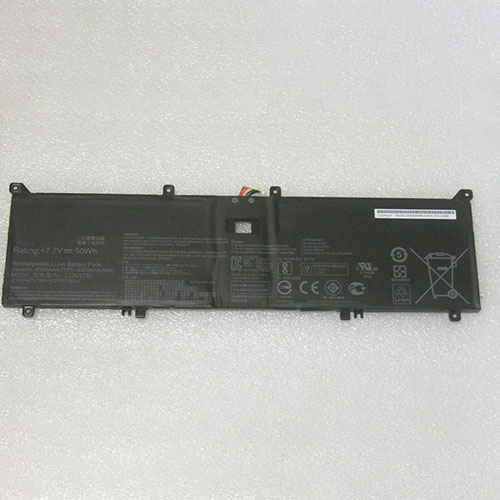
Battery C22N1720 Replacement For asus laptop Asus ZenBook S UX391 UX391U UX391UA

Find the right battery for Asus ZenBook S UX391 UX391U UX391UA to solve your power issues. Our asus C22N1720 batteries are manufactured to precisely fit just as your original battery.

We use the highest quality Li-ion cells and components that are lighter weight, charge faster and last longer.

US asus battery shop – Tech-Battery.com ! Shopping with us is safe and secure! 100% Guarantee Quality and Fully Test!

asus C22N1720 Battery For asus – Battery For asus laptop Li-ion 6500mAH/50Wh 7.7V. Browse our various categories and find out why we have been the go-to source for our customers.

C22N1720
  • Chemistry: Li-ion
  • Voltage: 6500mAH/50Wh
  • Capacity: 7.7V

Free shipping in most countries. click here to view detailed shipping costs.

We ship to the worldwide,please enquiry shipping & handling if you are out of united states.

What’s the total delivery time? (please use this formula to determine when your order will arrive) total delivery time = packaging time + shipping time.

Replaces the following products:

Fits the following devices:

Asus ZenBook S UX391
Asus ZenBook S UX391U
Asus ZenBook S UX391UA
Asus ZenBook S UX391UA-xb71
Asus ZenBook S UX391UA-xb74t

asus C22N1720 asus battery is replacement for Asus ZenBook S UX391 UX391U UX391UA. The C22N1720 batteries equivalent is guaranteed to meet or exceed asus original specifications. All asus C22N1720 Battery are brand new, 1 year Warranty, 100% Guarantee Quality and Fully Test!

We deliver quality asus laptop extended batteries online. Purchase your asus laptop battery here.

asus C22N1720 asus Batteries

  • 100% OEM Compatible with your asus laptop.
  • Lithium Ion battery technology
  • Convenient and secure online purchasing
  • Dependable high quality asus batteries
  • Satisfaction guaranteed or your money back
  • 1 Year Warranty on all asus laptop Replacement Batteries

6 tips to increase C22N1720 asus Battery lifetime

The performance of your asus depends largely on the performance of your battery. And his time of life depends on its users, and that you are. These are the principles that have guided the asus , at the head, so you can optimize the performance of asus laptop battery.
New battery still fully charged C22N1720 sold. You must be on the first wheel to be conditioned for optimum performance. Loading and unloading of the battery 4 or 5 times is enough to determine.
The memory effect completely to avoid a full charge and discharge the battery, asus C22N1720 twice a month.
The dirt on the asus C22N1720 contacts of the battery can power the asus laptop batteries. Clean with alcohol and cotton can look like and function like new.
This method is recommended for those using the AC adapter for long periods. We recommend that you use the asus C22N1720 battery at least once in two weeks. Batteries lose its charge when stored for a long time and you need the battery if it does break.
If he does not use a length of time, the asus C22N1720 battery will be stored protected from a clean, dry and cool, heat and other metals. A loss of business to charge the battery in time and need a break before reuse.
Power Management Features Battery C22N1720 enable the conservation of energy in the battery of asus laptop. You can control the speed of the processor off, or you can adjust the brightness of the LCD screen to a minimum to ensure low power consumption. 

Why we have been the go-to source for our customers ?

We stock a wide range of rechargeable batteries for asus laptop. Your asus Tablet PC is part of your everyday life. Successful communications on a asus begin with your battery. When purchasing a replacement battery for your asus asus, dependability and price are what we have to offer. We’ve been supplying reliable, high quality asus batteries for over 10 years. Our goal is to provide high quality aftermarket replacement batteries at a very reasonable price. All of our rechargeable Li-Ion asus batteries are backed by a one year warranty.

What is the run time of asus battery?

asus batteries have two main ratings on them: Volts and Amperes. Because size and weight of batteries is limited when compared to larger batteries such as car batteries, most companies show their ratings with Volts and Milliamperes. One thousand Milliamperes equals 1 Ampere. When buying a battery, select batteries with the most Milliamperes (or mAh). Batteries are also rated by Watt-Hours, perhaps the simplest rating of all. This is found by multiplying the Volts and the Amperes together. For example:

  • 14.4 Volts, 4000mAh (Note: 4000mAh is equal to 4.0 Amperes).
  • 14.4 x 4.0 = 57.60 Watt-Hours

Watt-Hours signifies the energy needed to power one watt for one hour.

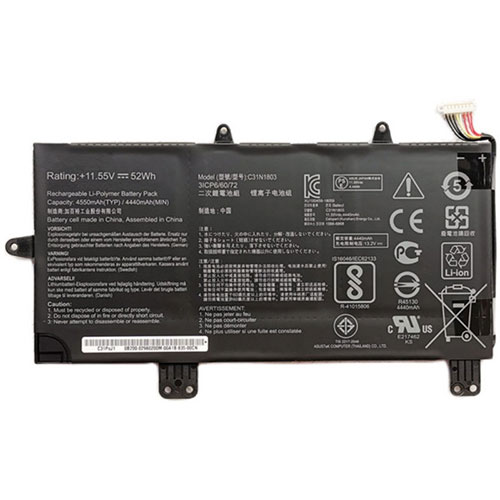
Battery C31N1803 Replacement For asus laptop Asus ZenBook Pro 14 UX480 UX480FD UX450FD series

Find the right battery for Asus ZenBook Pro 14 UX480 UX480FD UX450FD series to solve your power issues. Our asus C31N1803 batteries are manufactured to precisely fit just as your original battery.

We use the highest quality Li-ion cells and components that are lighter weight, charge faster and last longer.

US asus battery shop – Tech-Battery.com ! Shopping with us is safe and secure! 100% Guarantee Quality and Fully Test!

asus C31N1803 Battery For asus – Battery For asus laptop Li-ion 52Wh/4550mAh 11.55V. Browse our various categories and find out why we have been the go-to source for our customers.

C31N1803
  • Chemistry: Li-ion
  • Voltage: 52Wh/4550mAh
  • Capacity: 11.55V

Free shipping in most countries. click here to view detailed shipping costs.

We ship to the worldwide,please enquiry shipping & handling if you are out of united states.

What’s the total delivery time? (please use this formula to determine when your order will arrive) total delivery time = packaging time + shipping time.

Replaces the following products:

Fits the following devices:

Asus ZenBook Pro 14 UX480 UX480FD UX450FD series

asus C31N1803 asus battery is replacement for Asus ZenBook Pro 14 UX480 UX480FD UX450FD series. The C31N1803 batteries equivalent is guaranteed to meet or exceed asus original specifications. All asus C31N1803 Battery are brand new, 1 year Warranty, 100% Guarantee Quality and Fully Test!

We deliver quality asus laptop extended batteries online. Purchase your asus laptop battery here.

asus C31N1803 asus Batteries

  • 100% OEM Compatible with your asus laptop.
  • Lithium Ion battery technology
  • Convenient and secure online purchasing
  • Dependable high quality asus batteries
  • Satisfaction guaranteed or your money back
  • 1 Year Warranty on all asus laptop Replacement Batteries

6 tips to increase C31N1803 asus Battery lifetime

The performance of your asus depends largely on the performance of your battery. And his time of life depends on its users, and that you are. These are the principles that have guided the asus , at the head, so you can optimize the performance of asus laptop battery.
New battery still fully charged C31N1803 sold. You must be on the first wheel to be conditioned for optimum performance. Loading and unloading of the battery 4 or 5 times is enough to determine.
The memory effect completely to avoid a full charge and discharge the battery, asus C31N1803 twice a month.
The dirt on the asus C31N1803 contacts of the battery can power the asus laptop batteries. Clean with alcohol and cotton can look like and function like new.
This method is recommended for those using the AC adapter for long periods. We recommend that you use the asus C31N1803 battery at least once in two weeks. Batteries lose its charge when stored for a long time and you need the battery if it does break.
If he does not use a length of time, the asus C31N1803 battery will be stored protected from a clean, dry and cool, heat and other metals. A loss of business to charge the battery in time and need a break before reuse.
Power Management Features Battery C31N1803 enable the conservation of energy in the battery of asus laptop. You can control the speed of the processor off, or you can adjust the brightness of the LCD screen to a minimum to ensure low power consumption. 

Why we have been the go-to source for our customers ?

We stock a wide range of rechargeable batteries for asus laptop. Your asus Tablet PC is part of your everyday life. Successful communications on a asus begin with your battery. When purchasing a replacement battery for your asus asus, dependability and price are what we have to offer. We’ve been supplying reliable, high quality asus batteries for over 10 years. Our goal is to provide high quality aftermarket replacement batteries at a very reasonable price. All of our rechargeable Li-Ion asus batteries are backed by a one year warranty.

What is the run time of asus battery?

asus batteries have two main ratings on them: Volts and Amperes. Because size and weight of batteries is limited when compared to larger batteries such as car batteries, most companies show their ratings with Volts and Milliamperes. One thousand Milliamperes equals 1 Ampere. When buying a battery, select batteries with the most Milliamperes (or mAh). Batteries are also rated by Watt-Hours, perhaps the simplest rating of all. This is found by multiplying the Volts and the Amperes together. For example:

  • 14.4 Volts, 4000mAh (Note: 4000mAh is equal to 4.0 Amperes).
  • 14.4 x 4.0 = 57.60 Watt-Hours

Watt-Hours signifies the energy needed to power one watt for one hour.