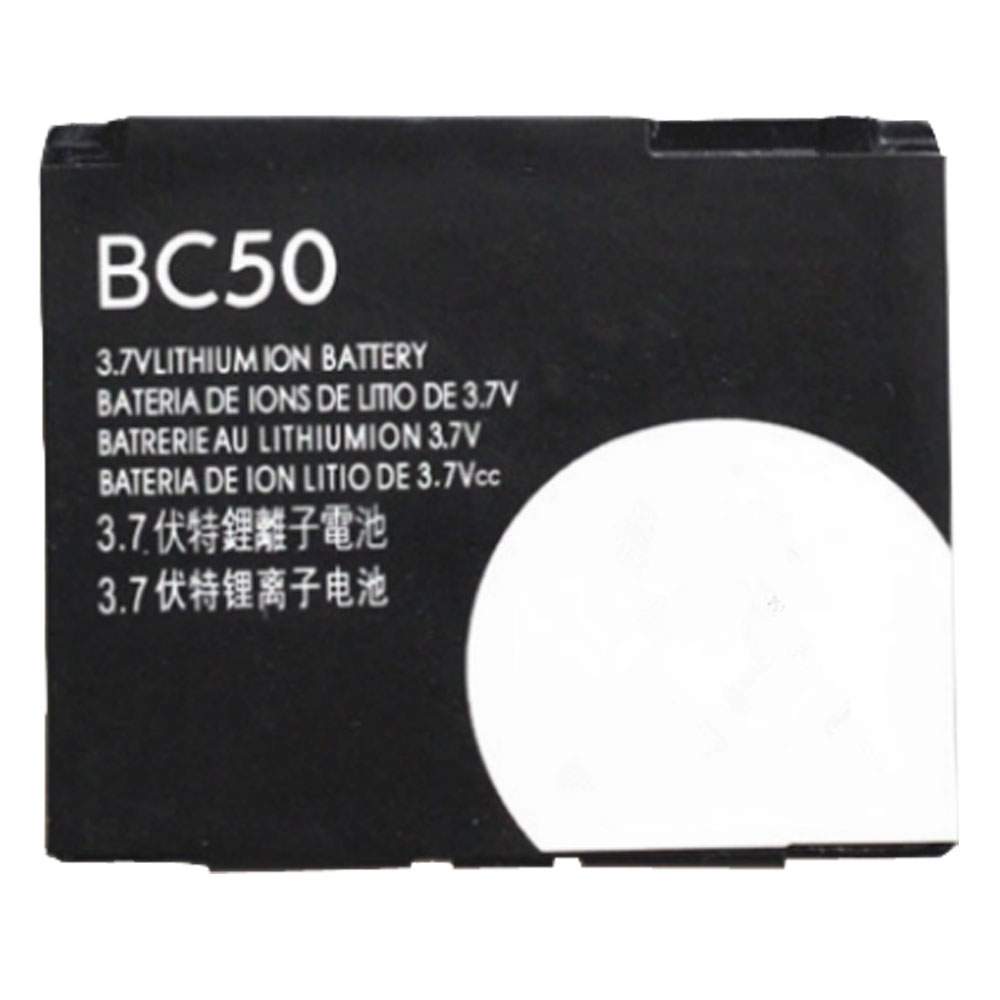
Battery BC50 Replacement For Motorola Cell Phone Motorola L6 L6i L6g L7 L7C K1 K2 R1 Z1 Z3 E8 L2

Find the right battery for Motorola L6 L6i L6g L7 L7C K1 K2 R1 Z1 Z3 E8 L2 to solve your power issues. Our Motorola BC50 batteries are manufactured to precisely fit just as your original battery.

We use the highest quality Li-ion cells and components that are lighter weight, charge faster and last longer.

US Motorola battery shop – Tech-Battery.com ! Shopping with us is safe and secure! 100% Guarantee Quality and Fully Test!

Motorola BC50 Battery For Motorola – Battery For Motorola Cell Phone Li-ion 1000mAh 3.7V/4.2V. Browse our various categories and find out why we have been the go-to source for our customers.

BC50
  • Chemistry: Li-ion
  • Voltage: 1000mAh
  • Capacity: 3.7V/4.2V

Free shipping in most countries. click here to view detailed shipping costs.

We ship to the worldwide,please enquiry shipping & handling if you are out of united states.

What’s the total delivery time? (please use this formula to determine when your order will arrive) total delivery time = packaging time + shipping time.

Replaces the following products:

Fits the following devices:

Motorola L6 L6i L6g L7 L7C K1 K2 R1 Z1 Z3 E8 L2

Motorola BC50 Motorola battery is replacement for Motorola L6 L6i L6g L7 L7C K1 K2 R1 Z1 Z3 E8 L2. The BC50 batteries equivalent is guaranteed to meet or exceed Motorola original specifications. All Motorola BC50 Battery are brand new, 1 year Warranty, 100% Guarantee Quality and Fully Test!

We deliver quality Motorola Cell Phone extended batteries online. Purchase your Motorola Cell Phone battery here.

Motorola BC50 Motorola Batteries

  • 100% OEM Compatible with your Motorola Cell Phone.
  • Lithium Ion battery technology
  • Convenient and secure online purchasing
  • Dependable high quality Motorola batteries
  • Satisfaction guaranteed or your money back
  • 1 Year Warranty on all Motorola Cell Phone Replacement Batteries

6 tips to increase BC50 Motorola Battery lifetime

The performance of your Motorola depends largely on the performance of your battery. And his time of life depends on its users, and that you are. These are the principles that have guided the Motorola , at the head, so you can optimize the performance of Motorola Cell Phone battery.
New battery still fully charged BC50 sold. You must be on the first wheel to be conditioned for optimum performance. Loading and unloading of the battery 4 or 5 times is enough to determine.
The memory effect completely to avoid a full charge and discharge the battery, Motorola BC50 twice a month.
The dirt on the Motorola BC50 contacts of the battery can power the Motorola Cell Phone batteries. Clean with alcohol and cotton can look like and function like new.
This method is recommended for those using the AC adapter for long periods. We recommend that you use the Motorola BC50 battery at least once in two weeks. Batteries lose its charge when stored for a long time and you need the battery if it does break.
If he does not use a length of time, the Motorola BC50 battery will be stored protected from a clean, dry and cool, heat and other metals. A loss of business to charge the battery in time and need a break before reuse.
Power Management Features Battery BC50 enable the conservation of energy in the battery of Motorola Cell Phone. You can control the speed of the processor off, or you can adjust the brightness of the LCD screen to a minimum to ensure low power consumption. 

Why we have been the go-to source for our customers ?

We stock a wide range of rechargeable batteries for Motorola Cell Phone. Your Motorola Tablet PC is part of your everyday life. Successful communications on a Motorola begin with your battery. When purchasing a replacement battery for your Motorola Motorola, dependability and price are what we have to offer. We’ve been supplying reliable, high quality Motorola batteries for over 10 years. Our goal is to provide high quality aftermarket replacement batteries at a very reasonable price. All of our rechargeable Li-Ion Motorola batteries are backed by a one year warranty.

What is the run time of Motorola battery?

Motorola batteries have two main ratings on them: Volts and Amperes. Because size and weight of batteries is limited when compared to larger batteries such as car batteries, most companies show their ratings with Volts and Milliamperes. One thousand Milliamperes equals 1 Ampere. When buying a battery, select batteries with the most Milliamperes (or mAh). Batteries are also rated by Watt-Hours, perhaps the simplest rating of all. This is found by multiplying the Volts and the Amperes together. For example:

  • 14.4 Volts, 4000mAh (Note: 4000mAh is equal to 4.0 Amperes).
  • 14.4 x 4.0 = 57.60 Watt-Hours

Watt-Hours signifies the energy needed to power one watt for one hour.

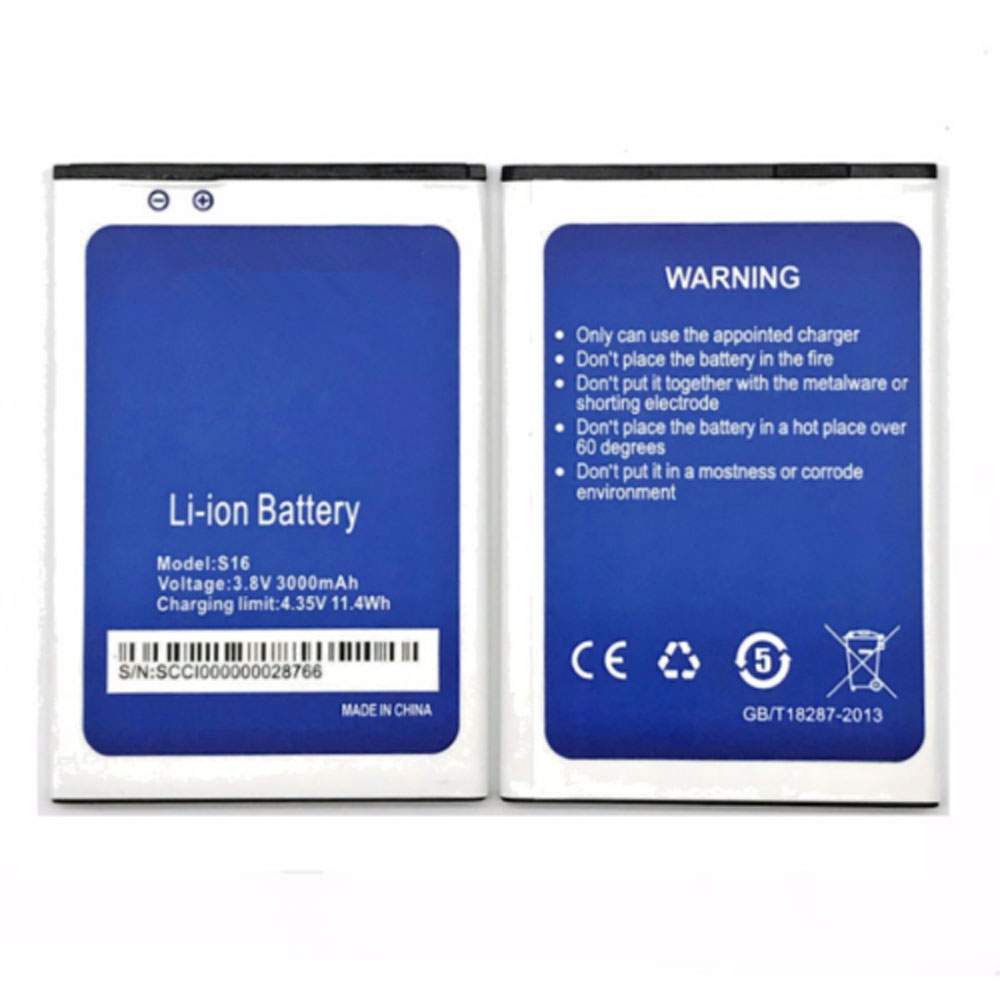
Battery S16 Replacement For HOMTOM Cell Phone Homtom S16 Mobile Cell Phone

Find the right battery for Homtom S16 Mobile Cell Phone to solve your power issues. Our HOMTOM S16 batteries are manufactured to precisely fit just as your original battery.

We use the highest quality Li-ion cells and components that are lighter weight, charge faster and last longer.

US HOMTOM battery shop – Tech-Battery.com ! Shopping with us is safe and secure! 100% Guarantee Quality and Fully Test!

HOMTOM S16 Battery For HOMTOM – Battery For HOMTOM Cell Phone Li-ion 3000mAh/11.4Wh 3.8V/4.35V. Browse our various categories and find out why we have been the go-to source for our customers.

S16
  • Chemistry: Li-ion
  • Voltage: 3000mAh/11.4Wh
  • Capacity: 3.8V/4.35V

Free shipping in most countries. click here to view detailed shipping costs.

We ship to the worldwide,please enquiry shipping & handling if you are out of united states.

What’s the total delivery time? (please use this formula to determine when your order will arrive) total delivery time = packaging time + shipping time.

Replaces the following products:

Fits the following devices:

Homtom S16 Mobile Cell Phone

HOMTOM S16 HOMTOM battery is replacement for Homtom S16 Mobile Cell Phone. The S16 batteries equivalent is guaranteed to meet or exceed HOMTOM original specifications. All HOMTOM S16 Battery are brand new, 1 year Warranty, 100% Guarantee Quality and Fully Test!

We deliver quality HOMTOM Cell Phone extended batteries online. Purchase your HOMTOM Cell Phone battery here.

HOMTOM S16 HOMTOM Batteries

  • 100% OEM Compatible with your HOMTOM Cell Phone.
  • Lithium Ion battery technology
  • Convenient and secure online purchasing
  • Dependable high quality HOMTOM batteries
  • Satisfaction guaranteed or your money back
  • 1 Year Warranty on all HOMTOM Cell Phone Replacement Batteries

6 tips to increase S16 HOMTOM Battery lifetime

The performance of your HOMTOM depends largely on the performance of your battery. And his time of life depends on its users, and that you are. These are the principles that have guided the HOMTOM , at the head, so you can optimize the performance of HOMTOM Cell Phone battery.
New battery still fully charged S16 sold. You must be on the first wheel to be conditioned for optimum performance. Loading and unloading of the battery 4 or 5 times is enough to determine.
The memory effect completely to avoid a full charge and discharge the battery, HOMTOM S16 twice a month.
The dirt on the HOMTOM S16 contacts of the battery can power the HOMTOM Cell Phone batteries. Clean with alcohol and cotton can look like and function like new.
This method is recommended for those using the AC adapter for long periods. We recommend that you use the HOMTOM S16 battery at least once in two weeks. Batteries lose its charge when stored for a long time and you need the battery if it does break.
If he does not use a length of time, the HOMTOM S16 battery will be stored protected from a clean, dry and cool, heat and other metals. A loss of business to charge the battery in time and need a break before reuse.
Power Management Features Battery S16 enable the conservation of energy in the battery of HOMTOM Cell Phone. You can control the speed of the processor off, or you can adjust the brightness of the LCD screen to a minimum to ensure low power consumption. 

Why we have been the go-to source for our customers ?

We stock a wide range of rechargeable batteries for HOMTOM Cell Phone. Your HOMTOM Tablet PC is part of your everyday life. Successful communications on a HOMTOM begin with your battery. When purchasing a replacement battery for your HOMTOM HOMTOM, dependability and price are what we have to offer. We’ve been supplying reliable, high quality HOMTOM batteries for over 10 years. Our goal is to provide high quality aftermarket replacement batteries at a very reasonable price. All of our rechargeable Li-Ion HOMTOM batteries are backed by a one year warranty.

What is the run time of HOMTOM battery?

HOMTOM batteries have two main ratings on them: Volts and Amperes. Because size and weight of batteries is limited when compared to larger batteries such as car batteries, most companies show their ratings with Volts and Milliamperes. One thousand Milliamperes equals 1 Ampere. When buying a battery, select batteries with the most Milliamperes (or mAh). Batteries are also rated by Watt-Hours, perhaps the simplest rating of all. This is found by multiplying the Volts and the Amperes together. For example:

  • 14.4 Volts, 4000mAh (Note: 4000mAh is equal to 4.0 Amperes).
  • 14.4 x 4.0 = 57.60 Watt-Hours

Watt-Hours signifies the energy needed to power one watt for one hour.

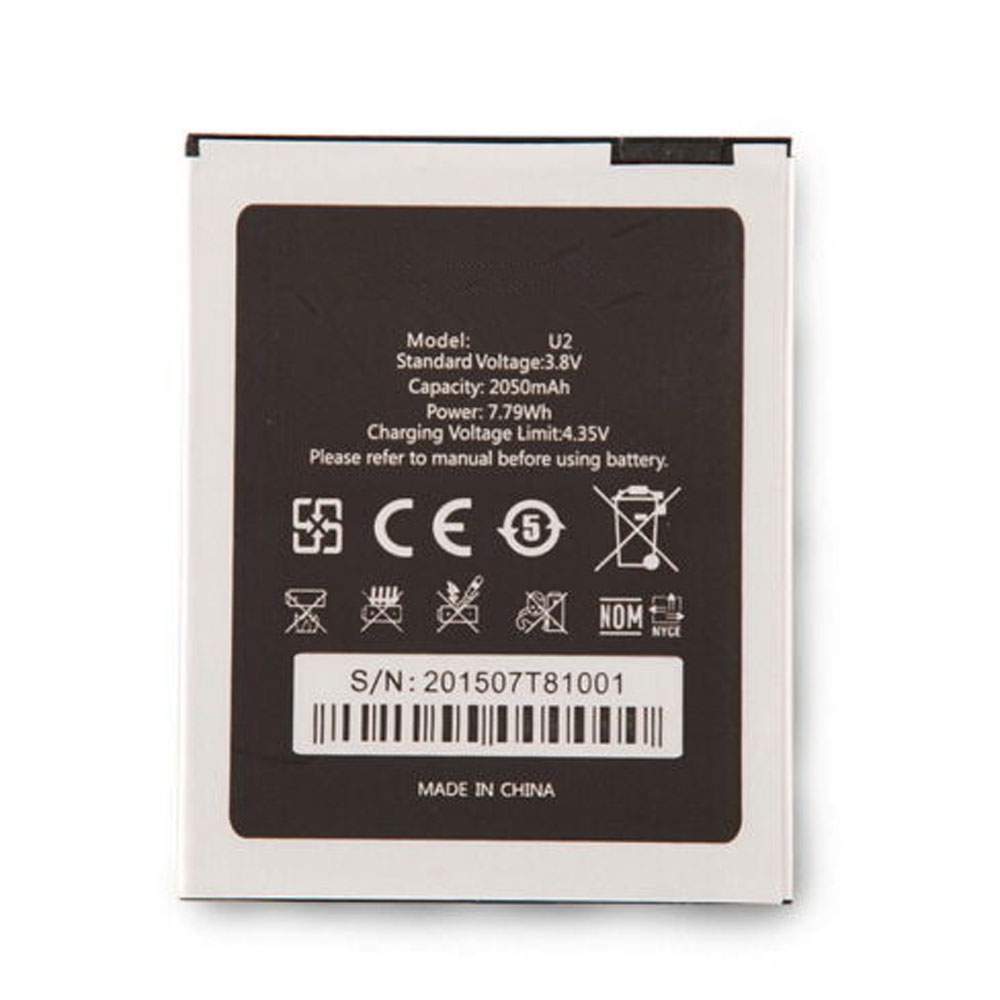
Battery U2 Replacement For OUKITEL Cell Phone OUKITEL U2 smartphone Mobile Cell Phone

Find the right battery for OUKITEL U2 smartphone Mobile Cell Phone to solve your power issues. Our OUKITEL U2 batteries are manufactured to precisely fit just as your original battery.

We use the highest quality Li-ion cells and components that are lighter weight, charge faster and last longer.

US OUKITEL battery shop – Tech-Battery.com ! Shopping with us is safe and secure! 100% Guarantee Quality and Fully Test!

OUKITEL U2 Battery For OUKITEL – Battery For OUKITEL Cell Phone Li-ion 2050mAh/7.79Wh 3.8V/4.35V. Browse our various categories and find out why we have been the go-to source for our customers.

U2
  • Chemistry: Li-ion
  • Voltage: 2050mAh/7.79Wh
  • Capacity: 3.8V/4.35V

Free shipping in most countries. click here to view detailed shipping costs.

We ship to the worldwide,please enquiry shipping & handling if you are out of united states.

What’s the total delivery time? (please use this formula to determine when your order will arrive) total delivery time = packaging time + shipping time.

Replaces the following products:

Fits the following devices:

OUKITEL U2 smartphone Mobile Cell Phone

OUKITEL U2 OUKITEL battery is replacement for OUKITEL U2 smartphone Mobile Cell Phone. The U2 batteries equivalent is guaranteed to meet or exceed OUKITEL original specifications. All OUKITEL U2 Battery are brand new, 1 year Warranty, 100% Guarantee Quality and Fully Test!

We deliver quality OUKITEL Cell Phone extended batteries online. Purchase your OUKITEL Cell Phone battery here.

OUKITEL U2 OUKITEL Batteries

  • 100% OEM Compatible with your OUKITEL Cell Phone.
  • Lithium Ion battery technology
  • Convenient and secure online purchasing
  • Dependable high quality OUKITEL batteries
  • Satisfaction guaranteed or your money back
  • 1 Year Warranty on all OUKITEL Cell Phone Replacement Batteries

6 tips to increase U2 OUKITEL Battery lifetime

The performance of your OUKITEL depends largely on the performance of your battery. And his time of life depends on its users, and that you are. These are the principles that have guided the OUKITEL , at the head, so you can optimize the performance of OUKITEL Cell Phone battery.
New battery still fully charged U2 sold. You must be on the first wheel to be conditioned for optimum performance. Loading and unloading of the battery 4 or 5 times is enough to determine.
The memory effect completely to avoid a full charge and discharge the battery, OUKITEL U2 twice a month.
The dirt on the OUKITEL U2 contacts of the battery can power the OUKITEL Cell Phone batteries. Clean with alcohol and cotton can look like and function like new.
This method is recommended for those using the AC adapter for long periods. We recommend that you use the OUKITEL U2 battery at least once in two weeks. Batteries lose its charge when stored for a long time and you need the battery if it does break.
If he does not use a length of time, the OUKITEL U2 battery will be stored protected from a clean, dry and cool, heat and other metals. A loss of business to charge the battery in time and need a break before reuse.
Power Management Features Battery U2 enable the conservation of energy in the battery of OUKITEL Cell Phone. You can control the speed of the processor off, or you can adjust the brightness of the LCD screen to a minimum to ensure low power consumption. 

Why we have been the go-to source for our customers ?

We stock a wide range of rechargeable batteries for OUKITEL Cell Phone. Your OUKITEL Tablet PC is part of your everyday life. Successful communications on a OUKITEL begin with your battery. When purchasing a replacement battery for your OUKITEL OUKITEL, dependability and price are what we have to offer. We’ve been supplying reliable, high quality OUKITEL batteries for over 10 years. Our goal is to provide high quality aftermarket replacement batteries at a very reasonable price. All of our rechargeable Li-Ion OUKITEL batteries are backed by a one year warranty.

What is the run time of OUKITEL battery?

OUKITEL batteries have two main ratings on them: Volts and Amperes. Because size and weight of batteries is limited when compared to larger batteries such as car batteries, most companies show their ratings with Volts and Milliamperes. One thousand Milliamperes equals 1 Ampere. When buying a battery, select batteries with the most Milliamperes (or mAh). Batteries are also rated by Watt-Hours, perhaps the simplest rating of all. This is found by multiplying the Volts and the Amperes together. For example:

  • 14.4 Volts, 4000mAh (Note: 4000mAh is equal to 4.0 Amperes).
  • 14.4 x 4.0 = 57.60 Watt-Hours

Watt-Hours signifies the energy needed to power one watt for one hour.

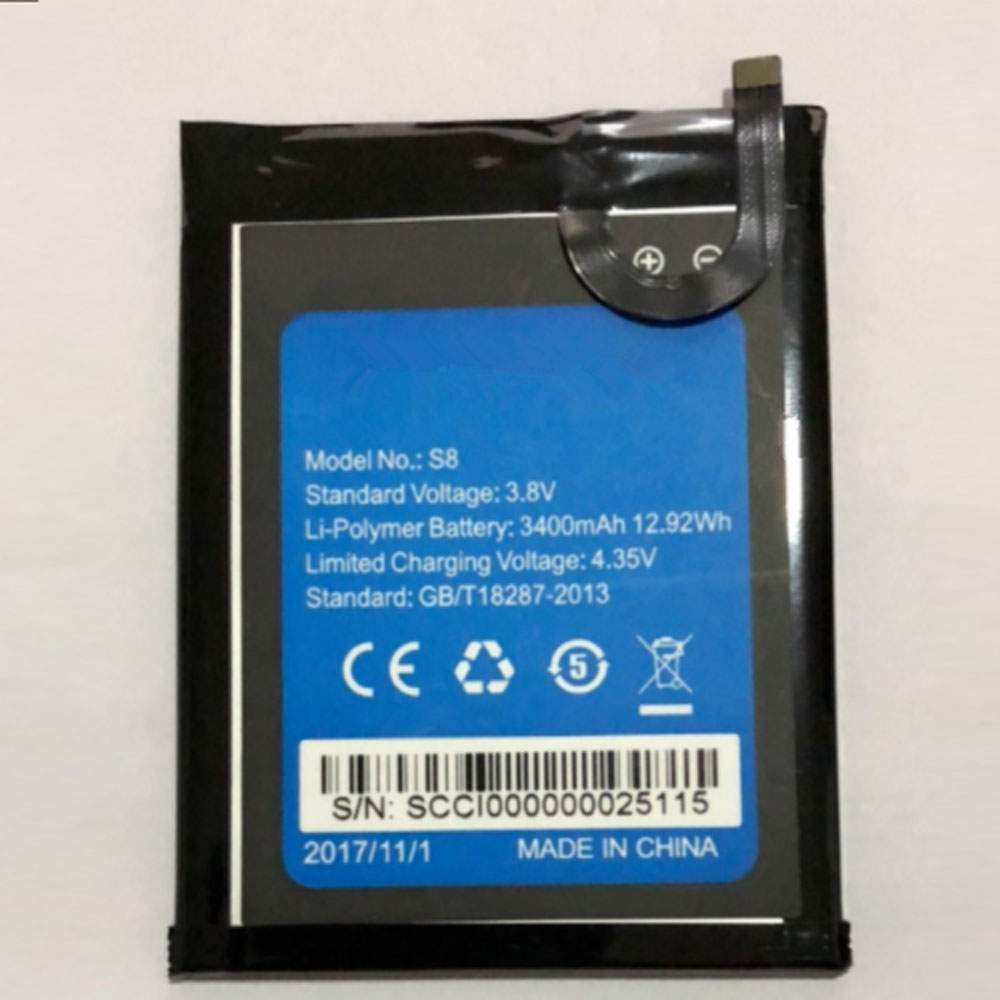
Battery S8 Replacement For HOMTOM Cell Phone HOMTOM S8 Mobile Cell Phone

Find the right battery for HOMTOM S8 Mobile Cell Phone to solve your power issues. Our HOMTOM S8 batteries are manufactured to precisely fit just as your original battery.

We use the highest quality Li-ion cells and components that are lighter weight, charge faster and last longer.

US HOMTOM battery shop – Tech-Battery.com ! Shopping with us is safe and secure! 100% Guarantee Quality and Fully Test!

HOMTOM S8 Battery For HOMTOM – Battery For HOMTOM Cell Phone Li-ion 3400mAh /12.92WH 3.8V/4.35V. Browse our various categories and find out why we have been the go-to source for our customers.

S8
  • Chemistry: Li-ion
  • Voltage: 3400mAh /12.92WH
  • Capacity: 3.8V/4.35V

Free shipping in most countries. click here to view detailed shipping costs.

We ship to the worldwide,please enquiry shipping & handling if you are out of united states.

What’s the total delivery time? (please use this formula to determine when your order will arrive) total delivery time = packaging time + shipping time.

Replaces the following products:

Fits the following devices:

HOMTOM S8 Mobile Cell Phone

HOMTOM S8 HOMTOM battery is replacement for HOMTOM S8 Mobile Cell Phone. The S8 batteries equivalent is guaranteed to meet or exceed HOMTOM original specifications. All HOMTOM S8 Battery are brand new, 1 year Warranty, 100% Guarantee Quality and Fully Test!

We deliver quality HOMTOM Cell Phone extended batteries online. Purchase your HOMTOM Cell Phone battery here.

HOMTOM S8 HOMTOM Batteries

  • 100% OEM Compatible with your HOMTOM Cell Phone.
  • Lithium Ion battery technology
  • Convenient and secure online purchasing
  • Dependable high quality HOMTOM batteries
  • Satisfaction guaranteed or your money back
  • 1 Year Warranty on all HOMTOM Cell Phone Replacement Batteries

6 tips to increase S8 HOMTOM Battery lifetime

The performance of your HOMTOM depends largely on the performance of your battery. And his time of life depends on its users, and that you are. These are the principles that have guided the HOMTOM , at the head, so you can optimize the performance of HOMTOM Cell Phone battery.
New battery still fully charged S8 sold. You must be on the first wheel to be conditioned for optimum performance. Loading and unloading of the battery 4 or 5 times is enough to determine.
The memory effect completely to avoid a full charge and discharge the battery, HOMTOM S8 twice a month.
The dirt on the HOMTOM S8 contacts of the battery can power the HOMTOM Cell Phone batteries. Clean with alcohol and cotton can look like and function like new.
This method is recommended for those using the AC adapter for long periods. We recommend that you use the HOMTOM S8 battery at least once in two weeks. Batteries lose its charge when stored for a long time and you need the battery if it does break.
If he does not use a length of time, the HOMTOM S8 battery will be stored protected from a clean, dry and cool, heat and other metals. A loss of business to charge the battery in time and need a break before reuse.
Power Management Features Battery S8 enable the conservation of energy in the battery of HOMTOM Cell Phone. You can control the speed of the processor off, or you can adjust the brightness of the LCD screen to a minimum to ensure low power consumption. 

Why we have been the go-to source for our customers ?

We stock a wide range of rechargeable batteries for HOMTOM Cell Phone. Your HOMTOM Tablet PC is part of your everyday life. Successful communications on a HOMTOM begin with your battery. When purchasing a replacement battery for your HOMTOM HOMTOM, dependability and price are what we have to offer. We’ve been supplying reliable, high quality HOMTOM batteries for over 10 years. Our goal is to provide high quality aftermarket replacement batteries at a very reasonable price. All of our rechargeable Li-Ion HOMTOM batteries are backed by a one year warranty.

What is the run time of HOMTOM battery?

HOMTOM batteries have two main ratings on them: Volts and Amperes. Because size and weight of batteries is limited when compared to larger batteries such as car batteries, most companies show their ratings with Volts and Milliamperes. One thousand Milliamperes equals 1 Ampere. When buying a battery, select batteries with the most Milliamperes (or mAh). Batteries are also rated by Watt-Hours, perhaps the simplest rating of all. This is found by multiplying the Volts and the Amperes together. For example:

  • 14.4 Volts, 4000mAh (Note: 4000mAh is equal to 4.0 Amperes).
  • 14.4 x 4.0 = 57.60 Watt-Hours

Watt-Hours signifies the energy needed to power one watt for one hour.

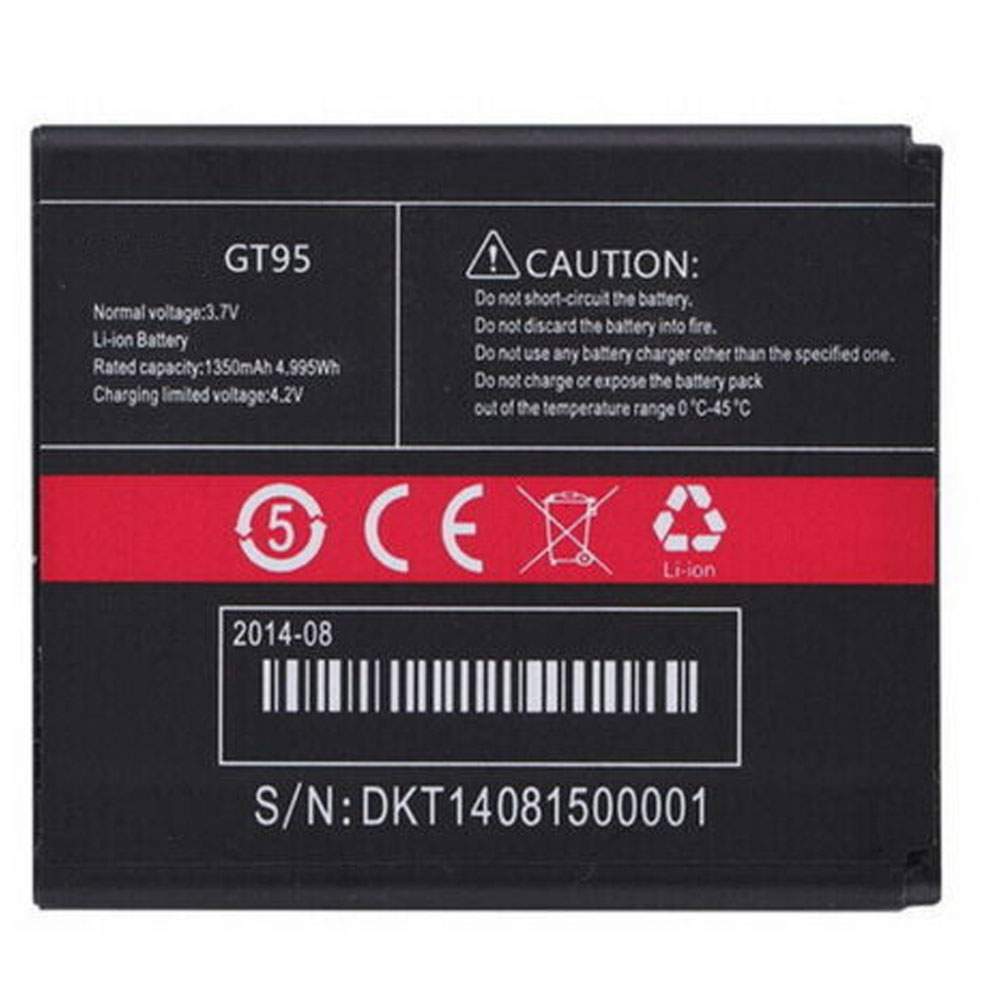
Battery GT95 Replacement For CUBOT Cell Phone CUBOT GT95 CellPho

Find the right battery for CUBOT GT95 CellPho to solve your power issues. Our CUBOT GT95 batteries are manufactured to precisely fit just as your original battery.

We use the highest quality Li-ion cells and components that are lighter weight, charge faster and last longer.

US CUBOT battery shop – Tech-Battery.com ! Shopping with us is safe and secure! 100% Guarantee Quality and Fully Test!

CUBOT GT95 Battery For CUBOT – Battery For CUBOT Cell Phone Li-ion 1350mAh/4.995WH 3.7V/4.2V. Browse our various categories and find out why we have been the go-to source for our customers.

GT95
  • Chemistry: Li-ion
  • Voltage: 1350mAh/4.995WH
  • Capacity: 3.7V/4.2V

Free shipping in most countries. click here to view detailed shipping costs.

We ship to the worldwide,please enquiry shipping & handling if you are out of united states.

What’s the total delivery time? (please use this formula to determine when your order will arrive) total delivery time = packaging time + shipping time.

Replaces the following products:

Fits the following devices:

CUBOT GT95 CellPho

CUBOT GT95 CUBOT battery is replacement for CUBOT GT95 CellPho. The GT95 batteries equivalent is guaranteed to meet or exceed CUBOT original specifications. All CUBOT GT95 Battery are brand new, 1 year Warranty, 100% Guarantee Quality and Fully Test!

We deliver quality CUBOT Cell Phone extended batteries online. Purchase your CUBOT Cell Phone battery here.

CUBOT GT95 CUBOT Batteries

  • 100% OEM Compatible with your CUBOT Cell Phone.
  • Lithium Ion battery technology
  • Convenient and secure online purchasing
  • Dependable high quality CUBOT batteries
  • Satisfaction guaranteed or your money back
  • 1 Year Warranty on all CUBOT Cell Phone Replacement Batteries

6 tips to increase GT95 CUBOT Battery lifetime

The performance of your CUBOT depends largely on the performance of your battery. And his time of life depends on its users, and that you are. These are the principles that have guided the CUBOT , at the head, so you can optimize the performance of CUBOT Cell Phone battery.
New battery still fully charged GT95 sold. You must be on the first wheel to be conditioned for optimum performance. Loading and unloading of the battery 4 or 5 times is enough to determine.
The memory effect completely to avoid a full charge and discharge the battery, CUBOT GT95 twice a month.
The dirt on the CUBOT GT95 contacts of the battery can power the CUBOT Cell Phone batteries. Clean with alcohol and cotton can look like and function like new.
This method is recommended for those using the AC adapter for long periods. We recommend that you use the CUBOT GT95 battery at least once in two weeks. Batteries lose its charge when stored for a long time and you need the battery if it does break.
If he does not use a length of time, the CUBOT GT95 battery will be stored protected from a clean, dry and cool, heat and other metals. A loss of business to charge the battery in time and need a break before reuse.
Power Management Features Battery GT95 enable the conservation of energy in the battery of CUBOT Cell Phone. You can control the speed of the processor off, or you can adjust the brightness of the LCD screen to a minimum to ensure low power consumption. 

Why we have been the go-to source for our customers ?

We stock a wide range of rechargeable batteries for CUBOT Cell Phone. Your CUBOT Tablet PC is part of your everyday life. Successful communications on a CUBOT begin with your battery. When purchasing a replacement battery for your CUBOT CUBOT, dependability and price are what we have to offer. We’ve been supplying reliable, high quality CUBOT batteries for over 10 years. Our goal is to provide high quality aftermarket replacement batteries at a very reasonable price. All of our rechargeable Li-Ion CUBOT batteries are backed by a one year warranty.

What is the run time of CUBOT battery?

CUBOT batteries have two main ratings on them: Volts and Amperes. Because size and weight of batteries is limited when compared to larger batteries such as car batteries, most companies show their ratings with Volts and Milliamperes. One thousand Milliamperes equals 1 Ampere. When buying a battery, select batteries with the most Milliamperes (or mAh). Batteries are also rated by Watt-Hours, perhaps the simplest rating of all. This is found by multiplying the Volts and the Amperes together. For example:

  • 14.4 Volts, 4000mAh (Note: 4000mAh is equal to 4.0 Amperes).
  • 14.4 x 4.0 = 57.60 Watt-Hours

Watt-Hours signifies the energy needed to power one watt for one hour.

MSI Clutch GM30 Gaming Mouse Review: Comfy RGB Pointer

When it comes to finding the best gaming mouse, what some require is optional for others. While the most hardcore gamers may seek a mouse sensor boasting the highest CPI counts, a braided cable and a pile of programmable buttons, mainstream or casual gamers can do with a little less.

The MSI Clutch GM30 (available for $50 – $60 as of this writing) isn’t quite entry-level but cuts costs with a lower CPI (counts per inch) count than some similarly priced rivals, as well as fewer buttons. But what it lacks there it makes up for with a fabulous design with RGB lighting and a build you’ll appreciate from your fingertips to your palm. 

MSI Clutch GM30 Design and Comfort

The Clutch GM30 isn’t the lightest gaming mouse around, especially when compared to first-person shooter-focused ones offering lightweight designs that make flinging it across your best mouse pad a breeze. Instead, the Clutch GM30 has a bit of weight to it at 3.46 ounces (without the cable) compared to the honeycomb-style Glorious Model D’s 2.4 ounces or even the Razer DeathAdder V2 (2.9 ounces). But it’s still on par with something like the HyperX Pulsefire Raid (3.35 ounces). Very competitive gamers seeking a lightweight design should look elsewhere, but others might appreciate the Clutch GM30’s substantive feel.

The matte black Clutch GM30 measures 5.03 x 2.01 x 1.38 inches (LxWxH), which is pretty standard (the Deathadder V is 5 x 2.43 x 1.68 inches). It’s the perfectly curved rear (hello!) that made it fit so nicely in the palm of my hand that I almost thought the mouse was made for me.My palm made a home there similarly to how my cheek does a well-fluffed pillow.

MSI targets the Clutch GM30 toward gamers with medium-sized hands who use palm or claw grips. Either grip style both offered me long-term comfort and easy accessibility to the Clutch GM30’s two programmable and polygonal side buttons.

Speaking of programmable buttons, there are six in total, including the left and right buttons, scroll wheel and CPI button south of the scroll wheel. The CPI button lives in a small channel that also makes a great spot for resting the index finger during long scroll sessions.

The sides of the mouse are also slightly comfortable resting places, thanks to double-injection soft rubber “dragon scale grips.” I’ve felt softer and cozier, but these areas are softer than the rest of the plastic mouse and have enough texture to prevent slipping. Plus, the “scales’” rigidness may help with durability over the months (although I’ve only had the mouse for about 10 days).

Meanwhile, the thick scroll wheel, with aggressive tire-like markings, has a forgettable feel that isn’t as slick or desirable as those of other mice I often use, such as the Cooler Master MM711 or even the non-gaming Microsoft Wireless Mouse 4000. There were no issues with the wheel’s stepped movements. But for heavy scrolling it’d be nice to have the option to switch to a smooth-gliding wheel, such as seen in the more expensive Razer Basilisk V2 gaming mouse ($80 at the time of writing) or productivity-focused Logitech MX Master 3 (about $100).

The MSI Clutch GM30 provides RGB fanatics with three independently-controllable RGB zones (more in the Features and Software section): the scroll wheel, the channel framing the CPI button and the Lucky Dragon logo kissing the palm. It’s nice for so much of that to be in between the left and right buttons, where they’ll usually remain visible. The mouse looks best with prismatic effects flowing from the top of the scroll wheel down to the dragon logo.

Unfortunately, the Clutch GM30’s wire isn’t braided and looks as vulnerable to damage as any other typical, standard cable. But at least its connector seems pretty solid with extra thick plastic and gold plating inside. Additionally, the cable has a plastic casing to ensure that that part of the cable stays 4.8mm (0.19 inch) off the desktop. You can slide that rubber bit up and down the wire with a good amount of effort.

After about 10 days of using this mouse regularly, I noticed a lot of dust gathering in cracks on the mouse’s underside, but you’ll rarely look there. And if you do, hopefully the additional dragon will garner most of your attention instead.

MSI Clutch GM30 Gaming Performance

The MSI Clutch GM30’s optical PixArt PAW3327 sensor fared well in the Nordlys story of Battlefield V. At work here is a sensor with polling rates of 125, 250, 500, or a speedy 1,000 Hz with 30G acceleration and a max tracking speed of 220 IPS. The CPI switch toggles between 400, 800, 1,600, 3,200 or 6,200 and was easy to swap through on the battlefield without straining my pointer finger, as I was easily able to reach into the groove where it lives with the tip of my finger or, more easily, the middle of the index. 

Other mice in this price range bring higher CPI counts (the DeathAdder V2 goes up to 20,000, and the PulseFire Raid goes to 16,000). But I could easily do rapid scans of the Norwegian battlegrounds and quickly stop to pinpoint an enemy’s small helmet. The mouse also kept up with my most erratic movements, such as jerking my head about to locate an enemy.

Another standout for gaming was the clickiness of the left and right buttons’ Omron switches. They’re supposed to be durable and last for over 20 million clicks. In our testing, they offered a snappy responsiveness that you don’t see with other gaming mice, such as the Cooler Master MM711. During rapid-fire attacks the two buttons felt as eager as I was to jump into action with audible, sure clicks to accompany the bangs of the MP40.

The scroll wheel offers line-by-line movement and doesn’t move far, even with my most powerful flicks. In games where I would do a lot of scrolling, like if I used it to spam a critical attack, it’d get a little tiring.

While gaming, it was easy to engage either of the two angular side buttons because my thumb was usually resting on them and they jut out sharply. If I had my way, the front one would be a slightly further back so that it’d be as easy to press as the back one.

The mouse’s cable never snagged during gameplay or work during my week-and-a-half with it. It’s purposely elevated 4.8mm, and the plastic casing really helped ensure that, plus I could slide that down to make sure the cable never became a drag.

MSI Clutch GM30 Features and Software

The Clutch GM30 is supposed to work with MSI’s Dragon Center app for controlling features like RGB lighting and programmable buttons. However, the software wouldn’t install properly at the time of writing. I reached out to MSI, which confirmed the issue. For now, that means the mouse has limited customization options, including, sadly over use of the six programmable buttons.

The pointer’s RGB lighting is still wowing me, but I don’t have easy control of its effects. Sans software, you can control the lighting effects by holding down the CPI switch and one of the other buttons. You can still change brightness (3 levels, plus off), switch lighting effects (9 modes, including steady, breathing, radar and whirlpool, plus off) and change speed, direction or color and fade off spee). Of course, none of this is as seamless — or seamless at all — without software.

Bottom Line

The MSI Clutch GM30 is a winner when it comes to design. Despite its dragon emblem and RGB lighting, it looks tasteful. More importantly, its well-curved design, snappy Omron switches, textured side grips and easily accessible buttons make long-term use — whether gaming or doing work — not only a breeze, but enjoyable.

Similarly priced rivals, such as the HyperX Pulsefire Raid ($60) and Razer DeathAdder V2 ($70), bring higher CPI counts and more buttons. But the average gamer will be able to navigate games well with the MSI Clutch GM30.

For a palm/claw grip companion that your hand will gravitate toward and good-looking RGB, the MSI Clutch GM30 is a well-priced choice. If only we could get some working software.

Razer Basilisk X HyperSpeed Wireless Gaming Mouse Review: Value Performer

Razer’s line of Basilisk mice have changed since it first introduced the Basilisk to win over first-person shooter gamers (FPS) in 2017. Today’s lineup features the Basilisk V2 ($80 at the time of writing) and two wireless versions, the Basilisk Ultimate ($150) and Basilisk X HyperSpeed ($60), the latter of which is the focus of this review. 

The Basilisk X HyperSpeed wireless mouse holds the entry-level spot in the Basilisk line-up, but its comfort and gaming prowess prove that in some cases lower specs can still yield a great value. Casual gamers will be fine with its gaming performance, but serious competitors will struggle to call this the best gaming mouse, due to last-gen technology and a lack of connectivity options. 

Design and Comfort 

The Basilisk X HyperSpeed is most defined by what it lacks: the Razer Speedflex cable found in the Basilisk V2, Basilisk Ultimate and DeathAdder V2. Instead, this is a wireless mouse that connects via a 2.4 GHz USB Type-A dongle powered by Razer’s HyperSpeed wireless technology that it claims has better performance than competitive products You can also connect via Bluetooth Low Energy.

That lack of wired support is likely to worry some folks, especially if they fear their Basilisk X HyperSpeed’s battery will die when they don’t have a backup. But that’s unlikely–Razer said that a single AA battery lasts up to 285 hours (HyperSpeed) or 450 hours (Bluetooth) of continuous use (more on that in the Battery Life section). People shouldn’t have to worry about switching out the battery often.

Unfortunately, the rest of the Basilisk x HyperSpeed’s design is a clear downgrade from the other current Basilisk mice. It only boasts six programmable buttons and features Razer mechanical mouse switches that rated for 50 million clicks, while the optical ones used in the other Basilisk mice have a 70 million click rating. The Basilisk x HyperSpeed also opts for the Razer 5G optical sensor, which supports up to 16,000 CPI, 450 inches per second (IPS) and 40G acceleration. The other current Basilisks use the Razer Focus+ optical sensor with up to 20,000 CPI, 650 IPS and 50G. Plus, there’s no RGB lighting. 

Luckily, the Basilisk X HyperSpeed is comfortable to use for extended periods. It measures 5.11 x 2.36 x 1.65 inches (L x W x H) and weighs 2.9 ounces if you exclude the battery. Those are the same dimensions as the Basilisk V2. Since I preferred that model over the DeathAdder V2 (and other mice), it’s not surprising I liked using the Basilisk X HyperSpeed for long periods as well.

The Basilisk X HyperSpeed and Basilisk V2 have similar layouts, but the former lacks one CPI switch, the tilt scroll wheel buttons and button underneath for controlling scroll wheel resistance. Otherwise, they’re nearly identical, both being right-handed mice targeting palm and claw grips with two side buttons and a thumb guard that feature Razer’s preferred black-on-black-on-black color scheme. 

Gaming Performance 

The Basilisk X HyperSpeed also felt similar to the Basilisk V2 when I played games. That is the dirty little secret when it comes to gaming mouse specs: most people won’t notice a significant difference between different models. 

On paper, the Basilisk V2 should be superior because its Focus+ sensor can support up to 20,000 CPI to the Basilisk x HyperSpeed’s 16,000. In practice, however, the upper limits of a sensor’s CPI support don’t matter if you use a lower CPI setting. I set every mouse to 1,600 CPI for daily use, so long as the tracking is good at that setting I don’t particularly care how much higher the sensitivity can go. It’s hard to believe most gamers would push either of these sensors to their limits.

If you don’t have use for a bunch of side buttons, losing five programmable inputs between the Basilisk V2 and the Basilisk X HyperSpeed isn’t much of a disappointment. The same goes for Razer Hypershift, which effectively doubles the number of programmable buttons by switching between profiles. I’m perfectly content with the Basilisk X HyperSpeed’s available buttons.

The mouse performed well in the titular HyperSpeed 3.4 GHz wireless mode, and I didn’t notice any missing, delayed or otherwise incorrect inputs either. Some people will never be convinced that a wireless mouse can be as reliable as a wired one, but in my experience, the Basilisk X HyperSpeed performed as well as the Basilisk V2 in competitive shooters like CS:GO. Sure, I missed a few (dozen) flicks with the AWP, but that’s not its fault.

I found the Basilisk X HyperSpeed comfortable to use for prolonged gaming sessions. Bonus: I didn’t have to worry about any cable tangling.

Features and Software 

In terms of the Basilisk X HyperSpeed’s features, you can switch between wireless modes with a, well, switch located on the bottom of the mouse. The CPI switch beneath the scroll wheel also makes it easy to cycle through the sensitivity levels you’ve set with the Razer Synapse 3 beta companion app.

The Windows software makes it easy to set up to five sensitivity levels, choose the Basilisk x HyperSpeed’s polling rate and assign functions to its six programmable buttons. There’s enough onboard storage to save the CPI levels and those assigned inputs too, in case you don’t feel like installing Razer Synapse on a PC you’re using on a temporary basis.

Unlike the rest of the Basilisk lineup–and what seems like darn near every other Razer peripheral–the Basilisk X HyperSpeed doesn’t have any RGB lighting.

Battery Life 

Razer claims the Basilisk X HyperSpeed can offer up to 285 hours when using the dongle connection (HyperSpeed) or 450 hours if using Bluetooth with a single AA battery. The mouse hasn’t died on me after roughly 30 hours of use. 

Razer doesn’t make it easy to check the Basilisk X HyperSpeed’s remaining charge. There’s no indicator on the mouse itself, and Razer’s Synapse software only has an itty-bitty battery icon in the top-right corner of each settings pane. So far, that icon showed me that my review unit’s battery has barely drained after roughly 30 hours of use. I believe most people won’t have to swap out the battery particularly often.

Bottom Line 

There’s no denying there are many differences between the Basilisk X HyperSpeed and the rest of the Basilisk lineup. It uses Razer’s last-gen technologies, is the only member of the lineup that doesn’t offer a wired connection and costs significantly less than its counterparts do. (At time of writing the Basilisk X HyperSpeed costs $60; the Basilisk V2 costs $80 and the Basilisk Ultimate is $150 or $170 with the charging dock). 

But in my experience, the Basilisk X HyperSpeed didn’t feel lesser in any way to the Basilisk V2. People who rely on some of the Basilisk X HyperSpeed’s missing features–a sensitivity higher than 16,000 CPI and more programmable buttons–should opt for the Basilisk V2. The rest, however, will be just fine with the Basilisk X HyperSpeed and save $20 in the process.

Hands-On with the Lenovo Yoga C740

Lenovo’s Yoga C740 is an affordable premium convertible PC that comes in both 14- and 15.6-inch form factors. I’ve been using the smaller version for the past few weeks during our stay-at-home order—thanks, Coronavirus!—and the 15-inch version arrived the other day. So here are some thoughts from my hands-on experience.

Design. The C740 provides a premium all-aluminum design that I find to be both modern and attractive. (Both versions are available in Iron Gray, but the 14-inch can be had in Mica as well.) Its curved rear pieces provide a unique look that is nicely offset by the device’s strong hinges, and they make it more comfortable to carry. As a convertible PC, the C740 supports multiple versatile usage modes—like tent mode, stand mode, and tablet mode—in addition to the standard laptop-style clamshell mode.

Display. The C740’s IPS displays are wrapped in small bezels and provide a Full HD (1920 x 1080) resolution in a 16:9 panel with roughly 300 nits of brightness. The displays do support both multi-touch and active pen support, and they are exactly what one should expect at this price point. The 15-inch version can be had with an optional HDR 400 glossy display that is much brighter and offers wider viewing angles and Dolby Vision capabilities, albeit at the same Full HD resolution. But I find both versions to be bright, crisp, and colorful.

Components. The Yoga is powered by a 10th-generation Intel Core i5 -10210U or i7-10510U processor with Intel UHD Graphics, 8 or 16 GB of RAM, and 256 GB to 1 TB of PCIe-based SSD storage.

Noise and heat. Both versions of the C740 exhibit noticeable fan noise, but it is especially prevalent in the 15-inch version.

Connectivity. Connectivity is pretty standard for 2020, with Intel 9560 802.11AC (2 x 2) and Bluetooth 5.0. There is no cellular data option.

Ports. The 14-inch version of the C740 provides two USB-C 3.1 ports on the left and one full-sized USB 3.1 port on the right; the 15-inch version adds a second full-sized USB 3.1 port on the right. Both portables are powered by USB-C and ship with a 65-watt Lenovo power brick. There is a headphone jack on the left, and a large power button on the right. Lenovo places the power button there so you can access it no matter which usage mode you’ve configured.

Keyboard. Lenovo is usually near the top of the pack when it comes to keyboard quality and typing experience, and the C740 is no exception, with its backlit, scallop-shaped keys. However, the 15.6-inch version of the C740 provides a full numeric keyboard in addition to the standard keyboard; I’m not a big fan of this design because it offsets the most-often-used keys to the left, and many keys are actually smaller than on the 14-inch. The numeric keypad is small and easy to hit by mistake.

Touchpad. The Yoga provides a small, glass precision touchpad that is fast and accurate, and works well with multi-touch gestures.

Active pen. The C740 does not include an active pen, but it is compatible with the $70 Lenovo Active Pen 2, which provides 4,096 levels of pressure sensitivity and three buttons, but no tilt support.

Sound. Thanks to its dual Dolby Atmos speakers, the C740 provides a configurable spatial sound experience that works well across movies and music. (The 14-inch version has upward-facing speaker grills, but sound on the 15-inch version appears to come up through the keyboard.) Overall, the sound quality is decent.

Unique hardware features. Lenovo has outfitted the C740 with its secure Match-On-Chip fingerprint reader, which has been speedy and reliable in my tests. The webcam is lackluster, quality-wise, and it doesn’t provide Windows Hello facial recognition. But in the good news department, there is a small privacy shutter you can use to prevent unwanted access of the webcam. The C740 also provides dual far-field microphones so that you can interact with Amazon Alexa or Cortana from up to 12 feet away.

Portability. Lenovo claims that the 14-inch version provides about 13 hours of battery life while the 15.6-version is rated at up to 15 hours. I haven’t been able to test the battery life satisfactorily, sorry, but I expect the real-world figures to be about half that. In the good news department, its Rapid Charge capabilities allow the C740 to be charged to 80 percent in one hour. As for weight, the 14-inch version arrives at 3.09 pounds, which is at the upper-end of the weight range for this class, probably because of its sturdy all-aluminum design. The 15.6-inch version weighs 4.19 pounds and, yes, it feels as heavy as expected.

Software. The Yoga ships with Windows 10 Home version 1909 and I don’t believe that Pro is available, even as an option. Crapware volume is pretty low: Lenovo provides only a handful of its own utilities, but Lenovo Vantage, which provides software updates, has already spammed with upgrade offer notifications. And Lenovo still bundles McAfee on its PCs, software that I consider to be a crime against humanity.

Pricing and configurations. The 14-inch Yoga C740 starts at $900, while the 15.6-inch version starts at $860; both can quickly rise to about $1100 with processor, RAM, storage, and display upgrades. But both are likewise always on sale for less than those prices. Best Buy, for example, is selling the 14-inch review unit right now for $800. These are reasonable prices for the design, performance, and flexibility provided by the C740 in either configuration.

Recommendations and conclusions. With its modern, premium design and affordable pricing, the Lenovo Yoga C740 is a viable alternative to PCs costing hundreds more. I expected to love the 15.6-inch version, but the numeric keypad gets in the way of reliable typing, making the 14-inch version the more obvious choice in my opinion. Either way, the Yoga C740 is a solid choice and a great value.

At-a-glance

Pros

Modern, premium design

Affordable

10th-generation Intel Core i5 and i7 processors

Excellent fingerprint reader

Privacy shutter for webcam

Cons

The numeric keypad gets in the way on the 15.6-inch version

Fan noise

A bit of crapware

Huawei P40 Pro review: A new bar in camera performance

If there’s one device that I look forward to every year, it’s Huawei’s P-series smartphones. It’s the one where Huawei introduces its latest camera innovations, and the company has done some truly wonderful things.

The P20 Pro introduced the 40-megapixel main sensor, with a 3x zoom lens. It was the first real focus that we’ve seen on a high-resolution sensor and lossless zoom since the days of Nokia’s Lumia 1020. I remember asking someone from Huawei how the firm could possibly improve upon that.

The P30 Pro didn’t disappoint with a new RYYB camera sensor. Using yellow instead of green, the sensor allowed in 40% more light. Low-light performance was so amazing that it hasn’t been matched by any non-Huawei smartphones in the past year.

And now we have the P40 series. The main sensor is larger with a higher resolution. The telephoto lens is still 5x, but now that sensor is RYYB just like the main sensor. The ultra-wide lens has been jacked up too at 40 megapixels.

Design

Huawei sent me the black model of the P40 Pro, which is obviously the most boring color of any smartphone. It comes in several other colors and finishes, and design is another area where Huawei has really gone above and beyond its competition over the last few years, introducing gradient colors and such. In fact, the Shenzhen firm has gone from emulating the design that other companies have used, to creating smartphone designs that other companies are emulating.

The device is a glass sandwich with a metal frame, as is the standard these days. The black model that Huawei sent me is so glossy and sort of mirrored that it actually reminds me of hematite.

The camera module is placed in the top-left corner, and there’s a reason for this. In fact, you might have noticed that the P-series always has it in the top-left corner, while the Mate series has it in the center. It’s because the P-series is meant to be more camera-centric, so the phone is meant to be held in landscape mode while taking a picture.

Huawei went for the rectangular with rounded corners camera module design, which is weirdly common over the past year. It’s like everyone had the same idea at once. Apple, Google, Samsung, and Huawei are all doing it, although Apple’s and Google’s designs are square.

On the bottom of the device, there’s a USB Type-C port that can charge the device with the included 40W charger. There’s also a speaker grille. As you should expect at this point from any company that’s not LG, there’s no 3.5mm headphone jack.

There’s also a dual-SIM slot on the bottom, so you can either use one SIM and an NM card, or two SIM cards. If you’re unfamiliar with NM storage, I was too. It’s Huawei’s expandable storage solution. Think about it like a microSD card that’s shaped like a nano-SIM card.

On the right side, there’s a power button and a volume rocker. There’s no dedicated button for a virtual assistant on this device, which is always nice. Normally, you could hold the power button to launch a virtual assistant, but since there aren’t any Google services, there’s no Google Assistant. It does feel strange though, because you still have to hold the power button for extra-long to power down the phone or to reboot.

Display

The Huawei P40 Pro has a 6.58-inch 2640×1200 OLED display, which is gorgeous. It has a 90Hz refresh rate, so everything feels a bit smoother. Smartphones with screens that have higher than the normal 60Hz refresh rate have become pretty common over the past year, and it’s a welcome change.

Note that some are using 120Hz panels, such as with Samsung’s Galaxy S20 series. I really think that 90Hz is the sweet spot here. Remember, just as with a higher resolution display, a higher refresh rate will take a toll on the battery. I don’t think that there’s enough of a visual distinction between 90Hz and 120Hz to make it worthwhile. The difference between 60Hz and 90Hz, on the other hand, is totally worth it.

The screen is curved on all four edges, and it’s inspired by the surface tension of water. The curve is meant to be the same as a cup of water that’s just about to overflow. Huawei is always fond of saying that its designs are inspired by nature, so that’s the example for the P40 Pro series.

Another thing to note about the screen is that it’s OLED, which is particularly meaningful on Huawei devices. With OLED, pixels can be turned off, which is why blacks are true blacks. Huawei actually limits some of its EMUI features to OLED displays, such as dark mode and the always-on display. Luckily, with the P40 Pro, you get both of those things.

The display uses a hole-punch cut-out for the front-facing camera and the depth sensor, and it’s the first time we’ve seen this technique from a Huawei flagship. Once again, there’s no speaker on the screen, as the sound during calls comes through the glass.

Camera

The camera on the P40 Pro is an evolution of the P30 Pro. If you want something more revolutionary, go for the P40 Pro+, which is where Huawei packed some crazy camera innovations. The Pro+ has two telephoto lenses, one of which is 3x and one of which is 10x.

As for the P40 Pro itself, several things have changed. For one thing, the main sensor is larger, and it offers a higher resolution at 50MP. It still uses the RYYB technology found in last year’s P30 Pro, so it can still work that low-light magic. The telephoto lens is still 5x, but it’s RYYB now with a higher 12MP resolution.

Finally, the ultra-wide lens is now 40 megapixels, which is a much higher resolution than before. It’s not RYYB though. What’s interesting is that with the Kirin 990 chipset, you can now record 4K 60fps video, and that works with all camera lenses, including the ultra-wide, or even the front-facing camera.

Huawei first introduced 4K 60fps video capture in the Mate 30 series, and it was the last to do so. Apple first had it on the iPhone 8/X, and Qualcomm introduced the feature in the Snapdragon 845. While Huawei was late on this, at least when it introduced the feature, it did it right, offering 4K 60fps video capture at all levels of zoom.

Gallery: Huawei P40 Pro samples

Most of the pictures that I took were at night, because I really wanted to try out the low-light photography on the P40 Pro. I want to note again that the main sensor can still take low-light pictures that show more than I can actually see.

The first time I went out at night, I took the P40 Pro to the darkest spot I could find in my apartment complex (yes, I am limited in where I can roam around thanks to COVID-19), which ended up being an area with a bunch of trees. You’ll notice some clear inconsistencies between the main lens and when zoomed, as it’s much darker at 5x zoom. This disappointed me, as I was really hoping that the RYYB sensor would make a big difference there.

I did notice some inconsistencies between how those photos were handled in the software though, which gives me hope that this can be resolved via a software update. Speaking of software, I did notice that the ultra-wide sensor does pretty well in low-light, and Huawei told me that it’s using software to try and make the three lenses more consistent.

In the first few images, I did max out the zoom at 50x, just to see what it can do. It’s not really any different than 50x zoom was on the P30 Pro. One thing I will say is that 30x zoom looks way better than it does on the Samsung Galaxy S20+. A lot of companies these days are boasting about the max zoom on their smartphone, but this still isn’t meant to be something that you use regularly. There’s never been a phone where max zoom looks good.

Ultimately, I still love Huawei’s camera-making abilities. While I wish there was more consistency with the 5x zoom lens at night, this is still the best camera around, in my opinion. When I go on a trip, when I got married and went on my honeymoon, or any other time where I want to capture memories in the best possible images, I take a Huawei phone. They’re the only phones where people comment on social media how good the pictures look.

But again, this is more or less an evolution of the P30 Pro. There are definitely improvements here, but both the P20 Pro and P30 Pro were mind-blowing improvements. If you want revolution, look to the P40 Pro+.

Huawei Mobile Services

As I’m sure you know, there are no Google services on Huawei devices, and Huawei is using its own Huawei Mobile Services. When I reviewed the Honor 9X Pro, the point that I made is that it’s possible to live without Google services, but the hardware has to be good enough to be willing to deal with a few workarounds.

And when I say the hardware needs to be good enough, I’m actually talking about a Mate-series or P-series flagship. In this case, I absolutely do think that it’s worth the workarounds, so let’s break down how this can work.

There’s no Google Play Store or Google apps. That means no Chrome, Gmail, Google Calendar, and so on.

As for the Google Play Store, you need an alternative. Huawei’s AppGallery is there, but many of the apps you’ll want are missing. There’s no Facebook, Twitter, Instagram, and so on. Some Microsoft apps are there, which was a nice surprise, but I still installed the Amazon Appstore, where I found most of what I need.

You can also use Huawei’s Phone Clone app. That will bring over most of your apps from another device, and it doesn’t need to be a Huawei device either.

OK, you’ve got the bulk of your apps, and you might need to sideload a couple, but you’re there. Now, on to things like Chrome, Gmail, Google Calendar, and YouTube. Huawei has its own browser, Opera is available from AppGallery, and I was able to use Edge just from bringing it over through Phone Clone. You won’t have your synced data from Chrome, but that’s all your missing out on.

There are tons of ways to use Gmail without a Gmail app. Huawei’s stock Email app is fine, or you can use something like Outlook. You can even just pin the Gmail web app to your home screen. The same goes for Google Calendar and YouTube, although for some reason, the Google Calendar mobile website looks like it’s a decade old. For Google Maps, you can use something like HERE WeGo, which is a fantastic navigation app.

Now for the last item, which is that some apps won’t work correctly, such as Twitter notifications. I didn’t have any problems, but I would also rather throw my phone against a brick wall than receive Twitter notifications. A friend of mine drives for DoorDash, and that’s an app that wouldn’t work because it relies on Google Maps.

It took me a day or so to get things just the way that I like them, but once I did, I was fine without Google services. For the apps that I actually use, and for how I use them, everything worked fine.

Performance and battery life

The Huawei P40 Pro uses the company’s in-house HiSilicon Kirin 990 chipset, which first debuted in the Mate 30 series. All you really need to know is that it’s a flagship chipset, which means that it gets the job done. It also comes with 8GB RAM, which is plenty, so it doesn’t get choked up.

Battery life is phenomenal as well. At the end of the day, I never had less than 30% left, and that’s with the high refresh rate and Smart Resolution turned on. Smart Resolution will automatically lower the screen resolution at times to save power. You can manually set it to 2460×1200 or 1760×800 if you’d like, and you can adjust the refresh rate between 60Hz or 90Hz. My setting of 90Hz and Smart Resolution is the default.

The P40 Pro comes with a 40W charger, so it charges really fast if you need it in a pinch. Note that if you get the regular P40, it only supports 22.5W charging. This device also gets you 27W wireless charging if you’ve got a Huawei SuperCharge Wireless Charger, and it’s life-changing.

For benchmarks, I used Geekbench 4, AnTuTu, and GFXBench. First up is Geekbench 4, which tests the CPU.

Qualcomm’s new Snapdragon 865 does come out on top of this. Samsung’s Galaxy S20+ 5G scored 4,294 on single-core and 13,140 on multi-core. This isn’t surprising though. Remember, Huawei’s flagship chipsets launch in the fall while Qualcomm’s launch in the spring, so there’s going to be a back-and-forth. The Galaxy S10+ scored 3,520 and 11,177, respectively.

Next up is AnTuTu, which is an all-in-one test.

Both the iPhone 11 Pro and the Galaxy S20+ outperform the P40 Pro on the AnTuTu test, which again is no surprise. Finally, GFXBench tests the GPU.

Conclusion

The first Huawei phone that I got my hands on was the P10, and I fell in love with the Leica camera. It’s been a love affair since then, especially with the P-series (although I do love the designs in the Mate series). The thing about smartphone cameras is that this isn’t something that you’ll be able to fix later on. You won’t be able to go back in time and take a better picture.

So yes, when I’m going somewhere where I want to make sure that I take photos that I’ll cherish forever, I bring a Huawei phone. To be perfectly honest, it would probably be a P40 Pro+ though, with its dual telephoto lenses.

The P40 Pro is an amazing device with an amazing camera. I do hope that a software update fixes some of the nighttime issues I had with the 5x zoom lens, but as it stands, this feels like mostly an incremental update from the P30 Pro. If you’ve got a P20 Pro, you should totally buy the P40 Pro. If you’ve already got a P30 Pro, you’re probably good unless you go all out on the P40 Pro+.

But the P40 Pro is another winner from Huawei. The rest of the market still can’t touch the low-light performance of last year’s P30 Pro, let alone this year’s model. This company is light years ahead of its competition, setting standards in camera technology and design.
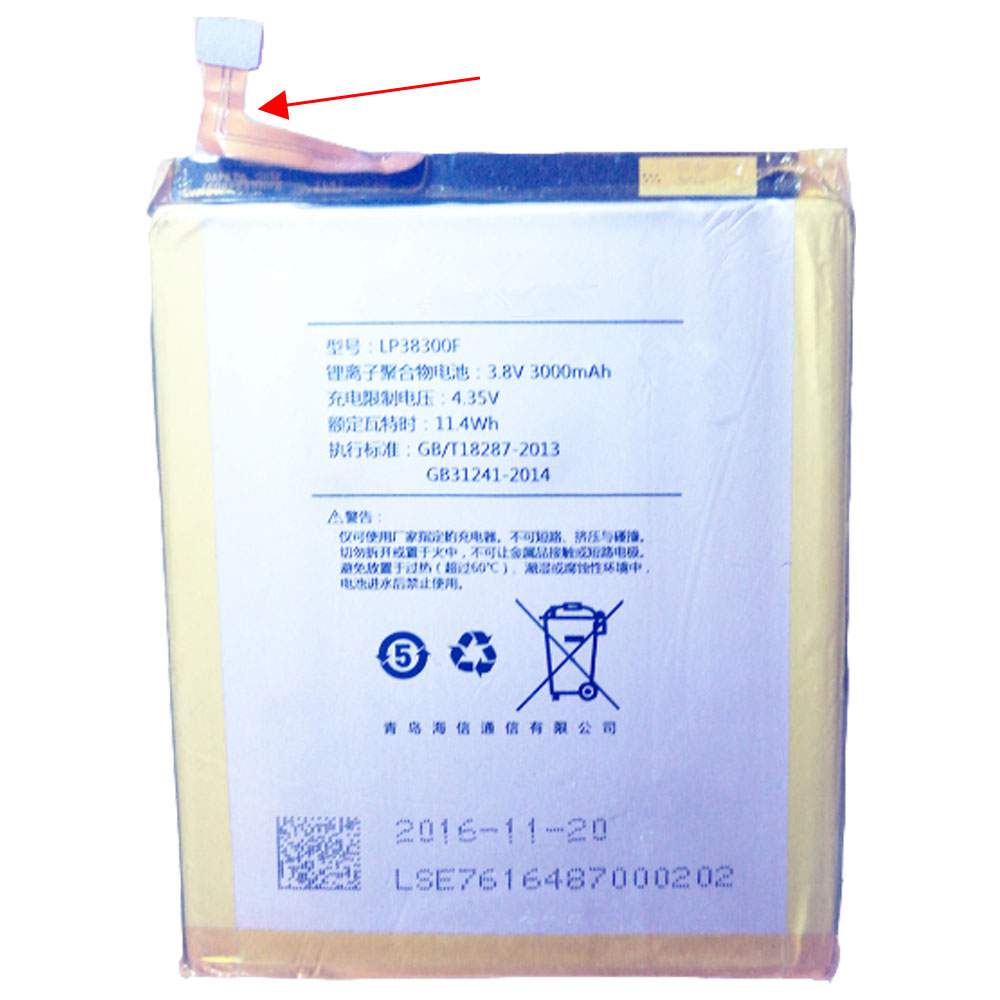
Battery LP38300F Replacement For HISENSE Cell Phone Hisense E76

Find the right battery for Hisense E76 to solve your power issues. Our HISENSE LP38300F batteries are manufactured to precisely fit just as your original battery.

We use the highest quality Li-ion cells and components that are lighter weight, charge faster and last longer.

US HISENSE battery shop – Tech-Battery.com ! Shopping with us is safe and secure! 100% Guarantee Quality and Fully Test!

HISENSE LP38300F Battery For HISENSE – Battery For HISENSE Cell Phone Li-ion 3000mAh/11.4WH 3.8V/4.35V. Browse our various categories and find out why we have been the go-to source for our customers.

LP38300F
  • Chemistry: Li-ion
  • Voltage: 3000mAh/11.4WH
  • Capacity: 3.8V/4.35V

Free shipping in most countries. click here to view detailed shipping costs.

We ship to the worldwide,please enquiry shipping & handling if you are out of united states.

What’s the total delivery time? (please use this formula to determine when your order will arrive) total delivery time = packaging time + shipping time.

Replaces the following products:

Fits the following devices:

Hisense E76

HISENSE LP38300F HISENSE battery is replacement for Hisense E76. The LP38300F batteries equivalent is guaranteed to meet or exceed HISENSE original specifications. All HISENSE LP38300F Battery are brand new, 1 year Warranty, 100% Guarantee Quality and Fully Test!

We deliver quality HISENSE Cell Phone extended batteries online. Purchase your HISENSE Cell Phone battery here.

HISENSE LP38300F HISENSE Batteries

  • 100% OEM Compatible with your HISENSE Cell Phone.
  • Lithium Ion battery technology
  • Convenient and secure online purchasing
  • Dependable high quality HISENSE batteries
  • Satisfaction guaranteed or your money back
  • 1 Year Warranty on all HISENSE Cell Phone Replacement Batteries

6 tips to increase LP38300F HISENSE Battery lifetime

The performance of your HISENSE depends largely on the performance of your battery. And his time of life depends on its users, and that you are. These are the principles that have guided the HISENSE , at the head, so you can optimize the performance of HISENSE Cell Phone battery.
New battery still fully charged LP38300F sold. You must be on the first wheel to be conditioned for optimum performance. Loading and unloading of the battery 4 or 5 times is enough to determine.
The memory effect completely to avoid a full charge and discharge the battery, HISENSE LP38300F twice a month.
The dirt on the HISENSE LP38300F contacts of the battery can power the HISENSE Cell Phone batteries. Clean with alcohol and cotton can look like and function like new.
This method is recommended for those using the AC adapter for long periods. We recommend that you use the HISENSE LP38300F battery at least once in two weeks. Batteries lose its charge when stored for a long time and you need the battery if it does break.
If he does not use a length of time, the HISENSE LP38300F battery will be stored protected from a clean, dry and cool, heat and other metals. A loss of business to charge the battery in time and need a break before reuse.
Power Management Features Battery LP38300F enable the conservation of energy in the battery of HISENSE Cell Phone. You can control the speed of the processor off, or you can adjust the brightness of the LCD screen to a minimum to ensure low power consumption. 

Why we have been the go-to source for our customers ?

We stock a wide range of rechargeable batteries for HISENSE Cell Phone. Your HISENSE Tablet PC is part of your everyday life. Successful communications on a HISENSE begin with your battery. When purchasing a replacement battery for your HISENSE HISENSE, dependability and price are what we have to offer. We’ve been supplying reliable, high quality HISENSE batteries for over 10 years. Our goal is to provide high quality aftermarket replacement batteries at a very reasonable price. All of our rechargeable Li-Ion HISENSE batteries are backed by a one year warranty.

What is the run time of HISENSE battery?

HISENSE batteries have two main ratings on them: Volts and Amperes. Because size and weight of batteries is limited when compared to larger batteries such as car batteries, most companies show their ratings with Volts and Milliamperes. One thousand Milliamperes equals 1 Ampere. When buying a battery, select batteries with the most Milliamperes (or mAh). Batteries are also rated by Watt-Hours, perhaps the simplest rating of all. This is found by multiplying the Volts and the Amperes together. For example:

  • 14.4 Volts, 4000mAh (Note: 4000mAh is equal to 4.0 Amperes).
  • 14.4 x 4.0 = 57.60 Watt-Hours

Watt-Hours signifies the energy needed to power one watt for one hour.