719798-001 850W Ac Adapter, Replacement Genuine HP Z840 WorkStation Power Adapter Charger

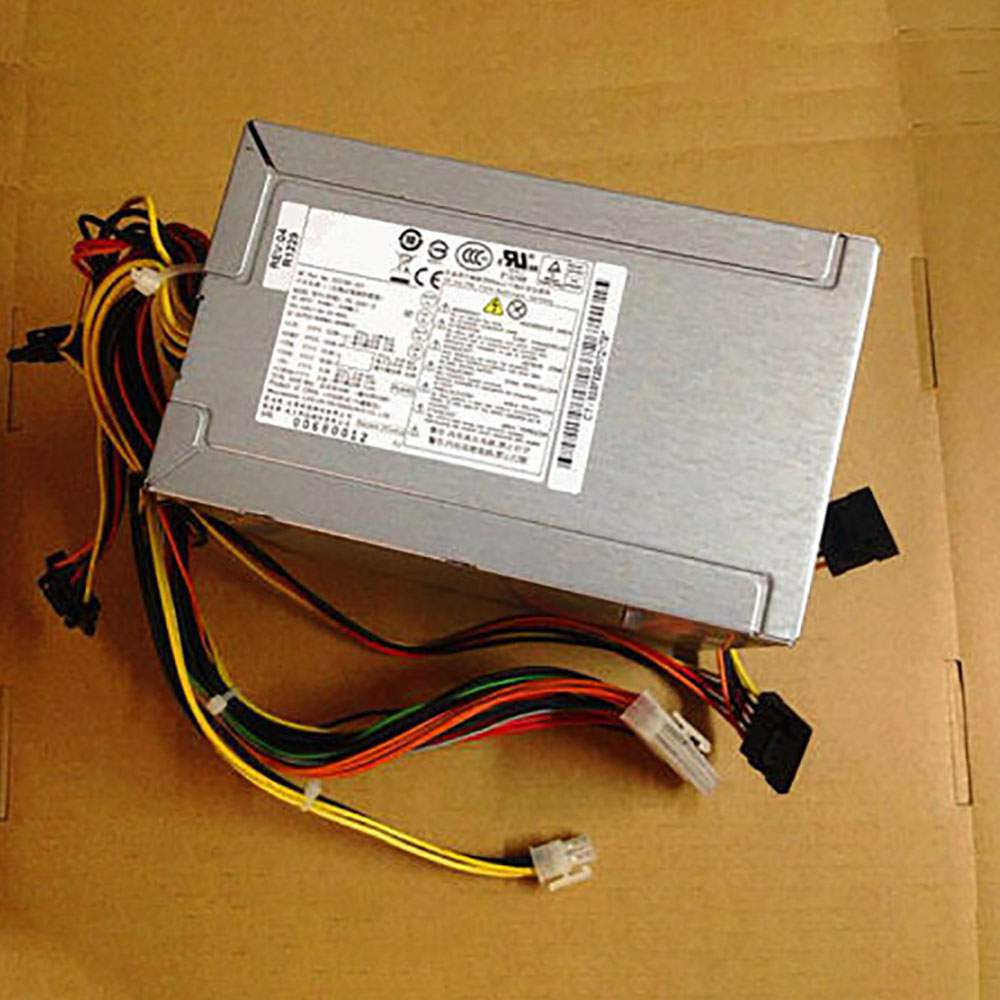
The HP 719798-001 Servers charger from tech-battery.com delivers power when you need it and where you need it. It has been specially designed to meet the power needs of your HP Servers and will help you power up your Servers in the office, business trips or vacations. Our 719798-001 Servers Adapter is high quality and 1 year warranty. You can get this discount HP 719798-001 Servers Power Supply with Low price. We also can ship 719798-001 Adapter worldwide.
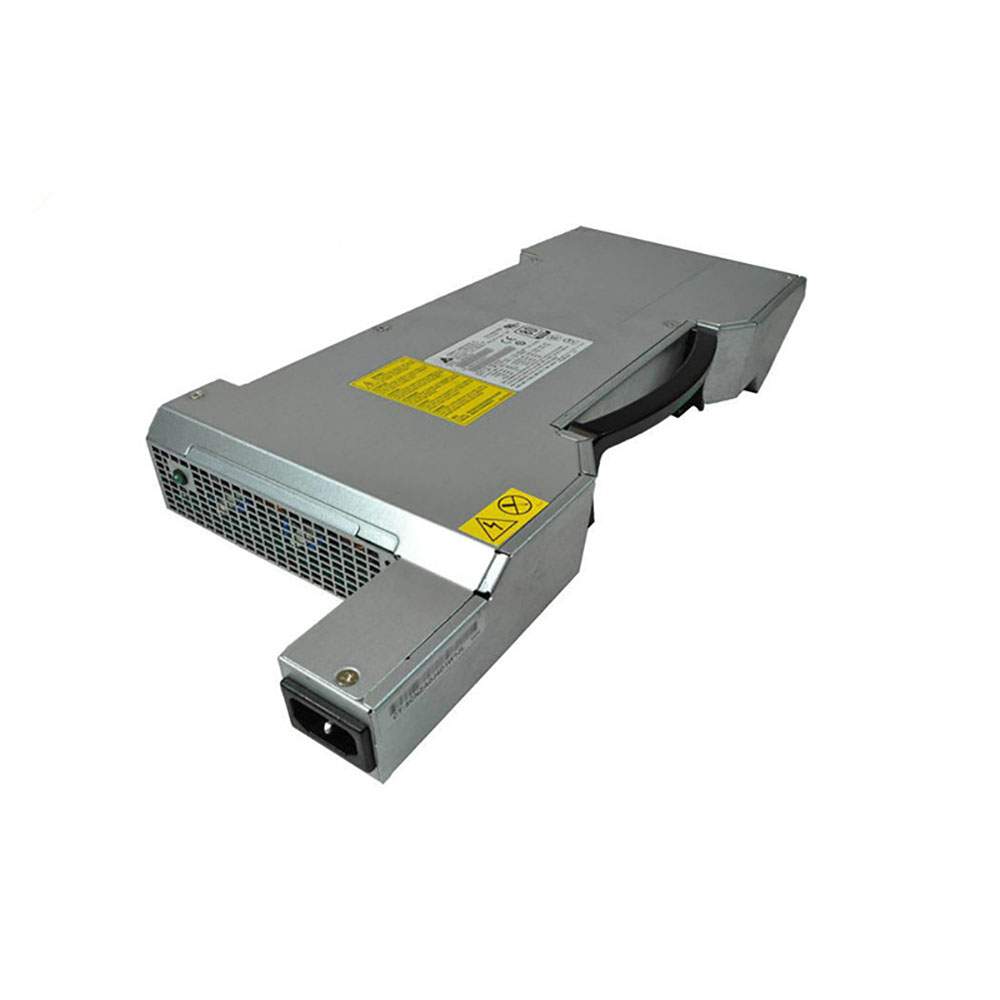
719798-001
  • DC Output: 50-60Hz 118V~/11A 400Hz
  • AC Input: 850W
  • Power: 850W

* Please ensure the product(s) that you are going to buy fits the brand, model and part number of your device.
Placing order is easy: Add To Cart—> Fill Shipping information—-> Check out—->Finished.
An email include order detais will be sent out after you check out.
Tracking order is easy: An email will be sent out after your order shipping. You can get the Tracking Number, the Tracking Url with order id on your email.

REPLACES THE FOLLOWING PRODUCTS:

719798-001 758469-001 719798-003 860478-001 DPS-850AB-1 A

FITS THE FOLLOWING DEVICES:

INPUT : 100-127V~//11A 200-240V~5.5A,50-60Hz 118V~/11A 400Hz

HP Z840 WorkStation

719798-001 ac adapter not working?

When the 719798-001 AC adapter (charger) fails to work, it will neither charge the Servers battery nor provide power to operate the Servers without battery power. Power issues on a Servers are compounded because a Servers has two power sources: AC adapter (charger) & battery. When 719798-001 power is not available, power is provided by the Servers battery.

If you’re having issues with your 719798-001 adapter not charging your Servers, please try to follow these steps to solve the problem.

Inspect the 719798-001 AC adapter, cables and adapter (DC) port on the Servers for damages

Check if the indicator light on the 719798-001 adapter is lit.

Unplug the AC adapter from the wall outlet.

Unplug the 719798-001 AC adapter from the Servers.

Check the AC adapter and cables (including the power cable) for signs of physical damage or overheating.

Check if the pin inside the plug or 719798-001 adapter port is bent, broken or damaged.

Verify the wall outlet is working:

Unplug the 719798-001 AC adapter from the wall outlet.

Connect another device to the wall outlet to verify if the wall outlet is working correctly.

Try a known-good wall outlet.

Plug the 719798-001 AC adapter directly into the wall outlet.

Drain remaining power:

Unplug the 719798-001 AC adapter from the wall outlet.

Disconnect any external peripherals connected to the Servers.

Press and hold the Power button for 30 seconds to drain a residual power from the Servers.

Plug the 719798-001 AC adapter into the Servers.

Turn on the Servers. If your Servers still can’t strat, you need a new 719798-001 ac adapter.

11 Tips On Choosing The Correct 719798-001 Servers Charger

It is not difficult to find the correct 719798-001 Servers charger if you are ready to do a little research. Many people end up purchasing wrong Servers chargers from the internet simply because they do not set aside enough time to look for the correct information. To help you in this regard, the following is a compilation of some important tips on finding the right 719798-001 charger for your Servers:

1. Before you make up your mind to buy a new charger, make sure you check the 719798-001 Servers power supply and detachable wires for any faults. Just make sure that your charger is indeed faulty before you decide to place an order either online or offline.

2. Serverss in a series may or may not have the same 719798-001 charger. Different models manufactured by a company have different specifications. Always keep the compatibility aspect in mind while making such purchases.

3. You must scout for the correct information. Finding Servers chargers can be an extremely convenient process if you have the right information. This information can be found on your Servers or the old Servers charger very easily. Note down the manufacturer’s information labelled on your old 719798-001 charger. Use this information when you perform an online search.

4. If you are going to purchase from a local computer or electronics store, look carefully at the list of all computer models compatible with a 719798-001 charger under consideration. Servers chargers generally come with a list of various Servers makes.

5. Turn your Servers face down and note the product information stamped by the manufacturer. These specs are provided on different parts of the Servers. Look for the product specification stamp that reads something along the lines of ‘AC Adapter.’ That is where you can easily find the correct model number of all chargers.

6. Make sure you have the right pin connectors while purchasing a 719798-001 charger for your Servers. These pins should be compatible with your existing wall sockets. Charging your Servers can be a bother with a new charger if its pins do not fit into your room’s wall sockets.

7. You can find a Servers charger with additional features. These days, it is possible to find chargers that trip the Servers power supply as soon as there is a voltage fluctuation. These chargers are great, especially if you live in an area where power fluctuations are frequent.

8. It is possible to find a universal charger nowadays since many manufactures are selling one-for-all chargers. These Servers chargers are fine as long as you find one that is compatible with your Servers.

9. Always check the voltage, input, and output before buying any charger. These details are labelled on the product packaging. Make sure this information is in keeping with the specs of your Servers.

10. Do not be tempted by unbelievably low prices on some websites as you may end up placing an order for a duplicate product. Always buy Servers chargers from a reputed or professional site.

11. In principle, the more authentication the more reliable the adapter is. Don’t buy a compatible 719798-001 adapter with few certifications, it will hurt your machine.

How to do when ac adapter buzzing noise?

Buzzing in an AC adapter can mean a number of things, but often it is related to a damaged adapter, poor grounding or phasing issues with your power. Figuring out exactly why your AC adapter is buzzing will probably require some troubleshooting, but in the end you can probably isolate the problem and get rid of the frustrating noise.

Check for any obvious damage to the adapter. If any of the outer rubber coating has been damaged so that the conductor inside is exposed, this could allow interference to enter the current and cause a buzzing sound. Untie any knots if the cord has become knotted. Make sure that the connection where the cord meets the actual box adapter is still intact; this sometimes can become damaged and make a poor connection.

Repair any damage with electrical tape. Cover all exposed areas.

Plug the AC adapter into the same outlet as the other equipment you are using. Some apartments and houses have multiple phases of power that can create audio interference if mixed together, so running everything off of the same phase might get rid of the buzz.

Run your equipment through a surge protecting power strip or, if necessary, a power conditioner. Audio and video equipment is especially susceptible to interference caused by ground looping. A power conditioner will smooth out the current and protect your equipment from any peaks or spikes in current.

Why laptop adapter light blinks?

Question description:

A few days ago studying in the UH library, I noticed my laptop all of a sudden wasn’t receiving power and the light my AC adapter was blinking. After unplugging it from the laptop, that is, from the power jack, the AC adapter’s light turned solid green again. Then, as you might guess, after plugging it back into the laptop’s power jack, the light on the adapter would again start blinking and no power would circulate.

After brief research, I learned that I could take the battery out and press the power button to relieve all currents and that after that everything would work fine. Well, I did get it to work, however not my this method. After trying it several times and failing, I figured I’d just use the laptop without the battery, since it powered the laptop without the battery in it. Then the idea of just placing the battery back in the laptop while I was receiving power came up. So as the laptop is working I placed the battery in and SUCCESS the AC adapter no longer was blinking and it was successfully transferring power to the laptop and battery.

Now, however, several days later, in a similar library, I noticed I wasn’t receiving power again. When I unplugged the adapter from the laptop, the light on the adapter continued to blink. This was not the case previously. Previously, the light on the adapter would only blink when plugged into the laptop and would turn solid green when I disconnected it from the laptop. Now however, without the laptop ever coming into the picture, the AC adapter, by itself, not plugged into anything other than the wall, constantly blinks. The laptop receives no power, and I’m stuck.

Also, used my sisters AC adapter, she has a similar laptop, and everything worked fine. Meanwhile, my AC adapter, while plugged into the same power jack in the wall, just blinks.. and blinks…

someone help.

Answer:

The AC adapter’s light turned solid green means ac adapter have a solid out put. When the light blinking, it means that the adapter is trying to output again and again, and it keeps flashing to indicate that the output was failed. You need check laptop dc jack or a MOSFET on laptop motherboard. Usually one laptop model develops this kind of fault and then many of the same model start to fail.
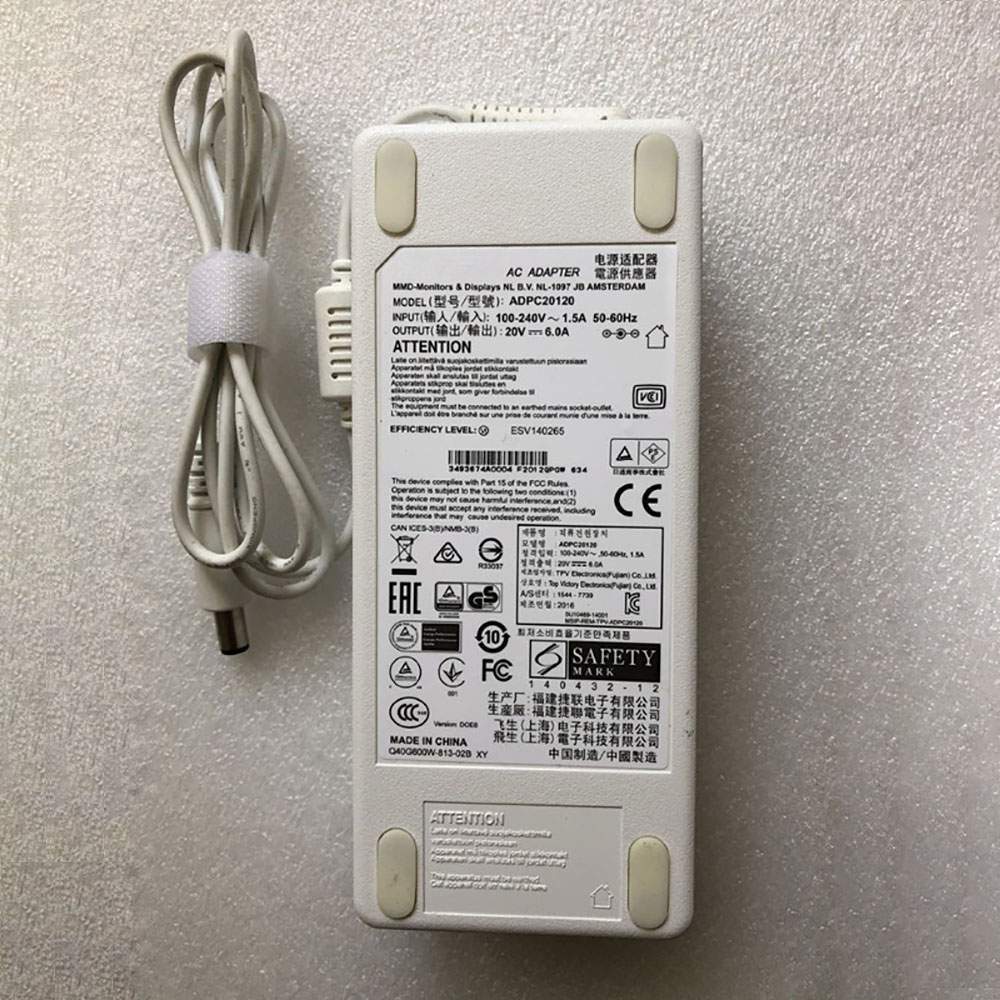
ADPC20120 120W Ac Adapter, Replacement Genuine Philips ADPC20120 349X6Q LCD Monitor Power Power Adapter Charger

The Philips ADPC20120 laptop(adapter) charger from tech-battery.com delivers power when you need it and where you need it. It has been specially designed to meet the power needs of your Philips laptop(adapter) and will help you power up your laptop(adapter) in the office, business trips or vacations. Our ADPC20120 laptop(adapter) Adapter is high quality and 1 year warranty. You can get this discount Philips ADPC20120 laptop(adapter) Power Supply with Low price. We also can ship ADPC20120 Adapter worldwide.

ADPC20120
  • DC Output: 100-240V~50-60Hz 1.5A
  • AC Input: 20V 6.0A 120W
  • Power: 120W

* Please ensure the product(s) that you are going to buy fits the brand, model and part number of your device.
Placing order is easy: Add To Cart—> Fill Shipping information—-> Check out—->Finished.
An email include order detais will be sent out after you check out.
Tracking order is easy: An email will be sent out after your order shipping. You can get the Tracking Number, the Tracking Url with order id on your email.

REPLACES THE FOLLOWING PRODUCTS:

ADPC20120

FITS THE FOLLOWING DEVICES:

Philips ADPC20120 349X6Q LCD Monitor Power

ADPC20120 ac adapter not working?

When the ADPC20120 AC adapter (charger) fails to work, it will neither charge the laptop(adapter) battery nor provide power to operate the laptop(adapter) without battery power. Power issues on a laptop(adapter) are compounded because a laptop(adapter) has two power sources: AC adapter (charger) & battery. When ADPC20120 power is not available, power is provided by the laptop(adapter) battery.

If you’re having issues with your ADPC20120 adapter not charging your laptop(adapter), please try to follow these steps to solve the problem.

Inspect the ADPC20120 AC adapter, cables and adapter (DC) port on the laptop(adapter) for damages

Check if the indicator light on the ADPC20120 adapter is lit.

Unplug the AC adapter from the wall outlet.

Unplug the ADPC20120 AC adapter from the laptop(adapter).

Check the AC adapter and cables (including the power cable) for signs of physical damage or overheating.

Check if the pin inside the plug or ADPC20120 adapter port is bent, broken or damaged.

Verify the wall outlet is working:

Unplug the ADPC20120 AC adapter from the wall outlet.

Connect another device to the wall outlet to verify if the wall outlet is working correctly.

Try a known-good wall outlet.

Plug the ADPC20120 AC adapter directly into the wall outlet.

Drain remaining power:

Unplug the ADPC20120 AC adapter from the wall outlet.

Disconnect any external peripherals connected to the laptop(adapter).

Press and hold the Power button for 30 seconds to drain a residual power from the laptop(adapter).

Plug the ADPC20120 AC adapter into the laptop(adapter).

Turn on the laptop(adapter). If your laptop(adapter) still can’t strat, you need a new ADPC20120 ac adapter.

11 Tips On Choosing The Correct ADPC20120 laptop(adapter) Charger

It is not difficult to find the correct ADPC20120 laptop(adapter) charger if you are ready to do a little research. Many people end up purchasing wrong laptop(adapter) chargers from the internet simply because they do not set aside enough time to look for the correct information. To help you in this regard, the following is a compilation of some important tips on finding the right ADPC20120 charger for your laptop(adapter):

1. Before you make up your mind to buy a new charger, make sure you check the ADPC20120 laptop(adapter) power supply and detachable wires for any faults. Just make sure that your charger is indeed faulty before you decide to place an order either online or offline.

2. laptop(adapter)s in a series may or may not have the same ADPC20120 charger. Different models manufactured by a company have different specifications. Always keep the compatibility aspect in mind while making such purchases.

3. You must scout for the correct information. Finding laptop(adapter) chargers can be an extremely convenient process if you have the right information. This information can be found on your laptop(adapter) or the old laptop(adapter) charger very easily. Note down the manufacturer’s information labelled on your old ADPC20120 charger. Use this information when you perform an online search.

4. If you are going to purchase from a local computer or electronics store, look carefully at the list of all computer models compatible with a ADPC20120 charger under consideration. laptop(adapter) chargers generally come with a list of various laptop(adapter) makes.

5. Turn your laptop(adapter) face down and note the product information stamped by the manufacturer. These specs are provided on different parts of the laptop(adapter). Look for the product specification stamp that reads something along the lines of ‘AC Adapter.’ That is where you can easily find the correct model number of all chargers.

6. Make sure you have the right pin connectors while purchasing a ADPC20120 charger for your laptop(adapter). These pins should be compatible with your existing wall sockets. Charging your laptop(adapter) can be a bother with a new charger if its pins do not fit into your room’s wall sockets.

7. You can find a laptop(adapter) charger with additional features. These days, it is possible to find chargers that trip the laptop(adapter) power supply as soon as there is a voltage fluctuation. These chargers are great, especially if you live in an area where power fluctuations are frequent.

8. It is possible to find a universal charger nowadays since many manufactures are selling one-for-all chargers. These laptop(adapter) chargers are fine as long as you find one that is compatible with your laptop(adapter).

9. Always check the voltage, input, and output before buying any charger. These details are labelled on the product packaging. Make sure this information is in keeping with the specs of your laptop(adapter).

10. Do not be tempted by unbelievably low prices on some websites as you may end up placing an order for a duplicate product. Always buy laptop(adapter) chargers from a reputed or professional site.

11. In principle, the more authentication the more reliable the adapter is. Don’t buy a compatible ADPC20120 adapter with few certifications, it will hurt your machine.

How to do when ac adapter buzzing noise?

Buzzing in an AC adapter can mean a number of things, but often it is related to a damaged adapter, poor grounding or phasing issues with your power. Figuring out exactly why your AC adapter is buzzing will probably require some troubleshooting, but in the end you can probably isolate the problem and get rid of the frustrating noise.

Check for any obvious damage to the adapter. If any of the outer rubber coating has been damaged so that the conductor inside is exposed, this could allow interference to enter the current and cause a buzzing sound. Untie any knots if the cord has become knotted. Make sure that the connection where the cord meets the actual box adapter is still intact; this sometimes can become damaged and make a poor connection.

Repair any damage with electrical tape. Cover all exposed areas.

Plug the AC adapter into the same outlet as the other equipment you are using. Some apartments and houses have multiple phases of power that can create audio interference if mixed together, so running everything off of the same phase might get rid of the buzz.

Run your equipment through a surge protecting power strip or, if necessary, a power conditioner. Audio and video equipment is especially susceptible to interference caused by ground looping. A power conditioner will smooth out the current and protect your equipment from any peaks or spikes in current.

Why laptop adapter light blinks?

Question description:

A few days ago studying in the UH library, I noticed my laptop all of a sudden wasn’t receiving power and the light my AC adapter was blinking. After unplugging it from the laptop, that is, from the power jack, the AC adapter’s light turned solid green again. Then, as you might guess, after plugging it back into the laptop’s power jack, the light on the adapter would again start blinking and no power would circulate.

After brief research, I learned that I could take the battery out and press the power button to relieve all currents and that after that everything would work fine. Well, I did get it to work, however not my this method. After trying it several times and failing, I figured I’d just use the laptop without the battery, since it powered the laptop without the battery in it. Then the idea of just placing the battery back in the laptop while I was receiving power came up. So as the laptop is working I placed the battery in and SUCCESS the AC adapter no longer was blinking and it was successfully transferring power to the laptop and battery.

Now, however, several days later, in a similar library, I noticed I wasn’t receiving power again. When I unplugged the adapter from the laptop, the light on the adapter continued to blink. This was not the case previously. Previously, the light on the adapter would only blink when plugged into the laptop and would turn solid green when I disconnected it from the laptop. Now however, without the laptop ever coming into the picture, the AC adapter, by itself, not plugged into anything other than the wall, constantly blinks. The laptop receives no power, and I’m stuck.

Also, used my sisters AC adapter, she has a similar laptop, and everything worked fine. Meanwhile, my AC adapter, while plugged into the same power jack in the wall, just blinks.. and blinks…

someone help.

Answer:

The AC adapter’s light turned solid green means ac adapter have a solid out put. When the light blinking, it means that the adapter is trying to output again and again, and it keeps flashing to indicate that the output was failed. You need check laptop dc jack or a MOSFET on laptop motherboard. Usually one laptop model develops this kind of fault and then many of the same model start to fail.
PCB230 300W Ac Adapter, Replacement Genuine HP ProDesk 400 480 G1 3340 3330 Power Adapter Charger

The HP PCB230 Servers charger from tech-battery.com delivers power when you need it and where you need it. It has been specially designed to meet the power needs of your HP Servers and will help you power up your Servers in the office, business trips or vacations. Our PCB230 Servers Adapter is high quality and 1 year warranty. You can get this discount HP PCB230 Servers Power Supply with Low price. We also can ship PCB230 Adapter worldwide.

PCB230
  • DC Output: 200-240V~50-60Hz 3A
  • AC Input: 300W
  • Power: 300W

* Please ensure the product(s) that you are going to buy fits the brand, model and part number of your device.
Placing order is easy: Add To Cart—> Fill Shipping information—-> Check out—->Finished.
An email include order detais will be sent out after you check out.
Tracking order is easy: An email will be sent out after your order shipping. You can get the Tracking Number, the Tracking Url with order id on your email.

REPLACES THE FOLLOWING PRODUCTS:

752618-001 D11-300P1A 752628-001 PCB230 021GB

FITS THE FOLLOWING DEVICES:

HP pro 3330 3340 3380 3085 power supply
HP ProDesk 400 480 G1

AC INPUT:200-240V~50-60Hz 3A(NOT Use USA & hAOAB
TOTAL 260W MAX @50 ℃
TOTAL 300W MAX @35 ℃

PCB230 ac adapter not working?

When the PCB230 AC adapter (charger) fails to work, it will neither charge the Servers battery nor provide power to operate the Servers without battery power. Power issues on a Servers are compounded because a Servers has two power sources: AC adapter (charger) & battery. When PCB230 power is not available, power is provided by the Servers battery.

If you’re having issues with your PCB230 adapter not charging your Servers, please try to follow these steps to solve the problem.

Inspect the PCB230 AC adapter, cables and adapter (DC) port on the Servers for damages

Check if the indicator light on the PCB230 adapter is lit.

Unplug the AC adapter from the wall outlet.

Unplug the PCB230 AC adapter from the Servers.

Check the AC adapter and cables (including the power cable) for signs of physical damage or overheating.

Check if the pin inside the plug or PCB230 adapter port is bent, broken or damaged.

Verify the wall outlet is working:

Unplug the PCB230 AC adapter from the wall outlet.

Connect another device to the wall outlet to verify if the wall outlet is working correctly.

Try a known-good wall outlet.

Plug the PCB230 AC adapter directly into the wall outlet.

Drain remaining power:

Unplug the PCB230 AC adapter from the wall outlet.

Disconnect any external peripherals connected to the Servers.

Press and hold the Power button for 30 seconds to drain a residual power from the Servers.

Plug the PCB230 AC adapter into the Servers.

Turn on the Servers. If your Servers still can’t strat, you need a new PCB230 ac adapter.

11 Tips On Choosing The Correct PCB230 Servers Charger

It is not difficult to find the correct PCB230 Servers charger if you are ready to do a little research. Many people end up purchasing wrong Servers chargers from the internet simply because they do not set aside enough time to look for the correct information. To help you in this regard, the following is a compilation of some important tips on finding the right PCB230 charger for your Servers:

1. Before you make up your mind to buy a new charger, make sure you check the PCB230 Servers power supply and detachable wires for any faults. Just make sure that your charger is indeed faulty before you decide to place an order either online or offline.

2. Serverss in a series may or may not have the same PCB230 charger. Different models manufactured by a company have different specifications. Always keep the compatibility aspect in mind while making such purchases.

3. You must scout for the correct information. Finding Servers chargers can be an extremely convenient process if you have the right information. This information can be found on your Servers or the old Servers charger very easily. Note down the manufacturer’s information labelled on your old PCB230 charger. Use this information when you perform an online search.

4. If you are going to purchase from a local computer or electronics store, look carefully at the list of all computer models compatible with a PCB230 charger under consideration. Servers chargers generally come with a list of various Servers makes.

5. Turn your Servers face down and note the product information stamped by the manufacturer. These specs are provided on different parts of the Servers. Look for the product specification stamp that reads something along the lines of ‘AC Adapter.’ That is where you can easily find the correct model number of all chargers.

6. Make sure you have the right pin connectors while purchasing a PCB230 charger for your Servers. These pins should be compatible with your existing wall sockets. Charging your Servers can be a bother with a new charger if its pins do not fit into your room’s wall sockets.

7. You can find a Servers charger with additional features. These days, it is possible to find chargers that trip the Servers power supply as soon as there is a voltage fluctuation. These chargers are great, especially if you live in an area where power fluctuations are frequent.

8. It is possible to find a universal charger nowadays since many manufactures are selling one-for-all chargers. These Servers chargers are fine as long as you find one that is compatible with your Servers.

9. Always check the voltage, input, and output before buying any charger. These details are labelled on the product packaging. Make sure this information is in keeping with the specs of your Servers.

10. Do not be tempted by unbelievably low prices on some websites as you may end up placing an order for a duplicate product. Always buy Servers chargers from a reputed or professional site.

11. In principle, the more authentication the more reliable the adapter is. Don’t buy a compatible PCB230 adapter with few certifications, it will hurt your machine.

How to do when ac adapter buzzing noise?

Buzzing in an AC adapter can mean a number of things, but often it is related to a damaged adapter, poor grounding or phasing issues with your power. Figuring out exactly why your AC adapter is buzzing will probably require some troubleshooting, but in the end you can probably isolate the problem and get rid of the frustrating noise.

Check for any obvious damage to the adapter. If any of the outer rubber coating has been damaged so that the conductor inside is exposed, this could allow interference to enter the current and cause a buzzing sound. Untie any knots if the cord has become knotted. Make sure that the connection where the cord meets the actual box adapter is still intact; this sometimes can become damaged and make a poor connection.

Repair any damage with electrical tape. Cover all exposed areas.

Plug the AC adapter into the same outlet as the other equipment you are using. Some apartments and houses have multiple phases of power that can create audio interference if mixed together, so running everything off of the same phase might get rid of the buzz.

Run your equipment through a surge protecting power strip or, if necessary, a power conditioner. Audio and video equipment is especially susceptible to interference caused by ground looping. A power conditioner will smooth out the current and protect your equipment from any peaks or spikes in current.

Why laptop adapter light blinks?

Question description:

A few days ago studying in the UH library, I noticed my laptop all of a sudden wasn’t receiving power and the light my AC adapter was blinking. After unplugging it from the laptop, that is, from the power jack, the AC adapter’s light turned solid green again. Then, as you might guess, after plugging it back into the laptop’s power jack, the light on the adapter would again start blinking and no power would circulate.

After brief research, I learned that I could take the battery out and press the power button to relieve all currents and that after that everything would work fine. Well, I did get it to work, however not my this method. After trying it several times and failing, I figured I’d just use the laptop without the battery, since it powered the laptop without the battery in it. Then the idea of just placing the battery back in the laptop while I was receiving power came up. So as the laptop is working I placed the battery in and SUCCESS the AC adapter no longer was blinking and it was successfully transferring power to the laptop and battery.

Now, however, several days later, in a similar library, I noticed I wasn’t receiving power again. When I unplugged the adapter from the laptop, the light on the adapter continued to blink. This was not the case previously. Previously, the light on the adapter would only blink when plugged into the laptop and would turn solid green when I disconnected it from the laptop. Now however, without the laptop ever coming into the picture, the AC adapter, by itself, not plugged into anything other than the wall, constantly blinks. The laptop receives no power, and I’m stuck.

Also, used my sisters AC adapter, she has a similar laptop, and everything worked fine. Meanwhile, my AC adapter, while plugged into the same power jack in the wall, just blinks.. and blinks…

someone help.

Answer:

The AC adapter’s light turned solid green means ac adapter have a solid out put. When the light blinking, it means that the adapter is trying to output again and again, and it keeps flashing to indicate that the output was failed. You need check laptop dc jack or a MOSFET on laptop motherboard. Usually one laptop model develops this kind of fault and then many of the same model start to fail.

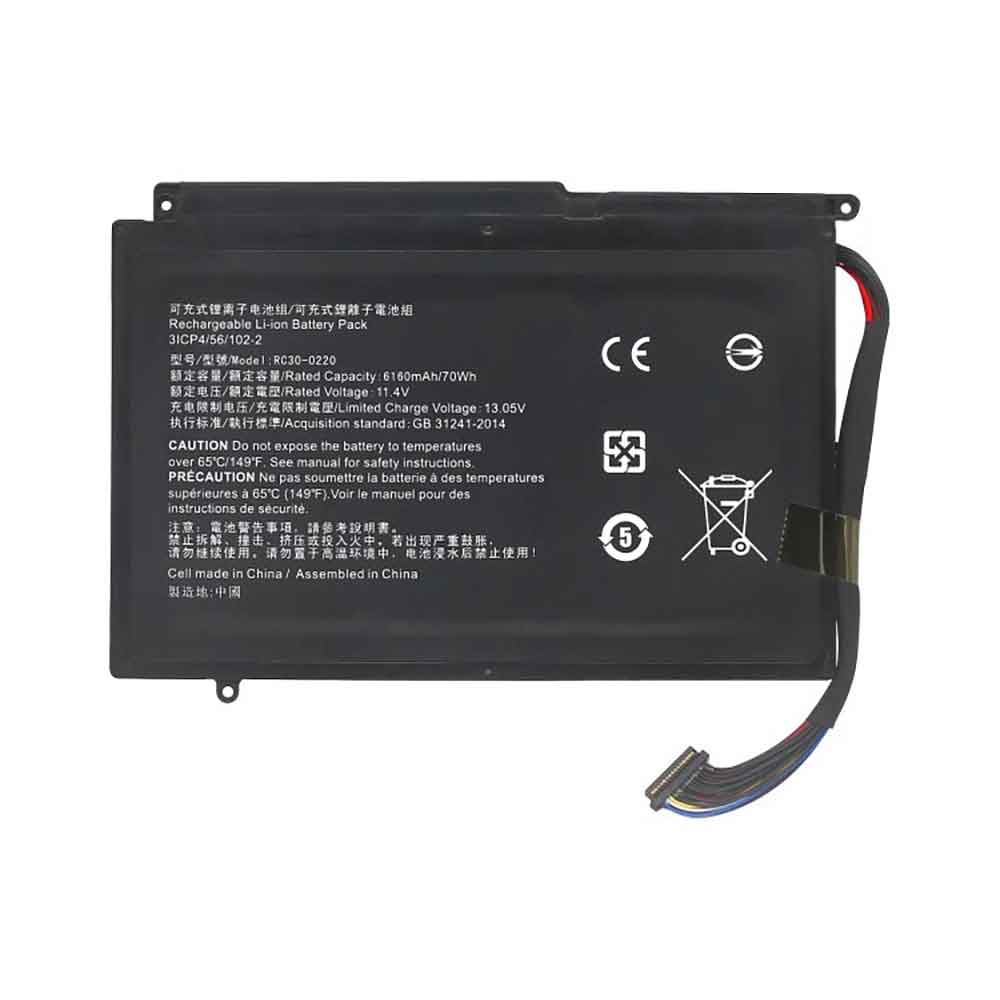
Battery RC30-0220 Replacement For RAZER laptop Razer Blade Pro 17

Find the right battery for Razer Blade Pro 17 to solve your power issues. Our RAZER RC30-0220 batteries are manufactured to precisely fit just as your original battery.

We use the highest quality Li-ion cells and components that are lighter weight, charge faster and last longer.

US RAZER battery shop – Tech-Battery.com ! Shopping with us is safe and secure! 100% Guarantee Quality and Fully Test!

RAZER RC30-0220 Battery For RAZER – Battery For RAZER laptop Li-ion 70Wh/6160mAH 11.4V/13.05V. Browse our various categories and find out why we have been the go-to source for our customers.

RC30-0220
  • Chemistry: Li-ion
  • Voltage: 70Wh/6160mAH
  • Capacity: 11.4V/13.05V

Free shipping in most countries. click here to view detailed shipping costs.

We ship to the worldwide,please enquiry shipping & handling if you are out of united states.

What’s the total delivery time? (please use this formula to determine when your order will arrive) total delivery time = packaging time + shipping time.

Replaces the following products:

Fits the following devices:

Razer Blade Pro 17

RAZER RC30-0220 RAZER battery is replacement for Razer Blade Pro 17. The RC30-0220 batteries equivalent is guaranteed to meet or exceed RAZER original specifications. All RAZER RC30-0220 Battery are brand new, 1 year Warranty, 100% Guarantee Quality and Fully Test!

We deliver quality RAZER laptop extended batteries online. Purchase your RAZER laptop battery here.

RAZER RC30-0220 RAZER Batteries

  • 100% OEM Compatible with your RAZER laptop.
  • Lithium Ion battery technology
  • Convenient and secure online purchasing
  • Dependable high quality RAZER batteries
  • Satisfaction guaranteed or your money back
  • 1 Year Warranty on all RAZER laptop Replacement Batteries

6 tips to increase RC30-0220 RAZER Battery lifetime

The performance of your RAZER depends largely on the performance of your battery. And his time of life depends on its users, and that you are. These are the principles that have guided the RAZER , at the head, so you can optimize the performance of RAZER laptop battery.
New battery still fully charged RC30-0220 sold. You must be on the first wheel to be conditioned for optimum performance. Loading and unloading of the battery 4 or 5 times is enough to determine.
The memory effect completely to avoid a full charge and discharge the battery, RAZER RC30-0220 twice a month.
The dirt on the RAZER RC30-0220 contacts of the battery can power the RAZER laptop batteries. Clean with alcohol and cotton can look like and function like new.
This method is recommended for those using the AC adapter for long periods. We recommend that you use the RAZER RC30-0220 battery at least once in two weeks. Batteries lose its charge when stored for a long time and you need the battery if it does break.
If he does not use a length of time, the RAZER RC30-0220 battery will be stored protected from a clean, dry and cool, heat and other metals. A loss of business to charge the battery in time and need a break before reuse.
Power Management Features Battery RC30-0220 enable the conservation of energy in the battery of RAZER laptop. You can control the speed of the processor off, or you can adjust the brightness of the LCD screen to a minimum to ensure low power consumption. 

Why we have been the go-to source for our customers ?

We stock a wide range of rechargeable batteries for RAZER laptop. Your RAZER Tablet PC is part of your everyday life. Successful communications on a RAZER begin with your battery. When purchasing a replacement battery for your RAZER RAZER, dependability and price are what we have to offer. We’ve been supplying reliable, high quality RAZER batteries for over 10 years. Our goal is to provide high quality aftermarket replacement batteries at a very reasonable price. All of our rechargeable Li-Ion RAZER batteries are backed by a one year warranty.

What is the run time of RAZER battery?

RAZER batteries have two main ratings on them: Volts and Amperes. Because size and weight of batteries is limited when compared to larger batteries such as car batteries, most companies show their ratings with Volts and Milliamperes. One thousand Milliamperes equals 1 Ampere. When buying a battery, select batteries with the most Milliamperes (or mAh). Batteries are also rated by Watt-Hours, perhaps the simplest rating of all. This is found by multiplying the Volts and the Amperes together. For example:

  • 14.4 Volts, 4000mAh (Note: 4000mAh is equal to 4.0 Amperes).
  • 14.4 x 4.0 = 57.60 Watt-Hours

Watt-Hours signifies the energy needed to power one watt for one hour.

Samsung Announces Blood Pressure Monitoring Application for Galaxy Watch Devices

Samsung Electronics announced today that the Samsung Health Monitor app has been cleared by South Korea’s Ministry of Food and Drug Safety (MFDS), as a Software as a Medical Device (SaMD), making it a government-cleared, over-the-counter and cuffless blood pressure monitoring application. The Samsung Health Monitor app, when paired with advanced sensor technology on the Galaxy Watch Active2,1 enables you to easily and more conveniently measure and track your blood pressure.

Globally, high blood pressure is known to significantly increase your risk of brain, kidney and heart diseases, including stroke and coronary heart disease when not managed properly. By helping users measure and track their blood pressure, the Samsung Health Monitor app gives people greater insight into their health and allows them to make more informed decisions, to lead healthier lives.

“The Samsung Health Monitor app has the potential to help millions of people around the world who are affected by high blood pressure,” says Taejong Jay Yang, Corporate SVP and Head of Health Team, Mobile Communications Business at Samsung Electronics. “This is one of many examples of how Samsung is integrating its best-in-class hardware with the latest software innovations to innovate mobile experiences.”

Once your Galaxy Watch Active2 device has been calibrated with a traditional cuff, you can simply tap to “Measure” your blood pressure anytime, anywhere. The device measures blood pressure through pulse wave analysis, which is tracked with the Heart Rate Monitoring sensors. The program then analyzes the relationship between the calibration value and the blood pressure change to determine the blood pressure.2 To ensure accuracy, users are required to calibrate their device at least every four weeks.

With the addition of blood pressure monitoring, the Galaxy Watch Active2 boasts Samsung’s most advanced health and wellness capabilities yet. The Galaxy Watch Active2 comes with more sensitive and accurate Heart Rate Monitoring sensors, and enables users to track their exercise, sleep, stress and get added healthcare insights that can help you improve your wellbeing.3

The Samsung Health Monitor app will be available on the Galaxy Watch Active2 within the third quarter and will progressively expand to upcoming Galaxy Watch devices.

THIS COULD BE THE FINAL DESIGN OF THE SAMSUNG GALAXY NOTE 20

One of the exciting devices that we are still waiting this year is without a doubt the Samsung Galaxy Note 20 which is scheduled to launch in August. It is true that there is still a lot to know about the smartphone, and today we have a new leak that shows the design of the Galaxy Note 20.

THIS COULD BE THE UPCOMING GALAXY NOTE 20

A few years ago the name ‘phablet’ referred to all those devices that were larger than six inches. They were the ones with the largest screens back then, but today all the high-end ones have screens with these characteristics. Among them, we have the upcoming Galaxy Note 20, whose family stands out for being one of the few, if not the only one that includes a stylus inside.

There is still a lot to know all the data on the device, but it seems that what appears to be the design of the Galaxy Note 20 has already been leaked. What are we going to find in the new device? Well, according to what we have been able to see in the new leaked images, the absence of notches or holes in the screen stands out.

There is no trace of the front camera in a notch or hole. All this points to the fact that this camera will be placed under the display. It will allow it to have a better use without giving up gaps.

The other part that stands out from the device is its back, which is very reminiscent of that of the Galaxy S20 Ultra. The reason is that it has a module similar to the 108 MPX sensor on the back that uses the ultra variant phone of the current Galaxy S family. It has a very similar module.

In addition, we still have to know the internal details of the device. It is important to know if the smartphone is worth it or not and also the price it will cost. It is all a matter of time to learn all these details and more.

The Xperia 5 ii 5G looks gorgeous in these new renders

Sony announced the Xperia 1 II (pronounced “one mark two) almost two months ago, and it’s expected to follow up with the successor to last year’s underrated and compact-ish Xperia 5. Though official details are still scarce, new renders give us a quick glimpse at what it might look like. Spoiler alert, it looks incredible.

Dutch tech site LetsGoDigital unveiled visual renders as well as a short video from ConceptCreators, which feature a super-sleek design with Sony’s trademark blend of smooth curves and sharp edges.

The renders show a centrally centered triple-camera module, unlike the Xperia 1 II and Xperia 5. Reliable hardware details are almost completely absent, but Zeiss lenses are a pretty good bet. The design also features the same smooth back, Sony logo, and flash module as the Xperia 1 II.

Gently curved sides merge into the nearly bezel-free display. The design here features a few surprising twists—a hole-punch camera, for one, which would be Sony’s first. It also seems to hint at an in-screen fingerprint reader, which is another major difference from the Xperia 1 II’s side-mounted capacitive sensor.

The renders also include the 3.5mm headphone jack, confirmed to be making a comeback after their absence in last year’s Sony flagships. On the inside, the Snapdragon 865 chipset and around 8GB of RAM seem likely, along with 5G connectivity in one of the most compact form factors we’ve seen yet.

Of course, unofficial renders are hardly the same as official confirmation, but the render neatly compiles a lot of the rumours and expectations surrounding the handset. Hopefully, we’ll hear more details about design, specs, pricing, and release in the near future.

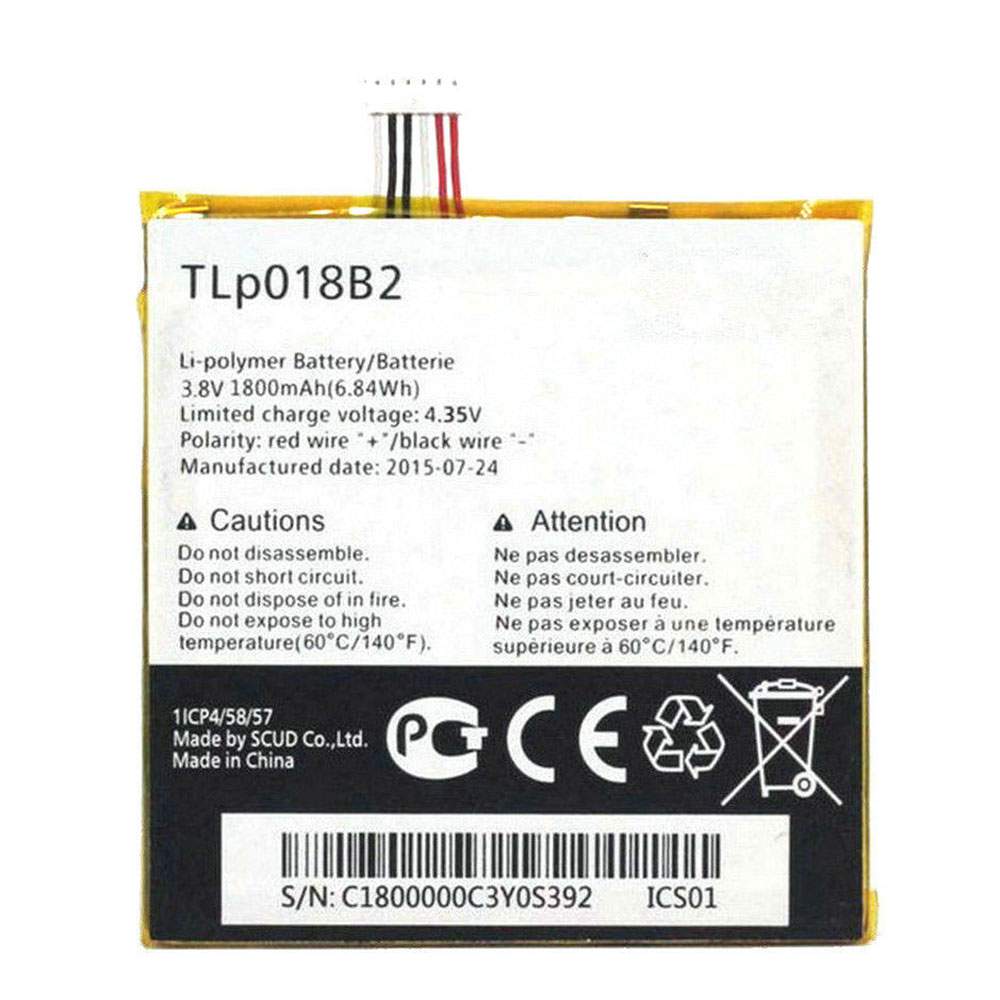
Battery TLP018B2 Replacement For ALCATEL Cell Phone TCL Alcatel One Touch Idol 6030 7024 S820 phone

Find the right battery for TCL Alcatel One Touch Idol 6030 7024 S820 phone to solve your power issues. Our ALCATEL TLP018B2 batteries are manufactured to precisely fit just as your original battery.

We use the highest quality Li-ion cells and components that are lighter weight, charge faster and last longer.

US ALCATEL battery shop – Tech-Battery.com ! Shopping with us is safe and secure! 100% Guarantee Quality and Fully Test!

ALCATEL TLP018B2 Battery For ALCATEL – Battery For ALCATEL Cell Phone Li-ion 1800mAh/6.84WH 3.8V/4.3V. Browse our various categories and find out why we have been the go-to source for our customers.

TLP018B2
  • Chemistry: Li-ion
  • Voltage: 1800mAh/6.84WH
  • Capacity: 3.8V/4.3V

Free shipping in most countries. click here to view detailed shipping costs.

We ship to the worldwide,please enquiry shipping & handling if you are out of united states.

What’s the total delivery time? (please use this formula to determine when your order will arrive) total delivery time = packaging time + shipping time.

Replaces the following products:

Fits the following devices:

TCL Alcatel One Touch Idol 6030 7024 S820
Alcatel One Touch Fierce 7024 7024w 7024N
Alcatel One Touch Idol Ot-6030 6030D

ALCATEL TLP018B2 ALCATEL battery is replacement for TCL Alcatel One Touch Idol 6030 7024 S820 phone. The TLP018B2 batteries equivalent is guaranteed to meet or exceed ALCATEL original specifications. All ALCATEL TLP018B2 Battery are brand new, 1 year Warranty, 100% Guarantee Quality and Fully Test!

We deliver quality ALCATEL Cell Phone extended batteries online. Purchase your ALCATEL Cell Phone battery here.

ALCATEL TLP018B2 ALCATEL Batteries

  • 100% OEM Compatible with your ALCATEL Cell Phone.
  • Lithium Ion battery technology
  • Convenient and secure online purchasing
  • Dependable high quality ALCATEL batteries
  • Satisfaction guaranteed or your money back
  • 1 Year Warranty on all ALCATEL Cell Phone Replacement Batteries

6 tips to increase TLP018B2 ALCATEL Battery lifetime

The performance of your ALCATEL depends largely on the performance of your battery. And his time of life depends on its users, and that you are. These are the principles that have guided the ALCATEL , at the head, so you can optimize the performance of ALCATEL Cell Phone battery.
New battery still fully charged TLP018B2 sold. You must be on the first wheel to be conditioned for optimum performance. Loading and unloading of the battery 4 or 5 times is enough to determine.
The memory effect completely to avoid a full charge and discharge the battery, ALCATEL TLP018B2 twice a month.
The dirt on the ALCATEL TLP018B2 contacts of the battery can power the ALCATEL Cell Phone batteries. Clean with alcohol and cotton can look like and function like new.
This method is recommended for those using the AC adapter for long periods. We recommend that you use the ALCATEL TLP018B2 battery at least once in two weeks. Batteries lose its charge when stored for a long time and you need the battery if it does break.
If he does not use a length of time, the ALCATEL TLP018B2 battery will be stored protected from a clean, dry and cool, heat and other metals. A loss of business to charge the battery in time and need a break before reuse.
Power Management Features Battery TLP018B2 enable the conservation of energy in the battery of ALCATEL Cell Phone. You can control the speed of the processor off, or you can adjust the brightness of the LCD screen to a minimum to ensure low power consumption. 

Why we have been the go-to source for our customers ?

We stock a wide range of rechargeable batteries for ALCATEL Cell Phone. Your ALCATEL Tablet PC is part of your everyday life. Successful communications on a ALCATEL begin with your battery. When purchasing a replacement battery for your ALCATEL ALCATEL, dependability and price are what we have to offer. We’ve been supplying reliable, high quality ALCATEL batteries for over 10 years. Our goal is to provide high quality aftermarket replacement batteries at a very reasonable price. All of our rechargeable Li-Ion ALCATEL batteries are backed by a one year warranty.

What is the run time of ALCATEL battery?

ALCATEL batteries have two main ratings on them: Volts and Amperes. Because size and weight of batteries is limited when compared to larger batteries such as car batteries, most companies show their ratings with Volts and Milliamperes. One thousand Milliamperes equals 1 Ampere. When buying a battery, select batteries with the most Milliamperes (or mAh). Batteries are also rated by Watt-Hours, perhaps the simplest rating of all. This is found by multiplying the Volts and the Amperes together. For example:

  • 14.4 Volts, 4000mAh (Note: 4000mAh is equal to 4.0 Amperes).
  • 14.4 x 4.0 = 57.60 Watt-Hours

Watt-Hours signifies the energy needed to power one watt for one hour.

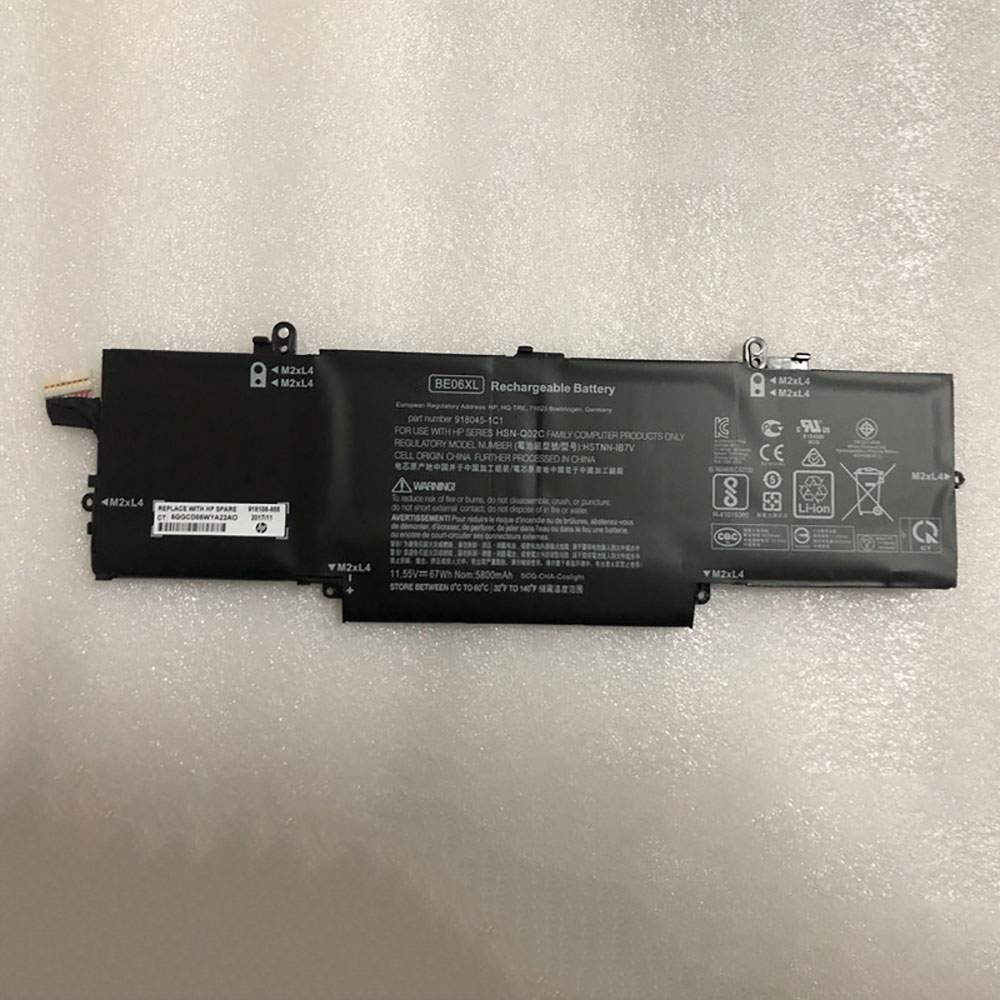
Battery BE06XL Replacement For hp laptop HP Elitebook 1040 G4

Find the right battery for HP Elitebook 1040 G4 to solve your power issues. Our hp BE06XL batteries are manufactured to precisely fit just as your original battery.

We use the highest quality Li-ion cells and components that are lighter weight, charge faster and last longer.

US hp battery shop – Tech-Battery.com ! Shopping with us is safe and secure! 100% Guarantee Quality and Fully Test!

hp BE06XL Battery For hp – Battery For hp laptop Li-ion 67Wh/5800mAh 11.55V. Browse our various categories and find out why we have been the go-to source for our customers.

BE06XL
  • Chemistry: Li-ion
  • Voltage: 67Wh/5800mAh
  • Capacity: 11.55V

Free shipping in most countries. click here to view detailed shipping costs.

We ship to the worldwide,please enquiry shipping & handling if you are out of united states.

What’s the total delivery time? (please use this formula to determine when your order will arrive) total delivery time = packaging time + shipping time.

Replaces the following products:

Fits the following devices:

HP Elitebook 1040 G4
HP Elitebook 1040 G4-2XU40UT
HP E litebook Folio 1040 G4

hp BE06XL hp battery is replacement for HP Elitebook 1040 G4. The BE06XL batteries equivalent is guaranteed to meet or exceed hp original specifications. All hp BE06XL Battery are brand new, 1 year Warranty, 100% Guarantee Quality and Fully Test!

We deliver quality hp laptop extended batteries online. Purchase your hp laptop battery here.

hp BE06XL hp Batteries

  • 100% OEM Compatible with your hp laptop.
  • Lithium Ion battery technology
  • Convenient and secure online purchasing
  • Dependable high quality hp batteries
  • Satisfaction guaranteed or your money back
  • 1 Year Warranty on all hp laptop Replacement Batteries

6 tips to increase BE06XL hp Battery lifetime

The performance of your hp depends largely on the performance of your battery. And his time of life depends on its users, and that you are. These are the principles that have guided the hp , at the head, so you can optimize the performance of hp laptop battery.
New battery still fully charged BE06XL sold. You must be on the first wheel to be conditioned for optimum performance. Loading and unloading of the battery 4 or 5 times is enough to determine.
The memory effect completely to avoid a full charge and discharge the battery, hp BE06XL twice a month.
The dirt on the hp BE06XL contacts of the battery can power the hp laptop batteries. Clean with alcohol and cotton can look like and function like new.
This method is recommended for those using the AC adapter for long periods. We recommend that you use the hp BE06XL battery at least once in two weeks. Batteries lose its charge when stored for a long time and you need the battery if it does break.
If he does not use a length of time, the hp BE06XL battery will be stored protected from a clean, dry and cool, heat and other metals. A loss of business to charge the battery in time and need a break before reuse.
Power Management Features Battery BE06XL enable the conservation of energy in the battery of hp laptop. You can control the speed of the processor off, or you can adjust the brightness of the LCD screen to a minimum to ensure low power consumption. 

Why we have been the go-to source for our customers ?

We stock a wide range of rechargeable batteries for hp laptop. Your hp Tablet PC is part of your everyday life. Successful communications on a hp begin with your battery. When purchasing a replacement battery for your hp hp, dependability and price are what we have to offer. We’ve been supplying reliable, high quality hp batteries for over 10 years. Our goal is to provide high quality aftermarket replacement batteries at a very reasonable price. All of our rechargeable Li-Ion hp batteries are backed by a one year warranty.

What is the run time of hp battery?

hp batteries have two main ratings on them: Volts and Amperes. Because size and weight of batteries is limited when compared to larger batteries such as car batteries, most companies show their ratings with Volts and Milliamperes. One thousand Milliamperes equals 1 Ampere. When buying a battery, select batteries with the most Milliamperes (or mAh). Batteries are also rated by Watt-Hours, perhaps the simplest rating of all. This is found by multiplying the Volts and the Amperes together. For example:

  • 14.4 Volts, 4000mAh (Note: 4000mAh is equal to 4.0 Amperes).
  • 14.4 x 4.0 = 57.60 Watt-Hours

Watt-Hours signifies the energy needed to power one watt for one hour.

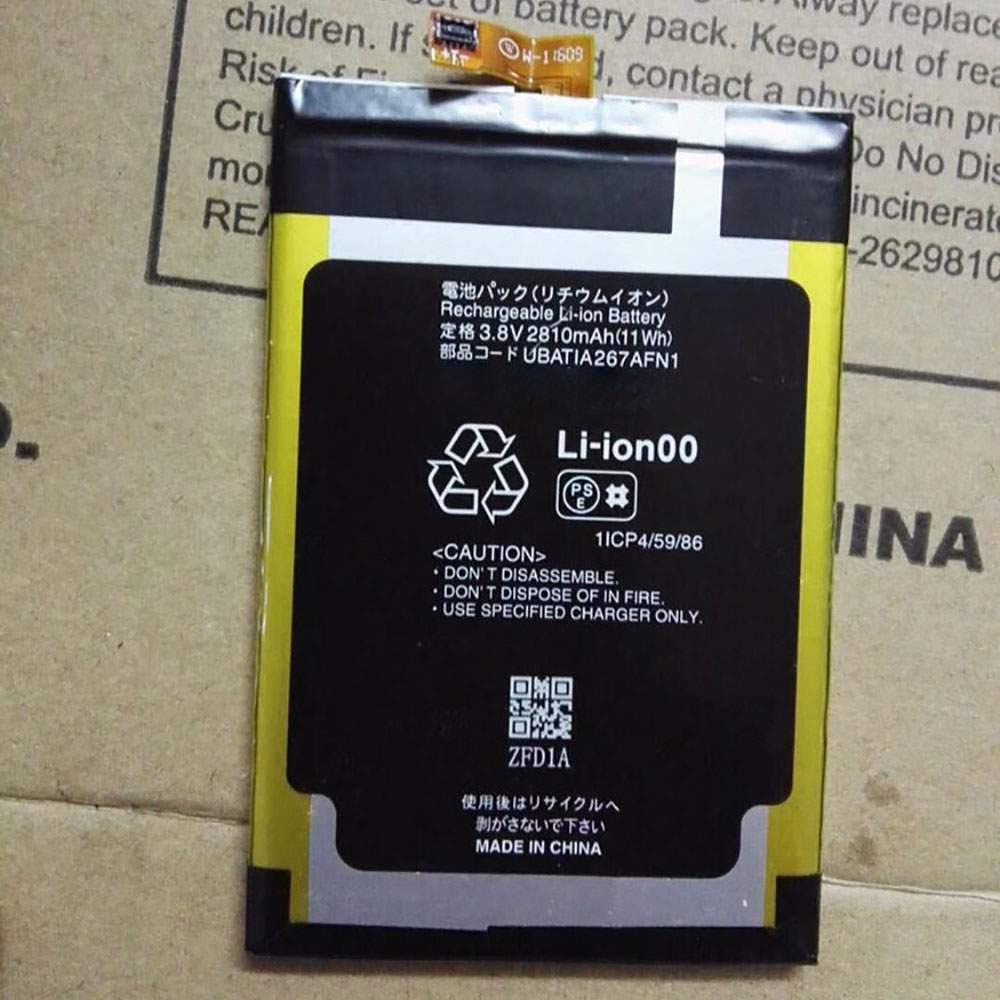
Battery SH-02H Replacement For Sharp Cell Phone SHARP cell phone

Find the right battery for SHARP cell phone to solve your power issues. Our Sharp SH-02H batteries are manufactured to precisely fit just as your original battery.

We use the highest quality Li-ion cells and components that are lighter weight, charge faster and last longer.

US Sharp battery shop – Tech-Battery.com ! Shopping with us is safe and secure! 100% Guarantee Quality and Fully Test!

Sharp SH-02H Battery For Sharp – Battery For Sharp Cell Phone Li-ion 2810Mah/11Wh 3.8V/4.3V. Browse our various categories and find out why we have been the go-to source for our customers.

SH-02H
  • Chemistry: Li-ion
  • Voltage: 2810Mah/11Wh
  • Capacity: 3.8V/4.3V

Free shipping in most countries. click here to view detailed shipping costs.

We ship to the worldwide,please enquiry shipping & handling if you are out of united states.

What’s the total delivery time? (please use this formula to determine when your order will arrive) total delivery time = packaging time + shipping time.

Replaces the following products:

Fits the following devices:

SHARP cell phone

Sharp SH-02H Sharp battery is replacement for SHARP cell phone. The SH-02H batteries equivalent is guaranteed to meet or exceed Sharp original specifications. All Sharp SH-02H Battery are brand new, 1 year Warranty, 100% Guarantee Quality and Fully Test!

We deliver quality Sharp Cell Phone extended batteries online. Purchase your Sharp Cell Phone battery here.

Sharp SH-02H Sharp Batteries

  • 100% OEM Compatible with your Sharp Cell Phone.
  • Lithium Ion battery technology
  • Convenient and secure online purchasing
  • Dependable high quality Sharp batteries
  • Satisfaction guaranteed or your money back
  • 1 Year Warranty on all Sharp Cell Phone Replacement Batteries

6 tips to increase SH-02H Sharp Battery lifetime

The performance of your Sharp depends largely on the performance of your battery. And his time of life depends on its users, and that you are. These are the principles that have guided the Sharp , at the head, so you can optimize the performance of Sharp Cell Phone battery.
New battery still fully charged SH-02H sold. You must be on the first wheel to be conditioned for optimum performance. Loading and unloading of the battery 4 or 5 times is enough to determine.
The memory effect completely to avoid a full charge and discharge the battery, Sharp SH-02H twice a month.
The dirt on the Sharp SH-02H contacts of the battery can power the Sharp Cell Phone batteries. Clean with alcohol and cotton can look like and function like new.
This method is recommended for those using the AC adapter for long periods. We recommend that you use the Sharp SH-02H battery at least once in two weeks. Batteries lose its charge when stored for a long time and you need the battery if it does break.
If he does not use a length of time, the Sharp SH-02H battery will be stored protected from a clean, dry and cool, heat and other metals. A loss of business to charge the battery in time and need a break before reuse.
Power Management Features Battery SH-02H enable the conservation of energy in the battery of Sharp Cell Phone. You can control the speed of the processor off, or you can adjust the brightness of the LCD screen to a minimum to ensure low power consumption. 

Why we have been the go-to source for our customers ?

We stock a wide range of rechargeable batteries for Sharp Cell Phone. Your Sharp Tablet PC is part of your everyday life. Successful communications on a Sharp begin with your battery. When purchasing a replacement battery for your Sharp Sharp, dependability and price are what we have to offer. We’ve been supplying reliable, high quality Sharp batteries for over 10 years. Our goal is to provide high quality aftermarket replacement batteries at a very reasonable price. All of our rechargeable Li-Ion Sharp batteries are backed by a one year warranty.

What is the run time of Sharp battery?

Sharp batteries have two main ratings on them: Volts and Amperes. Because size and weight of batteries is limited when compared to larger batteries such as car batteries, most companies show their ratings with Volts and Milliamperes. One thousand Milliamperes equals 1 Ampere. When buying a battery, select batteries with the most Milliamperes (or mAh). Batteries are also rated by Watt-Hours, perhaps the simplest rating of all. This is found by multiplying the Volts and the Amperes together. For example:

  • 14.4 Volts, 4000mAh (Note: 4000mAh is equal to 4.0 Amperes).
  • 14.4 x 4.0 = 57.60 Watt-Hours

Watt-Hours signifies the energy needed to power one watt for one hour.