SAMSUNG’S ODYSSEY G9 DOES THE WORK OF THREE MONITORS

I have been a technology cheapskate most of my life. I’ve rarely bought a monitor brand-new; I’m pleased to say I pieced together my current three-screen articulating swing-arm setup primarily from Craigslist and hand-me-downs. But this fall, I had an opportunity to temporarily replace my three aging displays with the most ridiculous, most advanced gaming monitor ever made: the super-ultrawide, super-curved, ultra-high resolution 49-inch Samsung Odyssey G9.

The Samsung Odyssey G9 is a monitor so big, so wide, so curved, it can fill a midsized desk and wrap around your entire field of view. It’s also simply a phenomenal screen: speedy (240Hz, 1ms, G-Sync, and FreeSync 2), high resolution (5120 x 1440-pixel), and bursting with brilliant color thanks to a QLED panel that tops out at an eye-searing 1,000 nits of brightness. I’m not kidding when I say I have to avert my eyes when I launch Destiny 2 in HDR, and I could swear I felt the flames the first few times my Star Wars: Squadrons’ TIE Bomber blasted an X-Wing into oblivion.

As they say on Reddit, I have ascended — and the past few weeks have been a gaming and productivity experience like few I’ve had before.

But gradually, I’ve been coming back down to Earth.

DESIGN

The Odyssey G9 is a showstopper, and I don’t just mean that figuratively: last January, attendees of the world’s biggest technology show were dazzled by its unprecedented curvature and sci-fi inspired frame.

When I put that same monitor on my humble IKEA sit-stand desk, the effect is otherworldly. Compared to my old hodgepodge of screens and rat’s nest of cabling, this G9 looks like a terminal aboard a Star Trek spaceship… even if my physical keyboard and its long braided cable ruin the illusion a bit.

The sheer size of the Odyssey G9 and its broad-shouldered stand do limit your options. I’m lucky that my small-form-factor Ncase M1 can fit behind the screen, and there’s just enough clearance (a little over six inches) for my Audioengine A2+ speakers to fit underneath the monitor at the stand’s highest position. But if I had a bigger PC or bigger speakers, I might have also needed a bigger desk — or else had to use the included 100mm x 100mm VESA adapter to mount the nearly four-feet wide, one-foot deep, 31-pound screen to the wall. My current monitor arms can’t carry nearly that much weight, though you can buy some TV arms that do.

As it is, I’m a fan of the way this monitor brings my whole desk together. Two DisplayPorts and an HDMI 2.0 port let me switch between three video sources easily, including a side-by-side mode which lets me display two at once, effectively giving my PC and game console (or a second computer) each their own 24.5-inch, 2560 x 1440 displays.

There’s also a two-port USB-A 3.0 hub and a 3.5mm audio output, which worked perfectly with my keyboard’s USB and 3.5mm audio passthrough. As you can see from my photos, I can do a lot with only a single visible cable thanks to those ports. And while the narrow V-shaped stand might seem a little minimal for a monitor this hefty, it takes a decent shove to get it to tip forward even at its highest position.

You can adjust the monitor’s settings using a tiny five-way control nub underneath the power LED, and it’s remarkable how much you can tweak — including the ability to crop the entire panel to 4:3, 16:9, or 21:9 aspect ratios instead of stretching out the image. You can effectively have a 27-inch HDR panel for your game console or TV whenever you need. It’s just a shame that the monitor’s biggest benefits don’t necessarily translate to its side-by-side mode, where your 240Hz HDR screen generally becomes a pair of 60Hz SDR ones.

PRODUCTIVITY

My first big test for Samsung’s Odyssey G9 wasn’t a console or even PC gaming — last month, I co-hosted The Verge’s industry-famous Apple event live blog, capturing every screenshot you saw. I normally run three monitors because I switch tasks like mad, and if there’s a better multitasking test than an Apple event, I haven’t met it yet.

At first, I wasn’t sure this epic screen would work. Most apps and websites aren’t designed to display across the vast expanse of a single 32:9 monitor, so you have to live in windows. I couldn’t simply toss one or two apps onto each monitor like I usually do. But while Samsung doesn’t ship the G9 with any good windowing software and Windows 10’s default Snap is woefully insufficient, Microsoft’s free downloadable FancyZones windowing manager worked wonders.

l built my own set of dedicated snappable spots for the Apple live stream; The Verge’s live-blogging tool; Slack; a browser window to keep track of any Apple press releases that might pop during the show; and even a narrow strip of Windows Explorer so I could see which images I’d already captured and weed them out as necessary. The only other wrinkle was the additional Chrome extension I had to download to ensure YouTube could launch “full screen” in a browser window, instead of taking over my entire ultrawide monitor.

In general, while I did occasionally miss my two vertically oriented monitors for scrolling long webpages, Google Docs, and Tweetdeck, I found the G9’s gigantic horizontal expanse of real estate nearly as effective for most tasks. Where I could only squeeze four narrow columns of Tweetdeck onto my old portrait-orientation screens, the G9 would comfortably fit five, plus a 30-tab web browser, a nice vertical strip of Evernote for note-taking, and our Slack newsroom alongside.

I wouldn’t say it’s better than having three screens for work, but it seems like a sufficient substitute — except maybe that toast notifications now pop up in the corner of my eye where they’re pretty easy to miss. Still, it’s nice not to have to match color, contrast, and brightness across three screens at a time, or adjust how my mouse crosses from one monitor to the next. Having a single, vast, unbroken expanse of real estate that’s always the same distance from my face (as I spin in my chair) is an absolute treat. And while the Odyssey G9’s unprecedented curve does tend to catch ambient light, the matte screen does a great job of diffusing any glare.

The ultrawide aspect ratio didn’t work as well for video as I hoped, though. While you might imagine 32:9 being great for movies, I had a hard time finding anything I could play in ultra high definition that wasn’t 16:9. Most streaming platforms won’t easily let you access their 4K and HDR content on a Windows machine to begin with — YouTube’s the primary exception, though Netflix works if you’ve got a recent Intel processor and use Microsoft Edge or the native app — and you’ll want 4K to take advantage of a screen this high-res and this close to your face. The 4K YouTube videos I played were definitely clearer than 1080p — I could really peep these pixels in Dieter’s iPhone 12 video review. And while standard 16:9, 1080p content does display just fine full-screen with black borders on the sides, it feels like I’m wasting a lot of screen real estate that way. Plus, the blacks are a bit gray, not the deep inky black you’d get from an OLED screen — particularly with HDR on and Samsung’s iffy local dimming enabled.

GAMING

The first thing you should know about gaming on the Odyssey G9 is that you’ll want a serious graphics card to go with it. Technically, 5120 x 1440 resolution isn’t quite as many pixels as a 3840 x 2160 4K UHD screen… but remember we’re also talking about a monitor that goes up to 240Hz. To properly review the Odyssey G9, I borrowed an Nvidia GeForce RTX 3080 to get enough horsepower, since my GTX 1080 couldn’t even run games like Death Stranding or Destiny 2 at 60fps smoothly at that resolution.

The second thing you should know about gaming on the Odyssey G9 is that it may not be quite as immersive as you’re imagining.

Don’t get me wrong: having an X-Wing cockpit wrapped all around you is an epic experience, and it feels like a true advantage to be able to use my peripheral vision in competitive shooters like PUBG and CS:GO. But it wasn’t long until I noticed something weird going on.

Look carefully at these images: notice how the sides are warped? Imperial deck officers and Novigrad Temple Guards aren’t generally this pudgy.

I tried game after game after game on the Odyssey G9, digging into my Steam, Epic, and Uplay libraries and tweaking a variety of settings, and this is simply the reality: every 3D game gets warped when you’re viewing it in a 32:9 aspect ratio, and there’s not much you can do about it. Changing your field of view in a game doesn’t get rid of the effect; it simply changes how much of the game world appears in the center of your screen (where things look normal) and at the edges (where they look stretched and zoomed). I actually pulled out a tape measure and checked: video game content that measures 4.75 inches at the center of the display can get stretched to a full 12 inches at the edges.

Now, this isn’t Samsung’s fault; it’s just the way games are built. Most games have a single virtual camera that exists at a single point in space, and while Nvidia once proposed changing that (see link above), the company’s Simultaneous Multi-Projection doesn’t seem to have made it into any of the games I tested. And in games with pre-rendered cutscenes, like Final Fantasy XV, you’ll be watching them at their original aspect ratio.

But before you write off 32:9 ultrawides right now, there are three things I’d like you to consider:

You might get used to it.

It’s not that distracting in some games!

2D games aren’t affected at all.

Let me give you some examples.

CS:GO and PUBG are incredibly competitive, nail-biting games where focus is everything, where you always need to have your gun at the ready and be scanning for any sign of movement. I don’t have time to turn my head left and right to appreciate the scenery or think about whether it’s warped. The G9 simply gives me enhanced peripheral vision, and it helps — not hurts — that things which appear in the corner of my eye are zoomed in by default. I got used to treating it as my peripheral vision and nothing else. (The 240Hz also comes in pretty handy in games like CS:GO where you can actually hit that frame rate.)

Genshin Impact, Abzû, Rocket League, and BioShock Infinite are games with gorgeous, colorful worlds whose proportions aren’t “normal” to begin with, and I love having them wrapped around me.

In Destiny 2 and XCOM 2, I found I could forgive the warping because of the enhanced field of view and the ability to easily zoom whenever you want. It’s nice to see more of the battlefield at once in XCOM while planning out how my soldiers will move each turn, and it’s pretty cool to aim down the sights in Destiny without the typical claustrophobia that comes with zooming in, since you’re still able to see what’s going on around you.

2D / 2.5D games like Worms W.M.D and Disco Elysium do look fantastic on the G9 — when you can find ones that actually support an ultrawide screen. That’s not a given: I managed to launch Soldat at 5120 x 1440 resolution, but it didn’t stretch across my monitor. Games with fixed widths like Streets of Rage 4 and Hyper Light Drifter won’t either. Even Disco Elysium only offers 21:9 support, not 32:9, unless you apply a hack.

And for every one of the 3D games that worked, I also found a Borderlands 3 or The Witness or Goat of Duty or The Witcher 3 where the warped geometry really bugged me, either because I wanted to sit back and look at the beautiful vista or because the edges of my screen were moving faster than the center.

In games like the hack-and-slash Mordhau or the road-tripping Final Fantasy XV, the distraction can also be when a piece of geometry that’s critical to the game constantly looks wrong. (Your Mordhau sword or axe often extends into the warped area of the screen; the road itself in FFXV looks curved instead of flat!)

Frankly, the most annoying game I played on the Odyssey G9 was figuring out which games would work in the first place. Here, I have to shout out Rock Paper Shotgun’s Katharine Castle, whose brilliant example-filled guide showcases nearly three dozen titles that do work, complete with GIFs so you can see for yourself. But if you’re willing to work at it (and understand the risks), a community at the Widescreen Gaming Forum (WSGF) and PCGamingWiki can help you hack and patch many existing titles to work at 32:9, too.

For instance, I installed a trainer that let me run Death Stranding at full-resolution 32:9, with an infinitely adjustable field of view, instead of the 21:9 that designer Hideo Kojima and company shipped.

Using a common tutorial, I hex-edited my Persona 4 Golden .exe and remarkably wound up playing what was originally a 480p PlayStation 2 game — and later a 720p, 16:9 PlayStation Vita game — at a glorious 3840 x 1080 at 32:9. (I do still need to figure out how to un-stretch the UI.) And there’s an old, unmaintained program called Widescreen Fixer that helped me revisit an old favorite:

I wouldn’t say the community is robust enough that you could necessarily find a fix for any game in your library. But the WSGF does now have a Discord you might want to check out.

THE ULTIMATE ULTRAWIDE, BUT THE BEST MONITOR?

The Samsung Odyssey G9 costs $1,479.99 — a premium price for a premium monitor like nothing else on the market. You can find other 49-inch 32:9 panels for less, but none with this combination of resolution, brightness, curvature, and refresh rate. The closest you can come is last year’s $1,200 Samsung CRG9 which maintains the resolution and brightness but with half the refresh rate at 120Hz and a notably less pronounced 1800R curvature — which, I imagine, wouldn’t be as good at giving you convincing peripheral vision in games.

If you’re looking for the ultimate ultrawide, this is currently it. I’m just not convinced that I am, personally, even if I had that much money earmarked for a new screen. For $1,500 and the enormous amount of space the Odyssey G9 consumes, I could buy a 48-inch LG OLED TV instead. I’d get a screen just as gigantic for my multitasking, but taller, with 120Hz G-Sync and FreeSync support, incredibly deep blacks, HDMI 2.1 for variable refresh rate for the PS5 and Xbox Series X, and no need to troubleshoot aspect ratios for my videos and games. Linus Tech Tips has a video that dives deep into the pros and cons of that LG screen, and I came away fairly convinced.

It wouldn’t be the same experience that the G9 offers, of course, and I might regret it if Nvidia and AMD ever dust off Simultaneous Multi-Projection for real. The TV might also cut off access to a large portion of my desk, and I might not be able to place my PC and speakers within easy reach without blocking a bit of the screen. But I’d have a more obviously future-proof setup; an equally, if not more gorgeous image; and a lot less ambient annoyance when I want to game. At the very least, here’s hoping Samsung adds HDMI 2.1 to this epic monitor next year.
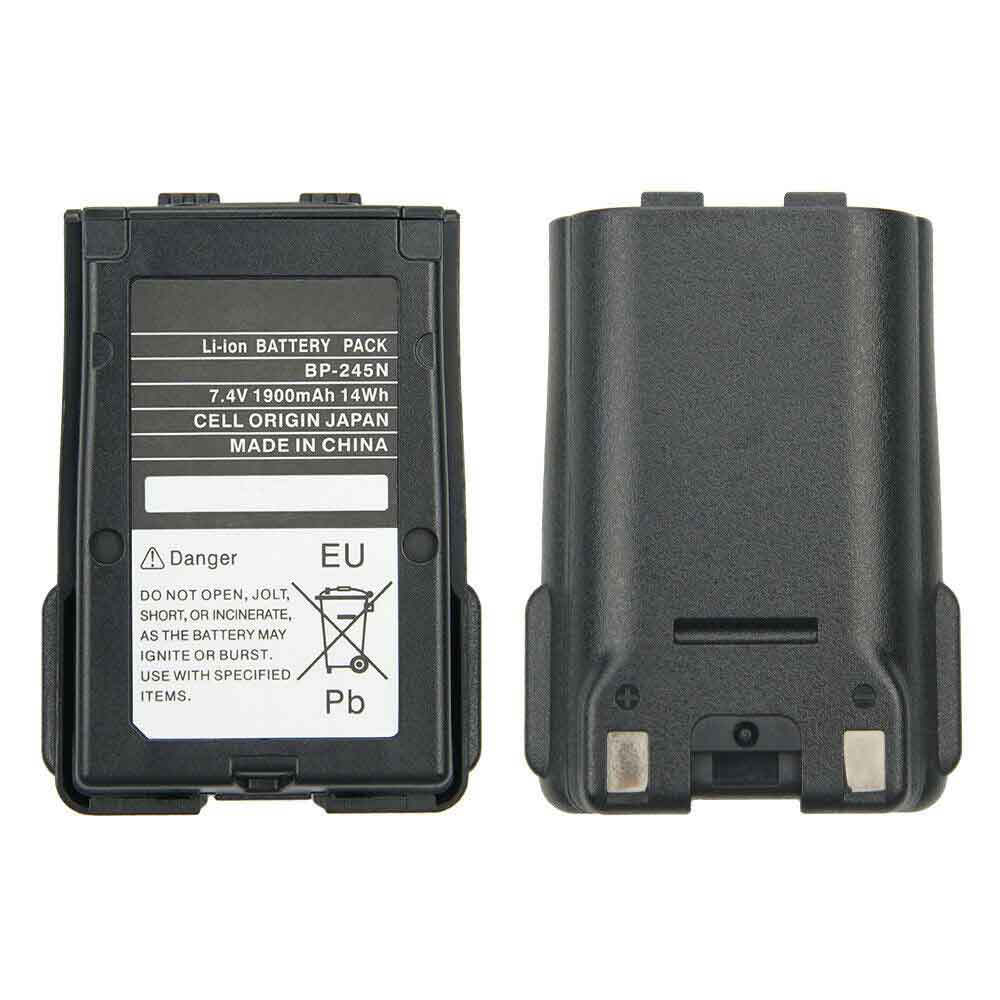
Battery BP-245H Replacement For ICOM Radio ICOM M72 M73

Find the right battery for ICOM M72 M73 to solve your power issues. Our ICOM BP-245H batteries are manufactured to precisely fit just as your original battery.

We use the highest quality Li-ion cells and components that are lighter weight, charge faster and last longer.

US ICOM battery shop – Tech-Battery.com ! Shopping with us is safe and secure! 100% Guarantee Quality and Fully Test!

ICOM BP-245H Battery For ICOM – Battery For ICOM Radio Li-ion 2250mAh 7.2V. Browse our various categories and find out why we have been the go-to source for our customers.

BP-245H
  • Chemistry: Li-ion
  • Voltage: 2250mAh
  • Capacity: 7.2V

Free shipping in most countries. click here to view detailed shipping costs.

We ship to the worldwide,please enquiry shipping & handling if you are out of united states.

What’s the total delivery time? (please use this formula to determine when your order will arrive) total delivery time = packaging time + shipping time.

Replaces the following products:

Fits the following devices:

ICOM M72 M73

ICOM BP-245H ICOM battery is replacement for ICOM M72 M73. The BP-245H batteries equivalent is guaranteed to meet or exceed ICOM original specifications. All ICOM BP-245H Battery are brand new, 1 year Warranty, 100% Guarantee Quality and Fully Test!

We deliver quality ICOM Radio extended batteries online. Purchase your ICOM Radio battery here.

ICOM BP-245H ICOM Batteries

  • 100% OEM Compatible with your ICOM Radio.
  • Lithium Ion battery technology
  • Convenient and secure online purchasing
  • Dependable high quality ICOM batteries
  • Satisfaction guaranteed or your money back
  • 1 Year Warranty on all ICOM Radio Replacement Batteries

6 tips to increase BP-245H ICOM Battery lifetime

The performance of your ICOM depends largely on the performance of your battery. And his time of life depends on its users, and that you are. These are the principles that have guided the ICOM , at the head, so you can optimize the performance of ICOM Radio battery.
New battery still fully charged BP-245H sold. You must be on the first wheel to be conditioned for optimum performance. Loading and unloading of the battery 4 or 5 times is enough to determine.
The memory effect completely to avoid a full charge and discharge the battery, ICOM BP-245H twice a month.
The dirt on the ICOM BP-245H contacts of the battery can power the ICOM Radio batteries. Clean with alcohol and cotton can look like and function like new.
This method is recommended for those using the AC adapter for long periods. We recommend that you use the ICOM BP-245H battery at least once in two weeks. Batteries lose its charge when stored for a long time and you need the battery if it does break.
If he does not use a length of time, the ICOM BP-245H battery will be stored protected from a clean, dry and cool, heat and other metals. A loss of business to charge the battery in time and need a break before reuse.
Power Management Features Battery BP-245H enable the conservation of energy in the battery of ICOM Radio. You can control the speed of the processor off, or you can adjust the brightness of the LCD screen to a minimum to ensure low power consumption. 

Why we have been the go-to source for our customers ?

We stock a wide range of rechargeable batteries for ICOM Radio. Your ICOM Tablet PC is part of your everyday life. Successful communications on a ICOM begin with your battery. When purchasing a replacement battery for your ICOM ICOM, dependability and price are what we have to offer. We’ve been supplying reliable, high quality ICOM batteries for over 10 years. Our goal is to provide high quality aftermarket replacement batteries at a very reasonable price. All of our rechargeable Li-Ion ICOM batteries are backed by a one year warranty.

What is the run time of ICOM battery?

ICOM batteries have two main ratings on them: Volts and Amperes. Because size and weight of batteries is limited when compared to larger batteries such as car batteries, most companies show their ratings with Volts and Milliamperes. One thousand Milliamperes equals 1 Ampere. When buying a battery, select batteries with the most Milliamperes (or mAh). Batteries are also rated by Watt-Hours, perhaps the simplest rating of all. This is found by multiplying the Volts and the Amperes together. For example:

  • 14.4 Volts, 4000mAh (Note: 4000mAh is equal to 4.0 Amperes).
  • 14.4 x 4.0 = 57.60 Watt-Hours

Watt-Hours signifies the energy needed to power one watt for one hour.

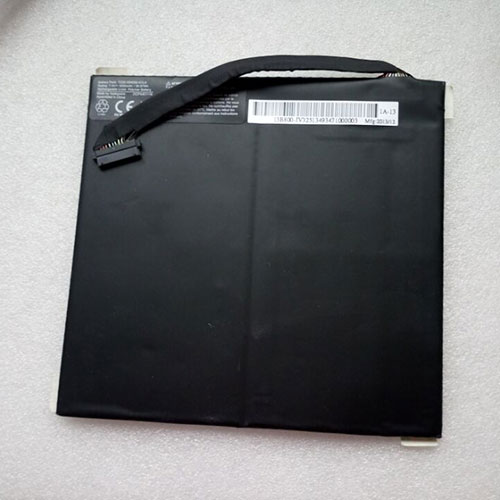
Battery TZ20-2S4050-G1L4 Replacement For Medion Tablet Medion Akoya P2212T (MD 99360) 30016810

Find the right battery for Medion Akoya P2212T (MD 99360) 30016810 to solve your power issues. Our Medion TZ20-2S4050-G1L4 batteries are manufactured to precisely fit just as your original battery.

We use the highest quality Li-ion cells and components that are lighter weight, charge faster and last longer.

US Medion battery shop – Tech-Battery.com ! Shopping with us is safe and secure! 100% Guarantee Quality and Fully Test!

Medion TZ20-2S4050-G1L4 Battery For Medion – Battery For Medion Tablet Li-ion 4050mAh 7.4V. Browse our various categories and find out why we have been the go-to source for our customers.

TZ20-2S4050-G1L4
  • Chemistry: Li-ion
  • Voltage: 4050mAh
  • Capacity: 7.4V

Free shipping in most countries. click here to view detailed shipping costs.

We ship to the worldwide,please enquiry shipping & handling if you are out of united states.

What’s the total delivery time? (please use this formula to determine when your order will arrive) total delivery time = packaging time + shipping time.

Replaces the following products:

Fits the following devices:

Medion Akoya P2212T (MD 99360) 30016810

Medion TZ20-2S4050-G1L4 Medion battery is replacement for Medion Akoya P2212T (MD 99360) 30016810. The TZ20-2S4050-G1L4 batteries equivalent is guaranteed to meet or exceed Medion original specifications. All Medion TZ20-2S4050-G1L4 Battery are brand new, 1 year Warranty, 100% Guarantee Quality and Fully Test!

We deliver quality Medion Tablet extended batteries online. Purchase your Medion Tablet battery here.

Medion TZ20-2S4050-G1L4 Medion Batteries

  • 100% OEM Compatible with your Medion Tablet.
  • Lithium Ion battery technology
  • Convenient and secure online purchasing
  • Dependable high quality Medion batteries
  • Satisfaction guaranteed or your money back
  • 1 Year Warranty on all Medion Tablet Replacement Batteries

6 tips to increase TZ20-2S4050-G1L4 Medion Battery lifetime

The performance of your Medion depends largely on the performance of your battery. And his time of life depends on its users, and that you are. These are the principles that have guided the Medion , at the head, so you can optimize the performance of Medion Tablet battery.
New battery still fully charged TZ20-2S4050-G1L4 sold. You must be on the first wheel to be conditioned for optimum performance. Loading and unloading of the battery 4 or 5 times is enough to determine.
The memory effect completely to avoid a full charge and discharge the battery, Medion TZ20-2S4050-G1L4 twice a month.
The dirt on the Medion TZ20-2S4050-G1L4 contacts of the battery can power the Medion Tablet batteries. Clean with alcohol and cotton can look like and function like new.
This method is recommended for those using the AC adapter for long periods. We recommend that you use the Medion TZ20-2S4050-G1L4 battery at least once in two weeks. Batteries lose its charge when stored for a long time and you need the battery if it does break.
If he does not use a length of time, the Medion TZ20-2S4050-G1L4 battery will be stored protected from a clean, dry and cool, heat and other metals. A loss of business to charge the battery in time and need a break before reuse.
Power Management Features Battery TZ20-2S4050-G1L4 enable the conservation of energy in the battery of Medion Tablet. You can control the speed of the processor off, or you can adjust the brightness of the LCD screen to a minimum to ensure low power consumption. 

Why we have been the go-to source for our customers ?

We stock a wide range of rechargeable batteries for Medion Tablet. Your Medion Tablet PC is part of your everyday life. Successful communications on a Medion begin with your battery. When purchasing a replacement battery for your Medion Medion, dependability and price are what we have to offer. We’ve been supplying reliable, high quality Medion batteries for over 10 years. Our goal is to provide high quality aftermarket replacement batteries at a very reasonable price. All of our rechargeable Li-Ion Medion batteries are backed by a one year warranty.

What is the run time of Medion battery?

Medion batteries have two main ratings on them: Volts and Amperes. Because size and weight of batteries is limited when compared to larger batteries such as car batteries, most companies show their ratings with Volts and Milliamperes. One thousand Milliamperes equals 1 Ampere. When buying a battery, select batteries with the most Milliamperes (or mAh). Batteries are also rated by Watt-Hours, perhaps the simplest rating of all. This is found by multiplying the Volts and the Amperes together. For example:

  • 14.4 Volts, 4000mAh (Note: 4000mAh is equal to 4.0 Amperes).
  • 14.4 x 4.0 = 57.60 Watt-Hours

Watt-Hours signifies the energy needed to power one watt for one hour.

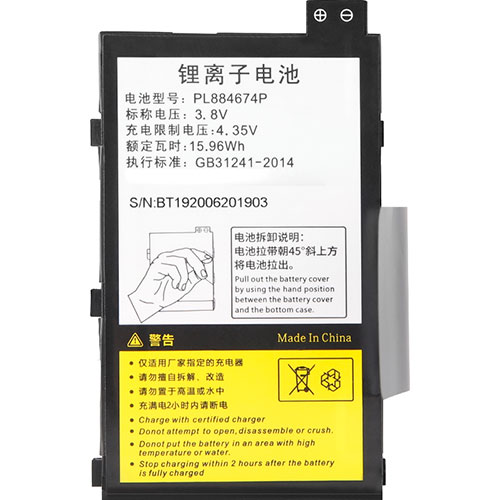
Battery PL884674P Replacement For MAJET Scanner MAJET T80S

Find the right battery for MAJET T80S to solve your power issues. Our MAJET PL884674P batteries are manufactured to precisely fit just as your original battery.

We use the highest quality Li-ion cells and components that are lighter weight, charge faster and last longer.

US MAJET battery shop – Tech-Battery.com ! Shopping with us is safe and secure! 100% Guarantee Quality and Fully Test!

MAJET PL884674P Battery For MAJET – Battery For MAJET Scanner Li-ion 15.96Wh 3.8V/4.35V. Browse our various categories and find out why we have been the go-to source for our customers.

PL884674P
  • Chemistry: Li-ion
  • Voltage: 15.96Wh
  • Capacity: 3.8V/4.35V

Free shipping in most countries. click here to view detailed shipping costs.

We ship to the worldwide,please enquiry shipping & handling if you are out of united states.

What’s the total delivery time? (please use this formula to determine when your order will arrive) total delivery time = packaging time + shipping time.

Replaces the following products:

Fits the following devices:

MAJET T80S

MAJET PL884674P MAJET battery is replacement for MAJET T80S. The PL884674P batteries equivalent is guaranteed to meet or exceed MAJET original specifications. All MAJET PL884674P Battery are brand new, 1 year Warranty, 100% Guarantee Quality and Fully Test!

We deliver quality MAJET Scanner extended batteries online. Purchase your MAJET Scanner battery here.

MAJET PL884674P MAJET Batteries

  • 100% OEM Compatible with your MAJET Scanner.
  • Lithium Ion battery technology
  • Convenient and secure online purchasing
  • Dependable high quality MAJET batteries
  • Satisfaction guaranteed or your money back
  • 1 Year Warranty on all MAJET Scanner Replacement Batteries

6 tips to increase PL884674P MAJET Battery lifetime

The performance of your MAJET depends largely on the performance of your battery. And his time of life depends on its users, and that you are. These are the principles that have guided the MAJET , at the head, so you can optimize the performance of MAJET Scanner battery.
New battery still fully charged PL884674P sold. You must be on the first wheel to be conditioned for optimum performance. Loading and unloading of the battery 4 or 5 times is enough to determine.
The memory effect completely to avoid a full charge and discharge the battery, MAJET PL884674P twice a month.
The dirt on the MAJET PL884674P contacts of the battery can power the MAJET Scanner batteries. Clean with alcohol and cotton can look like and function like new.
This method is recommended for those using the AC adapter for long periods. We recommend that you use the MAJET PL884674P battery at least once in two weeks. Batteries lose its charge when stored for a long time and you need the battery if it does break.
If he does not use a length of time, the MAJET PL884674P battery will be stored protected from a clean, dry and cool, heat and other metals. A loss of business to charge the battery in time and need a break before reuse.
Power Management Features Battery PL884674P enable the conservation of energy in the battery of MAJET Scanner. You can control the speed of the processor off, or you can adjust the brightness of the LCD screen to a minimum to ensure low power consumption. 

Why we have been the go-to source for our customers ?

We stock a wide range of rechargeable batteries for MAJET Scanner. Your MAJET Tablet PC is part of your everyday life. Successful communications on a MAJET begin with your battery. When purchasing a replacement battery for your MAJET MAJET, dependability and price are what we have to offer. We’ve been supplying reliable, high quality MAJET batteries for over 10 years. Our goal is to provide high quality aftermarket replacement batteries at a very reasonable price. All of our rechargeable Li-Ion MAJET batteries are backed by a one year warranty.

What is the run time of MAJET battery?

MAJET batteries have two main ratings on them: Volts and Amperes. Because size and weight of batteries is limited when compared to larger batteries such as car batteries, most companies show their ratings with Volts and Milliamperes. One thousand Milliamperes equals 1 Ampere. When buying a battery, select batteries with the most Milliamperes (or mAh). Batteries are also rated by Watt-Hours, perhaps the simplest rating of all. This is found by multiplying the Volts and the Amperes together. For example:

  • 14.4 Volts, 4000mAh (Note: 4000mAh is equal to 4.0 Amperes).
  • 14.4 x 4.0 = 57.60 Watt-Hours

Watt-Hours signifies the energy needed to power one watt for one hour.

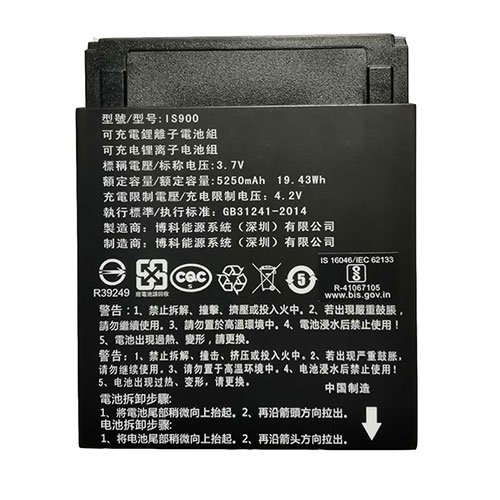
Battery IS900 Replacement For PAX Camera PAX A920

Find the right battery for PAX A920 to solve your power issues. Our PAX IS900 batteries are manufactured to precisely fit just as your original battery.

We use the highest quality Li-ion cells and components that are lighter weight, charge faster and last longer.

US PAX battery shop – Tech-Battery.com ! Shopping with us is safe and secure! 100% Guarantee Quality and Fully Test!

PAX IS900 Battery For PAX – Battery For PAX Camera Li-ion 5250mAh/19.43Wh 3.7V/4.2V. Browse our various categories and find out why we have been the go-to source for our customers.

IS900
  • Chemistry: Li-ion
  • Voltage: 5250mAh/19.43Wh
  • Capacity: 3.7V/4.2V

Free shipping in most countries. click here to view detailed shipping costs.

We ship to the worldwide,please enquiry shipping & handling if you are out of united states.

What’s the total delivery time? (please use this formula to determine when your order will arrive) total delivery time = packaging time + shipping time.

Replaces the following products:

Fits the following devices:

PAX A920

PAX IS900 PAX battery is replacement for PAX A920. The IS900 batteries equivalent is guaranteed to meet or exceed PAX original specifications. All PAX IS900 Battery are brand new, 1 year Warranty, 100% Guarantee Quality and Fully Test!

We deliver quality PAX Camera extended batteries online. Purchase your PAX Camera battery here.

PAX IS900 PAX Batteries

  • 100% OEM Compatible with your PAX Camera.
  • Lithium Ion battery technology
  • Convenient and secure online purchasing
  • Dependable high quality PAX batteries
  • Satisfaction guaranteed or your money back
  • 1 Year Warranty on all PAX Camera Replacement Batteries

6 tips to increase IS900 PAX Battery lifetime

The performance of your PAX depends largely on the performance of your battery. And his time of life depends on its users, and that you are. These are the principles that have guided the PAX , at the head, so you can optimize the performance of PAX Camera battery.
New battery still fully charged IS900 sold. You must be on the first wheel to be conditioned for optimum performance. Loading and unloading of the battery 4 or 5 times is enough to determine.
The memory effect completely to avoid a full charge and discharge the battery, PAX IS900 twice a month.
The dirt on the PAX IS900 contacts of the battery can power the PAX Camera batteries. Clean with alcohol and cotton can look like and function like new.
This method is recommended for those using the AC adapter for long periods. We recommend that you use the PAX IS900 battery at least once in two weeks. Batteries lose its charge when stored for a long time and you need the battery if it does break.
If he does not use a length of time, the PAX IS900 battery will be stored protected from a clean, dry and cool, heat and other metals. A loss of business to charge the battery in time and need a break before reuse.
Power Management Features Battery IS900 enable the conservation of energy in the battery of PAX Camera. You can control the speed of the processor off, or you can adjust the brightness of the LCD screen to a minimum to ensure low power consumption. 

Why we have been the go-to source for our customers ?

We stock a wide range of rechargeable batteries for PAX Camera. Your PAX Tablet PC is part of your everyday life. Successful communications on a PAX begin with your battery. When purchasing a replacement battery for your PAX PAX, dependability and price are what we have to offer. We’ve been supplying reliable, high quality PAX batteries for over 10 years. Our goal is to provide high quality aftermarket replacement batteries at a very reasonable price. All of our rechargeable Li-Ion PAX batteries are backed by a one year warranty.

What is the run time of PAX battery?

PAX batteries have two main ratings on them: Volts and Amperes. Because size and weight of batteries is limited when compared to larger batteries such as car batteries, most companies show their ratings with Volts and Milliamperes. One thousand Milliamperes equals 1 Ampere. When buying a battery, select batteries with the most Milliamperes (or mAh). Batteries are also rated by Watt-Hours, perhaps the simplest rating of all. This is found by multiplying the Volts and the Amperes together. For example:

  • 14.4 Volts, 4000mAh (Note: 4000mAh is equal to 4.0 Amperes).
  • 14.4 x 4.0 = 57.60 Watt-Hours

Watt-Hours signifies the energy needed to power one watt for one hour.

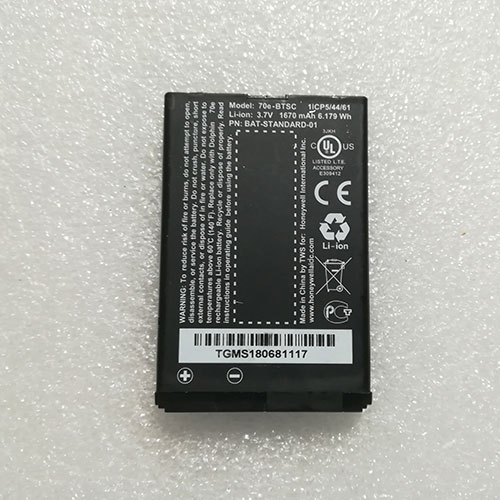
Battery 70e-BTSC Replacement For Honeywell Scanner Honeywell Dolphin 70e BAT-STANDARD-01

Find the right battery for Honeywell Dolphin 70e BAT-STANDARD-01 to solve your power issues. Our Honeywell 70e-BTSC batteries are manufactured to precisely fit just as your original battery.

We use the highest quality Li-ion cells and components that are lighter weight, charge faster and last longer.

US Honeywell battery shop – Tech-Battery.com ! Shopping with us is safe and secure! 100% Guarantee Quality and Fully Test!

Honeywell 70e-BTSC Battery For Honeywell – Battery For Honeywell Scanner Li-ion 1670mAh/6.179Wh 3.7V/4.2V. Browse our various categories and find out why we have been the go-to source for our customers.

70e-BTSC
  • Chemistry: Li-ion
  • Voltage: 1670mAh/6.179Wh
  • Capacity: 3.7V/4.2V

Free shipping in most countries. click here to view detailed shipping costs.

We ship to the worldwide,please enquiry shipping & handling if you are out of united states.

What’s the total delivery time? (please use this formula to determine when your order will arrive) total delivery time = packaging time + shipping time.

Replaces the following products:

Fits the following devices:

Honeywell Dolphin 70e BAT-STANDARD-01

Honeywell 70e-BTSC Honeywell battery is replacement for Honeywell Dolphin 70e BAT-STANDARD-01. The 70e-BTSC batteries equivalent is guaranteed to meet or exceed Honeywell original specifications. All Honeywell 70e-BTSC Battery are brand new, 1 year Warranty, 100% Guarantee Quality and Fully Test!

We deliver quality Honeywell Scanner extended batteries online. Purchase your Honeywell Scanner battery here.

Honeywell 70e-BTSC Honeywell Batteries

  • 100% OEM Compatible with your Honeywell Scanner.
  • Lithium Ion battery technology
  • Convenient and secure online purchasing
  • Dependable high quality Honeywell batteries
  • Satisfaction guaranteed or your money back
  • 1 Year Warranty on all Honeywell Scanner Replacement Batteries

6 tips to increase 70e-BTSC Honeywell Battery lifetime

The performance of your Honeywell depends largely on the performance of your battery. And his time of life depends on its users, and that you are. These are the principles that have guided the Honeywell , at the head, so you can optimize the performance of Honeywell Scanner battery.
New battery still fully charged 70e-BTSC sold. You must be on the first wheel to be conditioned for optimum performance. Loading and unloading of the battery 4 or 5 times is enough to determine.
The memory effect completely to avoid a full charge and discharge the battery, Honeywell 70e-BTSC twice a month.
The dirt on the Honeywell 70e-BTSC contacts of the battery can power the Honeywell Scanner batteries. Clean with alcohol and cotton can look like and function like new.
This method is recommended for those using the AC adapter for long periods. We recommend that you use the Honeywell 70e-BTSC battery at least once in two weeks. Batteries lose its charge when stored for a long time and you need the battery if it does break.
If he does not use a length of time, the Honeywell 70e-BTSC battery will be stored protected from a clean, dry and cool, heat and other metals. A loss of business to charge the battery in time and need a break before reuse.
Power Management Features Battery 70e-BTSC enable the conservation of energy in the battery of Honeywell Scanner. You can control the speed of the processor off, or you can adjust the brightness of the LCD screen to a minimum to ensure low power consumption. 

Why we have been the go-to source for our customers ?

We stock a wide range of rechargeable batteries for Honeywell Scanner. Your Honeywell Tablet PC is part of your everyday life. Successful communications on a Honeywell begin with your battery. When purchasing a replacement battery for your Honeywell Honeywell, dependability and price are what we have to offer. We’ve been supplying reliable, high quality Honeywell batteries for over 10 years. Our goal is to provide high quality aftermarket replacement batteries at a very reasonable price. All of our rechargeable Li-Ion Honeywell batteries are backed by a one year warranty.

What is the run time of Honeywell battery?

Honeywell batteries have two main ratings on them: Volts and Amperes. Because size and weight of batteries is limited when compared to larger batteries such as car batteries, most companies show their ratings with Volts and Milliamperes. One thousand Milliamperes equals 1 Ampere. When buying a battery, select batteries with the most Milliamperes (or mAh). Batteries are also rated by Watt-Hours, perhaps the simplest rating of all. This is found by multiplying the Volts and the Amperes together. For example:

  • 14.4 Volts, 4000mAh (Note: 4000mAh is equal to 4.0 Amperes).
  • 14.4 x 4.0 = 57.60 Watt-Hours

Watt-Hours signifies the energy needed to power one watt for one hour.

The cheap and cheerful Moto e7 promises 36 hours of battery life

We don’t expect an awful lot from a phone costing less than £100, but Motorola assures us that its latest budget handset will last around 36 hours on a single charge and take photos that aren’t terrible with its 48MP main camera. It also boasts what Motorola is calling a water-repellent design — it can apparently withstand “moderate exposure to water such as accidental spills, splashes, or light rain — which is more than can be said for most cheap phones.

The Moto e7 is pretty unremarkable in many other ways. Its MediaTek Helio G25 chip, 2GB of RAM, and 32GB of (expandable) storage will make for modest performance, at best, while its large (6.5-inch) display won’t look great with a 720p resolution. Other bells and whistles will be sorely missed, such as NFC, fast charging, and dual speakers.

SPECS

SoCMediaTek Helio G25
RAM2GB
Storage32GB (expandable)
Display6.5-inch HD+ (720p) IPS TFT LCD
Rear cameras48MP main camera (f/1.7), 2MP macro (f/2.4)
Front camera5MP (f/2.2)
Battery4,000 mAh (10W charging)
SoftwareAndroid 10
OtherHeadphone jack, FM radio, DualSIM, single speaker, rear fingerprint reader
Dimensions164.93 x 75.73 x 8.89mm
Weight180g
ColorsMineral grey, Aqua blue, Satin coral
Price£99

It’s obviously found lacking in many areas, but at least there’s a headphone jack, a rear-mounted fingerprint reader (within the Moto logo), and a relatively high-resolution main camera. There’s also a dedicated Google Assistant button, for whatever that’s worth. For £99, this might represent a decent deal for anyone seeking a bare minimum smartphone for the cheapest possible price.

The Moto e7 comes in three colors, a rather bland grey alongside more exciting aqua and coral numbers. In the UK, you’ll be able to get it from Amazon, Argos , Carphone Warehouse , John Lewis , 02, and Tesco. The Satin Coral colorway will only be available from motorola.co.uk. In Europe, it’ll cost €119.99. Availability will be expanded to Latin America, the Middle East, and Asia in the coming weeks.

The upcoming Lenovo K12 Pro is a rebranded Moto G9 Power

Lately, Lenovo, the parent company of Motorola has been rebranding its subsidiary’s smartphones as its own for certain markets. The latest such model is the upcoming Lenovo K12 Pro, which has been now spotted on FCC and TENAA confirming it to be a rebadged Moto G9 Power, which went official earlier this month.

91Mobiles found the Lenovo K12 Pro on FCC and TENAA with model numbers XT2091-8 and XT2091-7 respectively. The publication’s findings also confirm this handset to be a rebranded Moto G9 Power whose model number is XT2091-3.

That means this device should be powered by Qualcomm Snapdragon 662 chipset paired with 4GB RAM and 128GB internal storage. There could be other storage configurations as well but we cannot tell for sure as the TENAA listing only has images as of now.

The phone will sport a 6.8-inch IPS LCD panel on the front with a resolution of 1640 x 720 pixels (HD+). This screen will feature a punch-hole cutout housing a 16MP selfie camera at the top left corner.

Further, the handset will house a triple camera setup consisting of a 64MP primary sensor, 2MP macro snapper, and 2MP depth sensor along with an LED flash in a matrix design. The rear panel of the device will also include a circular capacitive fingerprint sensor and a vertical Lenovo branding in the bottom left corner.

The main highlight of this phone will be its 6,000mAh battery with support for 20W fast charging via USB Type-C. Other specs of this smartphone will include dual-band WiFi 5, Bluetooth 5.0, GPS, NFC, 3.5mm headphone jack, microSD card support, and Android 10 operating system.

Recently, Lenovo confirmed that it will be reviving the Lemon-branded budget smartphones. Followed by that, the company teased the arrival of new phones late last week. Hence, we think that this device could be one of those Lemon handsets (XT2091-7 via TENAA).

Whereas, the same device with Lenovo K12 Pro branding (XT2091-8 via FCC) could launch in the Middle East just like the Lenovo K12 Note, which is a rebranded Moto G9 Play / Moto G9 (India).

A Ryzen 7 4800U for Businesses: HP EliteBook 845 G7 Ryzen 7 Pro 4750U Laptop Review

We had recently checked out the HP EliteBook 845 G7 equipped with the hexa-core Ryzen 5 Pro 4650U CPU, 8 GB of single-channel RAM, and 250-nit display panel option. This time, we want to see how well the pricier configuration with the octa-core Ryzen 7 Pro 4750U CPU, 16 GB of dual-channel RAM, and 400-nit panel option can compare. What performance and display differences can users expect between these two SKUs?

Our test unit as configured retails for about $1300 or more. We recommend reading up on our review on the Ryzen 5 configuration to learn more about the physical features of the laptop including its keyboard, port options, and serviceability.

Alternatives to the HP EliteBook 845 G7 include other high-end 14-inch business laptops like the Lenovo X1 Carbon and Dell Latitude 7410 or prosumer laptops like the Huawei MateBook X Pro or Asus ZenBook S UX393.

HP EliteBook 845 G7 Ryzen 7 Pro 4750U

Processor: AMD Ryzen 7 PRO 4750U 8 x 1.7 – 4.1 GHz, Renoir PRO (Zen 2)

Graphics adapter: AMD Radeon RX Vega 7 – 512 MB, Core: 1600 MHz, Memory: 1333 MHz, DDR4, 27.20.11041.2001

Memory: 16384 MB, DDR4-3200, 22-22-22-52, Dual-Channel

Display: 14.00 inch 16:9, 1920 x 1080 pixel 157 PPI, AU Optronics AUO068B, IPS, glossy: no, 60 Hz

Mainboard: AMD Promontory/Bixby FCH

Storage: Samsung SSD PM981a MZVLB256HBHQ, 256 GB 

Weight: 1.39 kg ( = 49.03 oz / 3.06 pounds), Power Supply: 280 g ( = 9.88 oz / 0.62 pounds)

Price: 1300 USD

Display

Our configuration comes equipped with a 400-nit AU Optronics panel in contrast to the 250-nit LG Philips panel on our Ryzen 5 SKU. Other than being brighter, this particular panel also offers deeper colors and a similar contrast ratio of over 1000:1. Black-white and gray-gray response times, however, are slower for more noticeable ghosting here. Still, we find this trade-off to be well worth it especially for an office laptop where colors and brightness are often more important than super-fast response times.

Note that maximum brightness will automatically drop to just 184 nits when on battery power due to AMD Vari-Bright. Disabling this feature via the included Radeon software lifts this low ceiling up to 432.5 nits.

Color space is two times greater than on our less expensive 6-core EliteBook 845 G7 configuration. Our 400-nit panel option covers all of sRGB and approximately 64 percent of AdobeRGB to be suitable for most editors or content creators.

The panel is well-calibrated out of the box with average grayscale and color DeltaE values of just 2.5 and 2.34, respectively. Calibrating the display ourselves even further would improve both gamma and RGB balance just marginally.

Though the 400-nit display is brighter than the 250-nit display on our Ryzen 5 model, it’s still not bright enough to be viewable outdoors. Luckily, HP offers an even brighter 1000-nit panel option for its EliteBook 845 series much like on the EliteBook 1030/1040 series.

Performance

Unlike the Intel-powered EliteBook 840 G7 series, the EliteBook 845 G7 series is home to all the 7 nm AMD options. Users can choose between the Ryzen 3 Pro 4450U, Ryzen 5 Pro 4650U, or Ryzen 7 Pro 4750U. The Ryzen 7 Pro 4750U is essentially the business version of the consumer Ryzen 7 4800U meaning it supports memory encryption, Secure Boot, Trusted Applications, and other hardware-based security measures. Clock rates are slightly slower than the Ryzen 7 4800U as a result of the security overhead (1.7 GHz vs. 1.8 GHz base). The number of GPU cores has been reduced from 8 (Vega 8) to 7 (Vega 7).

Processor

Much like the Ryzen 7 4800U, multi-thread performance on the octa-core Ryzen 7 Pro 4750U is insanely fast when considering the small chassis form factor and small 15 W to 25 W TDP range. CineBench results rank our processor to be on par with the hexa-core Core i7-10750H which is a more much power-hungry processor commonly found on larger laptops like the HP Envy 15, HP Spectre x360 15, or the Dell XPS 15. Intel has no proper U-series octa-core equivalent at the moment as its closest alternative is the 14 nm hexa-core Core i7-10810U which also boasts much slower integrated graphics performance as well.

Upgrading from the 6-core Ryzen 5 Pro 4650U to the 8-core Ryzen Pro 4750U will bring a 20 to 25 percent performance boost in multi-threaded workloads while single-core performance is essentially the same.

System Performance

PCMark results are excellent for a business laptop especially in Digital Content Creation where the extra CPU cores and fast integrated Vega 7 graphics come in handy.

We experienced no software issues with our test unit. On the hardware side, however, our HP P700 external SSD would constantly disconnect and reconnect when attached to any of USB-A ports of the laptop. Connecting the external SSD via USB-C solves the issue. Nonetheless, we recommend testing various USB-A devices to check if the USB ports are exhibiting any issues.

DPC Latency

LattencyMon shows no DPC latency issues when opening multiple browser tabs on our homepage. 4K UHD video playback is also smooth with just 6 dropped frames during our minute-long YouTube test.

Storage Devices

Storage drives often differ between regions or resellers. Our Ryzen 7 EliteBook 845 G7, for example, comes with a 256 GB Samsung PM981a compared to the 256 GB PM991 on the Ryzen 5 option. The PM981a is significantly faster than the PM991 especially in sequential write rates. users can configure up to 1 TB, but we can’t guarantee what specific drives will actually be included.

GPU Performance

Graphics performance is excellent especially for a business laptop running on just integrated graphics. The Radeon RX Vega 7 here is consistently faster than even the Core i7 Iris Xe in the recently released Asus ZenBook 14 UX425EA according to 3DMark benchmarks. Results are also on par with the discrete GeForce MX250. This doesn’t necessarily mean that our HP system will run games faster than other systems the Iris Xe or GeForce MX250 due to differences in drivers and optimizations, but the raw performance is impressive nonetheless.

Note that our Vega 7 GPU is performing over 60 percent faster than the Vega 6 GPU in our Ryzen 5 EliteBook 845 G7. The wide delta can be partly attributed to the single-channel 8 GB RAM on our Ryzen 5 SKU compared to the dual-channel 16 GB RAM on our Ryzen 7 SKU. The graphics performance difference between Vega 6 and Vega 7 should therefore be much closer than what is presented below between these two HP laptops.

Emissions

System Noise

Fan noise is about the same as on the Ryzen 5 SKU after accounting for the differences in environmental noise. An exception, however, occurs when running Prime95 or when the processor is subjected to similar extreme loads. In such scenarios, fan noise will plateau louder at almost 40 dB(A). The noise is higher-pitched than we would like as well meaning the fan is more noticeable when it starts ramping up.

Temperature

Surface temperatures are generally warmer than on the 6-core EliteBook 845 G7. Hot spots when running extreme loads reach up to 44 C and 53 C on the top and bottom surfaces of the chassis, respectively, compared to just 39 C on the 6-core configuration. The palm rests and most of the keyboard keys remain cooler and so the higher temperatures are not bothersome. 

Stress Test

When running Prime95, the CPU would boost to 3.2 GHz for just a few seconds before falling and stabilizing at 2.9 GHz and 84 C which is warmer than on most Ultrabooks. Interestingly, core temperature is generally cooler than what we observed on the Ryzen 5 version of the EliteBook 845 G7 where that CPU would reach 100 C when running CineBench R15.

Running on battery power will not limit performance. A 3DMark 11 test on batteries would return Physics and Graphics scores of 12102 and 5134 points, respectively, compared to 11889 and 5331 points on mains.

Energy Management

Power Consumption

When compared to the 6-core EliteBook 845 G7, our 8-core version consumes more power when under load. Running 3DMark 06 draws 40 percent more from the outlet for a 25 to 25 percent increase in multi-thread CPU performance and a 60 percent increase in graphics performance. Performance-per-watt here is higher than anticipated especially when compared to Intel’s last generation Ice Lake or Comet Lake-U series.

The 65 W AC adapter is small (~8.8 x 5 x 2.8 cm) and capable of recharging the laptop at a decent rate when running extreme loads.

Battery Life

Expect around 13 hours of real-world WLAN use when running on battery power. The system can be recharged via USB-C or the proprietary AC barrel port.

Verdict

Laptops powered by the latest AMD Renoir CPUs deserve more attention than they’re getting simply because they’re outperforming the usual Intel options at the same price or less especially in graphics performance. If the types of applications you run can benefit from additional physical cores or faster GPU performance, then a Ryzen 5 or Ryzen 7 configuration will be a no-brainer. It’s a shame that HP doesn’t include these same AMD options for more of its EliteBook models like on the Dragonfly or EliteBook 1030/1040 series.

As for the display, we believe the upgrade from 250-nit to 400-nit is worth considering mostly because it brings deeper and more accurate colors alongside the bump in brightness level. Battery life isn’t significantly impacted and outdoor visibility will be a bit better as well. When configured correctly, the EliteBook 845 G7 gets almost everything right.

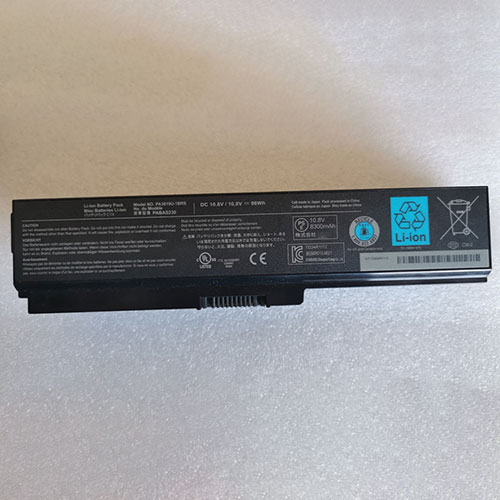
Battery PA3819U-1BRS Replacement For toshiba laptop Toshiba A665 C655 C675 L65

Find the right battery for Toshiba A665 C655 C675 L65 to solve your power issues. Our toshiba PA3819U-1BRS batteries are manufactured to precisely fit just as your original battery.

We use the highest quality Li-ion cells and components that are lighter weight, charge faster and last longer.

US toshiba battery shop – Tech-Battery.com ! Shopping with us is safe and secure! 100% Guarantee Quality and Fully Test!

toshiba PA3819U-1BRS Battery For toshiba – Battery For toshiba laptop Li-ion 98Wh 10.8V. Browse our various categories and find out why we have been the go-to source for our customers.

PA3819U-1BRS
  • Chemistry: Li-ion
  • Voltage: 98Wh
  • Capacity: 10.8V

Free shipping in most countries. click here to view detailed shipping costs.

We ship to the worldwide,please enquiry shipping & handling if you are out of united states.

What’s the total delivery time? (please use this formula to determine when your order will arrive) total delivery time = packaging time + shipping time.

Replaces the following products:

Fits the following devices:

Cell: 9 cells

NOTE : Compatible 10.8V 4400mah/5200mah/6600mah/7800mah

Toshiba Satellite:
A660/ A600 / A655/ A660/ A660D/ A665/ A665D
C660/ C660D

C655/ C655-S5049 / C655-S5049 / C655-S5082 / C655-S5128 / C655-S5212 / C655-S5061 / C655-S5225 / C655-S5206 / C655-S5123

L600 / L600-15S / L600D / L600D-07B / L600D-015S / L600D-07B

L675 / L675D L750 / L750D / L750-171 / L750-17D / L750-17P / L750-18R / L750-1DH / L750-1DJ / L750-1DK

L700 / L700D / L700D-T10W / L700-T10R / L700-T11B / L700-T15B / L700-T33B /

L745D / L740 / L735 / L735D / L730 / L755 / L770 / L770D / L775 / L775D

L750-1DM / L750-1DQ / L750-1DR / L750-1DU / L750-1DV / L750-1DW / L750-1DX / L750-1E5 / L750-1E8

L750-1EK / L750-BT4N22 / L750D / L750D/009 L750D/00K / L750D/00U / L750D/011 / L750D/017 / L750D/030 / L750D/031

L750D/034 / L750D/038 / L750D-14E / L750D-14F / L750D-14H / L750D-14L / L750D-14M / L750D-14Q

L750D-14R / L750D-14U / L750D-BT5N11 / L750D-ST5NX1 / L750-ST4N01 / L750-ST4N02 / L750-ST4NX1

L750 / L750D / L750-171 / L750-17D / L750-17P / L750-18R / L750-1DH / L750-1DJ / L750-1DK

P740 / P740D / P745D / P750 / P750D / P755D / P770 / P770D / P775D

toshiba PA3819U-1BRS toshiba battery is replacement for Toshiba A665 C655 C675 L65. The PA3819U-1BRS batteries equivalent is guaranteed to meet or exceed toshiba original specifications. All toshiba PA3819U-1BRS Battery are brand new, 1 year Warranty, 100% Guarantee Quality and Fully Test!

We deliver quality toshiba laptop extended batteries online. Purchase your toshiba laptop battery here.

toshiba PA3819U-1BRS toshiba Batteries

  • 100% OEM Compatible with your toshiba laptop.
  • Lithium Ion battery technology
  • Convenient and secure online purchasing
  • Dependable high quality toshiba batteries
  • Satisfaction guaranteed or your money back
  • 1 Year Warranty on all toshiba laptop Replacement Batteries

6 tips to increase PA3819U-1BRS toshiba Battery lifetime

The performance of your toshiba depends largely on the performance of your battery. And his time of life depends on its users, and that you are. These are the principles that have guided the toshiba , at the head, so you can optimize the performance of toshiba laptop battery.
New battery still fully charged PA3819U-1BRS sold. You must be on the first wheel to be conditioned for optimum performance. Loading and unloading of the battery 4 or 5 times is enough to determine.
The memory effect completely to avoid a full charge and discharge the battery, toshiba PA3819U-1BRS twice a month.
The dirt on the toshiba PA3819U-1BRS contacts of the battery can power the toshiba laptop batteries. Clean with alcohol and cotton can look like and function like new.
This method is recommended for those using the AC adapter for long periods. We recommend that you use the toshiba PA3819U-1BRS battery at least once in two weeks. Batteries lose its charge when stored for a long time and you need the battery if it does break.
If he does not use a length of time, the toshiba PA3819U-1BRS battery will be stored protected from a clean, dry and cool, heat and other metals. A loss of business to charge the battery in time and need a break before reuse.
Power Management Features Battery PA3819U-1BRS enable the conservation of energy in the battery of toshiba laptop. You can control the speed of the processor off, or you can adjust the brightness of the LCD screen to a minimum to ensure low power consumption. 

Why we have been the go-to source for our customers ?

We stock a wide range of rechargeable batteries for toshiba laptop. Your toshiba Tablet PC is part of your everyday life. Successful communications on a toshiba begin with your battery. When purchasing a replacement battery for your toshiba toshiba, dependability and price are what we have to offer. We’ve been supplying reliable, high quality toshiba batteries for over 10 years. Our goal is to provide high quality aftermarket replacement batteries at a very reasonable price. All of our rechargeable Li-Ion toshiba batteries are backed by a one year warranty.

What is the run time of toshiba battery?

toshiba batteries have two main ratings on them: Volts and Amperes. Because size and weight of batteries is limited when compared to larger batteries such as car batteries, most companies show their ratings with Volts and Milliamperes. One thousand Milliamperes equals 1 Ampere. When buying a battery, select batteries with the most Milliamperes (or mAh). Batteries are also rated by Watt-Hours, perhaps the simplest rating of all. This is found by multiplying the Volts and the Amperes together. For example:

  • 14.4 Volts, 4000mAh (Note: 4000mAh is equal to 4.0 Amperes).
  • 14.4 x 4.0 = 57.60 Watt-Hours

Watt-Hours signifies the energy needed to power one watt for one hour.